Archive for category BYOT Strategies
Supporting Inquiry with BYOT
Posted by BYOT Network in BYOT Strategies on February 28, 2013
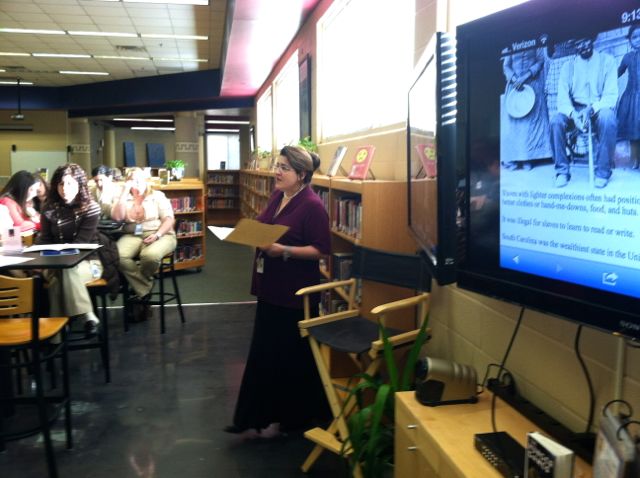
Kim Simshauser describes the 4 C’s Cafe
Learning at Liberty Middle School in Forsyth County, Georgia, begins with a focus on inquiry in its newly remodeled media center. Through a combination of school funds and the ingenuity of the instructional technology specialist, Kim Simshauser, the media center has been reimagined into a hub of digital age learning. In fact, Kim refers to the new space as “The 4C’s Café” in reference to the skills of collaboration, creativity, communication, and critical thinking evident throughout the school. Students are welcomed into the media center to begin learning before the start of the school day.
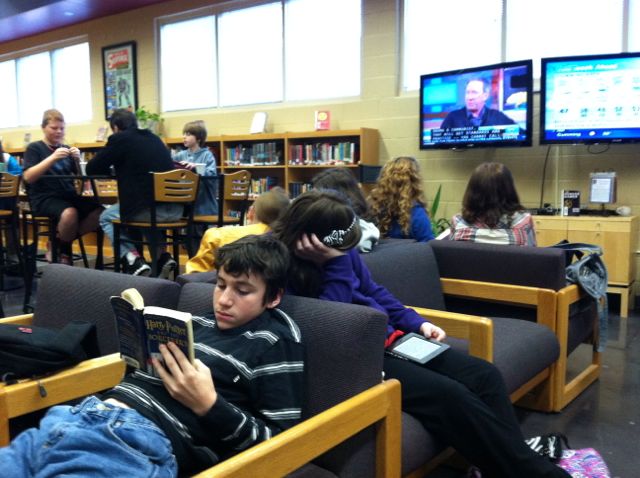 School personnel and volunteer students act as baristas (much like Starbucks) and serve up hot chocolate, decaffeinated beverages, and instructional advice while students browse the book collection, use their personal technology tools for research, study individually or in groups, or watch the news being streamed over two monitors. Kim notes that since the changes have been made that the learning environment is being used more than ever by teachers and students, and now the media center is packed with activity from morning until the end of the day.

Principal Connie Stovall explains the iTeam
The classrooms at Liberty Middle School also support inquiry through guiding questions and learning projects that are facilitated by the students’ personal technology tools. Bring Your Own Technology (BYOT) has been implemented school wide. Students are encouraged to bring their own devices to school, or they may use the school’s technology resources to develop their digital age skills. Principal Connie Stovall provides a scaffold for this emphasis on inquiry by working with her staff and students to develop an inquiry-based team or iTeam. The teachers and students in this seventh grade team applied to participate as trailblazers in the school’s inquiry initiative. They work with each other, their students, and Kim Simshauser to plan lessons that empower the learners. The iTeam students realize that they have a big responsibility to be leaders throughout the school, and their teachers were recently named Team of the Year by the Georgia Middle School Association. In the 2013-2014 school year, the seventh grade team will loop with their students to eighth grade, and new sixth and seventh grade iTeams will be added. The eventual goal is to implement inquiry-based teams throughout the school.
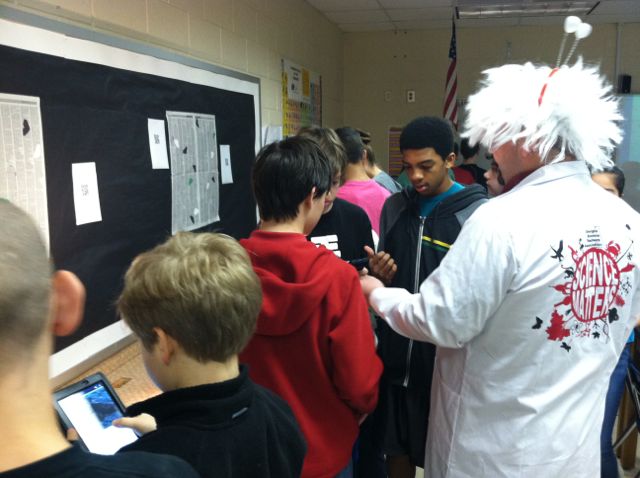 Teachers and students at Liberty Middle School discover that inquiry can be more easily facilitated when students bring their own technology tools to school. Guiding questions can lead to in-depth research, and students can explore new ways to show what they have learned about a topic. These explorations surpass typical standards-based performance tasks and content. They become authentic representations of real-world problems in context. One goal of inquiry is to lead to more questions that become even more relevant to students as they become interested and passionate about a subject.
Here are some additional links and resources related to inquiry-based learning:
- Inquiry-Based Learning (Northeastern Illinois University)
- Inquiry-Based Learning for Teachers
- Inquiry-Based Learning (Concept to Classroom)
- Teaching Tips: Inquiry-Based Learning (eThemes)
BYOT in Kindergarten – Engaging New Learners
Posted by BYOT Network in BYOT Strategies on February 15, 2013
Guest Post by Emily Dunlap @emily_dunlap
Instructional Technology Specialist
If we are going to use Bring Your Own Technology (BYOT) in our schools, why not start with our youngest students? Kindergarteners are digital natives in the truest form because technology has surrounded them since the day they were born. Why should their school experience be any different? If students bring and use their own devices during their first year of school, they will then be the truest form of a digital native – never knowing that there was any other way of learning.
Luckily, I am the Instructional Technology Specialist (ITS) at a school where most of our teachers and parents agree and are willing to allow students to bring their devices to school to use as instructional tools. A couple of my Kindergarten teachers began implementing BYOT in January. They felt that they needed the first half of the year to build communities in their classrooms to facilitate this type of learning. They wanted to ensure that their students would be respectful and responsible of each other and their devices.
Managing New Tools
The teachers sent home our BYOT policy that outlines the responsibilities of the students, parents and teachers when bringing a device to school and must be signed by all three individuals. They also sent a letter that included a list of suggested apps that students might want to download and the teacher’s policies regarding management of devices in their classrooms. The teachers have an individual large Ziploc bag with each student’s name on it. The bag contains the signed BYOT form and device until it is time to use them. While not in use, all of the bags are locked in a closet to ensure that no devices are lost or broken. So far, this management system has worked well for both of them.
Implementing New Strategies
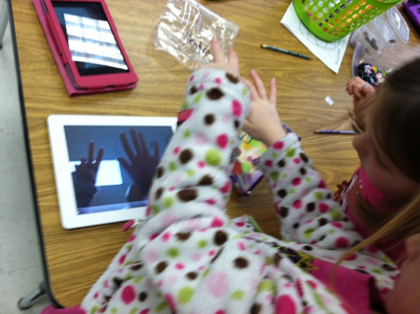 So….now that you have the devices in the building, what do you do with five year olds bringing in different devices loaded with a variety of apps? After collaborating with the teachers, we realized that the best way for Kindergarteners to get the most out of BYOT, is to use their tools to show what they know. The teacher should simply ask the class a question and encourage the students to figure out how they could demonstrate knowledge of that standard. There is no right or wrong way to answer as long as their response shows mastery of the standard in question. By having students choose what way they want to answer the question, they become more familiar with how to use their devices as a tools instead of something to just play games on. That is the purpose of BYOT; isn’t it?
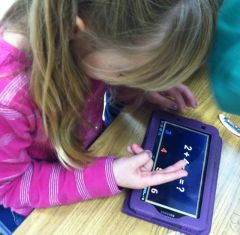
During our first implementation of BYOT, Ashley Loftus, one of our Kindergarten BYOT teachers had all but three of her twenty-two students bring in a device of some sort, and the others had the option of participating in the lesson on a school-owned desktop, laptop or to collaborate with another student. She asked her students to use their devices to show how many days are in a week. Some students found a number app they had loaded and found the number seven. Other students typed or drew “seven” or “7” on numerous apps; others recorded their voices or made a video or took pictures….all showing that the answer was seven. No two responses looked the same, but they were all correct and allowed Mrs. Loftus to assess her students’ knowledge of this content.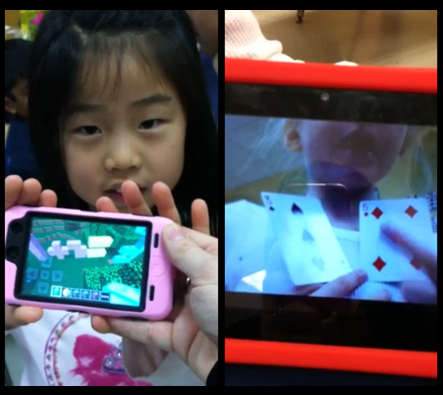
Ashley quickly found that she could use BYOT as an alternative to pencil and paper as a formative assessment while offering opportunities for the children to explore their inner creativity based on their own abilities. Here are two students’ responses when asked to demonstrate an addition problem. One used Minecraft to show her equation while another made a video of herself explaining how to solve her problem.
Guiding New Understandings
The key is to ask students questions pertaining to the standards you are covering and allow the students the freedom to use their device in any way to show you what they know. Ashley went through the current quarter’s standards and came up with the following list of questions she will use during BYOT lessons:
- Show me how many syllables the following words have – wonder…target…combination
- How many syllables does your name have?
- What was the setting in _____ story?
- In your opinion, do you like winter or summer?
- Show me one way to make 8.
- What kind of punctuation mark would I use for this sentence… “I love school”?
- Show me a 2d shape.
- Show me a 3d shape.
- How many vertices does a rectangle have?
- I am going to break down a word and I want you to blend it.
- Show me something heavier than a crayon.
- Show me something longer than your pencil pouch.
- Show me something on your device that you can use to help you learn.
Encouraging New Skills
What a great way for a digital native to demonstrate the knowledge they are learning in school! Sure, they could do these exact activities using pencil and paper, but by using their device, they are engaged and empowered. The possibilities are endless, and our Kindergarteners are learning to be creative, critical thinkers while collaborating and communicating with one another – all essential skills of the digital age.
Connected to Learning with BYOT
Posted by BYOT Network in BYOT Strategies on August 31, 2012
When students use their own technology tools within a Bring Your Own Technology (BYOT) classroom, they can construct new connections that lead to new opportunities for learning. However, many teachers are afraid of what can happen when students make these connections, but these fears are often unfounded when students explore new ways to learn with their own technology at school. In this post, I describe some different ways that students can connect at school and some possible resources for making those connections, and I included Twitter, Facebook, and YouTube even though those sites may not be appropriate for all ages and are blocked within many school settings.
Students Connecting to Each Other
 Students can connect with each other via their technology devices, and according to a recent study, approximately 63% of teens say they communicate with text messages with others in their lives (Lenhart, 2012). Yet, when many students enter their schools, their handheld devices are banned, and communication with their peers are limited in order to listen to lectures and direct instruction in preparation for standardized tests. In the BYOT classroom, however, students can learn and practice new ways to connect with each other through the use of social media when they are involved in collaborative activities with their devices. Participating in group assignments such as developing a class wiki or creating a photo journal can encourage students to share their ideas and demonstrate their learning. Here are some additional resources for helping students connect with each other.
Students Connecting to Teachers
 The bond that teachers can create with the students in their classrooms can help to develop the expectations and community necessary for a successful BYOT initiative. These connections can be motivating to students and help them become persistent learners. In the BYOT classroom, students can develop connections with their teachers as they work alongside each other to utilize technology in the discovery of new concepts and strategies. The traditional role of the teacher as the expert of content knowledge who disseminates that understanding to students through lectures is is often turned upside down in the digital age when as a community of learners, teachers and students build new meanings together. Students can connect with their teachers through the following collaborative tools that allow them to discuss topics they are learning in class and send messages to each other.
Students Connecting to Content
 Many of the concepts that students learn in school are unfamiliar and abstract. By using their own technology devices that they have personalized with their favorite apps and shortcuts, students in the BYOT classroom are able to make greater connections to the content that they are learning. They are also able to locate the information they need just in time to understand these new concepts. Digital Age learners expect to be find ready information as needed to answer their questions, and that information needs to be engaging, visual, and interactive to achieve maximum impact on students. Students can connect with content to demonstrate what they know and with their technology tools they have the capability to emphasize their unique areas of strength and particular talents. These resources can help students connect to content at home and school.
Resources:
Lenhart, A. (2012, March 19). Teens, smartphones, & texting. Retrieved from http://pewinternet.org/Reports/2012/Teens-and-smartphones/Summary-of-findings.aspx
Issues of Equity in BYOT
Posted by BYOT Network in BYOT Strategies on August 23, 2012
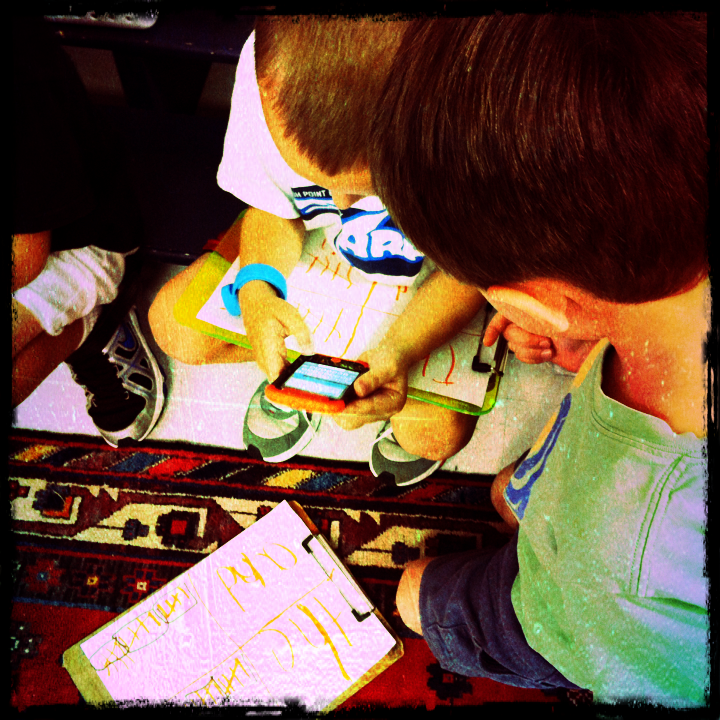 When I discuss the implementation of BYOT in classrooms, I am often questioned about the issue of equity. Is it fair that every student doesn’t have the same device? What do you do about the students who don’t have devices? There is no easy answer to the equity question; however, I have made several observations about equity when BYOT is in practice.
- We do have school technology resources in my district – four desktop computers in every classroom and access to laptop computers. The students without their own devices now have even greater access to school-owned technology since students are bringing their own technology devices to school because of our BYOT initiative. When I walked through classrooms before the implementation of BYOT, the desktop computers were often unused because the teachers directed so much of the one-size-fits-all instruction. Now, teachers are differentiating instruction, partly because of the different devices.
- I can’t predetermine which students will have their own technology tools. Many parents find a way to provide for their children. If teachers have high expectations for how technology will be used in their classrooms and empower students to use their technology tools as needed, students begin bringing their devices more consistently. It isn’t equitable to assume that students won’t have devices or to keep students who do have devices from using them.
- Another issue related to equity is that some teachers want to qualify the types of devices that the students should bring to school – thereby determining that some devices are “better” or “more effective” than others. I think that the students should bring whatever devices they have and then we will figure out together how to use them for instruction. Having the variety of devices can lead to greater opportunities for differentiation and collaboration as students work together to solve problems and develop new solutions.
Strategies for Achieving Equity
- Survey the parents and students to determine what types of technology resources they have available and reassure parents that every child will still have access to the school’s resources. Parents are also more likely to send devices to school when they understand the transformational goals of BYOT.
- Design open-ended lessons that encourage collaboration and open access to school technology resources. Our main goal of BYOT is to help students to become more productive in school rather than just being consumers of information. When students are encouraged to utilize their own devices and school technology, they often congregate in “BYOT Huddles” because they are eager to share what they are learning and creating with others.
- Re-purpose older technology devices for new uses. We have younger students that receive hand-me-down devices from older brothers and sisters, as they upgrade to new technology. Some students also bring slightly cracked iPhones to school that no longer have a data plan, but they work great as iPod Touches on our wifi network.
- Work with the community to brainstorm ways to achieve greater equity. It may be that a business partner can offer access to resources. One great side effect of our BYOT initiative is the dialogue that has occurred among schools and community members and has caused us to develop a BYOT Equity Task Force to tackle the issue of equity in our district.
- Begin your BYOT initiative! How can you even determine what the needs truly are until you begin? One of the early “A-HA” moments of our BYOT Equity Task Force was when we realized that most of our secondary students do have devices in their pockets, but the real access issue was the device they go home to at the end of the day. Some students may still only have that device in their pockets, but they don’t have a home computer with broadband access for more complicated assignments. Now that we have identified that issue, we are developing some plans for addressing it.
Don’t let the issue of equity stop you from implementing BYOT in your districts. It is usually an excuse to keep from embracing new teaching strategies and transforming instruction.
Day 5 of BYOT
Posted by BYOT Network in BYOT Strategies on August 3, 2012
This is Day 5 of a series of posts this week to provide strategies for the first week of school in a Bring Your Own Technology (BYOT) classroom. These ideas are my suggestions for developing a learning community during the first five days of school. Hopefully, this sense of community will lead to an effective BYOT implementation for the rest of the year as students learn and practice the digital age skills of communication, collaboration, creativity, and critical thinking. Please modify these activities to better suit the needs, interests, and abilities of your students.
Scenario: This week the students have begun to construct an online presence through their collaborative work in Wikispaces, Edmodo, and Edublogs with the combined use of school, home, and personal technology tools. By designing their online profiles in these digital habitats, they have personalized their learning experiences. By discovering and recognizing the abilities, interests, and strengths of themselves and of the other members of their learning community, they are positioned to develop a brand, reputation, and digital footprint that can lead to future academic success and someday maybe even to new career opportunities. Rather than to deliver a standardized curriculum that is assessed with traditional multiple choice tests, the vital role of the teacher is to guide the development of these individual and collaborative pursuits and passions.
Activity – Spark a Passion
This week, Shelly Terrell wrote a post entitled 10 Kids Transforming their World through Social Media. That well-written post describe the efforts of 10 children and teens who are making a difference with the use of digital skills and tools about their particular passions. One young teen, Adora Svitak gave a Ted Talk called What Adults Can Learn from Kids; she is an author who has written books, maintains a website, and speaks at educational conferences. According to her website, “Adora believes that everyone deserves the opportunity that comes with literacy and a good education.” In her efforts to accomplish this endeavor, she believes that learning with teachers and children should be “reciprocal,” and a major feature of this learning environment is “trust.”
Likewise, trust has to be a focal element in the BYOT classroom. There really is no way that a teacher cannot empower students to learn with so many different devices and use so many web tools without developing a learning community that is founded on trust for everyone in the group. As the students begin to explore and develop new interests and practice digital age skills, the teacher should model high expectations that sustain trust in the learning community.
Here are some ways to model high expectations:
- Celebrate diversity. Appreciate the differences among your students and recognize that those differences are important to the strength of the learning community as everyone has the potential to add something unique.
- Challenge everyone. A way of increasing rigor in the classroom is to expect everyone to achieve and complete high quality work that includes in-depth reflection and practice.
- Believe students want to do the right thing. This is a big issue. Some teachers are suspicious that their students want to break rules or view inappropriate content. Engage your students in their learning by empowering them to make choices and use their devices as needed.
- Follow the teachable moment. Don’t get so attached to your lesson plans and standards that you miss great teaching opportunities. Many of the best lessons in the BYOT classroom happen just in time at the moment they’re needed.
- Share your interests with the students. The students will be more willing to share and discuss their passions when they realize that their teacher is a real person with personal interests and aspirations.
Steps to spark a passion:
Share the stories of the students given in Shelly Terrell’s post and have them listen to Adora Svitak’s Ted Talk. As students get older, they often get more accustomed to being told what to do, and they need to understand that they are expected to get involved and make choices. Hearing about what other young people are able to achieve through their passion and dedication can be motivating.
Another great post to motivate students is Caine’s Arcade – What Happened During a Summer Freed From Texts, Tests, & Teachers coauthored by Lisa Nielsen and Lisa Cooley. That post relates the story of Caine who followed his passion and utilized his creativity to accomplish something amazing!
The following activity was inspired by a suggestion by Jeremy Angoff. Have students brainstorm ideas about current issues or events that they think should be addressed. Use one of the community’s online spaces for this discussion. An option is to use the short answer question in Socrative to generate responses and then host the discussion within Edmodo. Another student could accumulate all of the different options in one page in the class wiki in Wikispaces. The page could be called, Issues that Concern Us or Ways We Can Make a Difference.
Students can work independently or in groups to choose and research an issue. This is a good time to discuss safe searching, and what type of search engine to use depending on the age of the students. Have the students draft what they learn about that issue or concern in their student blogs in Edublogs. This activity also provides an opportunity to explain how to provide credit various online sources of information. The students should then reflect on what they could do to make a difference regarding their issue and develop a plan in their blogs for putting their ideas into action.
Homework (Post this assignment in Edmodo.)
Now that you are empowered with your personal technology tools in BYOT, social networking tools, and an idea you are passionate about, begin putting your plan into action. Document your strategies and activities in your blog so that you can share them with the rest of your learning community.
Day 4 of BYOT
Posted by BYOT Network in BYOT Strategies on August 2, 2012
This is Day 4 of a series of posts this week to provide strategies for the first week of school in a Bring Your Own Technology (BYOT) classroom. These ideas are my suggestions for developing a learning community during the first five days of school. Hopefully, this sense of community will lead to an effective BYOT implementation for the rest of the year as students learn and practice the digital age skills of communication, collaboration, creativity, and critical thinking. Please modify these activities to better suit the needs, interests, and abilities of your students.
Scenario: Throughout this week students have been empowered to utilize their own technology tools for a variety of instructional uses. A synergy is developing between their online collaborative activities and their face-to-face classwork. As they work together more online, the more they collaborate and communicate in the face-to-face classroom. One fear of many teachers is that they feel as if they are losing control of their classes when students experience the agency to use their devices as needed and begin to share their ideas with each other so readily. However, this shift represents the students taking ownership of their learning experiences, and it should be encouraged.
Activity – Nurture Communication
There are many ways that the digital age skill of communication can be facilitated in the BYOT classroom. This week, it has been practiced through the use of Wikispaces, Edmodo, and Socrative, yet another way to promote further communication is through blogging. A blog provides students with the opportunity to reflect on their learning, share ideas and responses with others, and highlight their academic successes. Blogging enables students to develop their own personal portfolios as they post and document the artifacts of their learning – their writing and projects. Although there are many types of blogging tools, my district has subscribed to Edublogs for all of its students and teachers.
Edublogs
Edublogsoffers free blogging for students, and this use of social networking is an authentic way to teach and practice responsible use. There is an Edublogs app for iOS devices, or students can use other devices to participate in blogging. Students are able to begin drafts of their writing within their blogs and when the draft is finished, they can easily publish each post. This week, the students completed their profiles within the other web tools at home. After the students have signed up for their blogs, they should complete their profiles and customize their blogs in class. I advise students to use the same photo or avatar for each of their profiles in order to develop an online presence in the class that represents them and their personal strengths and interests. Edublogs offers several themes so that students can choose designs that complement their profiles.
The following list explains just a few reasons why I think that it is essential for students (and teachers) to blog:
- Blogging causes students to make connections to what they are learning as they reflect.
- Blogging stimulates critical thinking as students take a stand on an issue and explain supportive reasons for that stand.
- Blogging provides opportunities for on-going debate and discussion as students respond to each other’s posts.
- Blogging showcases and documents student work and creativity.
- Blogging helps students discover their strengths and share their expertise with others.
Branding through Blogging
Throughout the year in the BYOT classroom, the students will continue to develop and practice digital age skills, and this authentic work can lead to an appreciation for individual differences and strengths. This recognition is influenced by several factors. First, the students already have personal interests, and they have the agency with their devices to further refine and perfect those capabilities. Second, BYOT can be the great differentiator in the classroom, Students who have mastered particular skills and concepts can move ahead more easily, and students who need additional practice can receive that support with the use of their own technology tools. Third, when students are empowered to make choices and encouraged to work collaboratively on relevant topics, diverse sets of skills are needed by the learning community for it to be successful. Finally, since the teacher is unable to know every device or every online tool, they have to learn alongside students, and this transformation helps everyone to assume the role of a learner.
As students discover their talents, they can offer advice and support to other members of the learning community. They are often branded as the student you can go to when you need an effective speaker, a videographer, an artist, or a technician. Through blogging, students are able to highlight their individual areas of expertise and this brand becomes further aligned to their personal identities.
When students have finished personalizing their blogs, have them write autobiographical drafts that will be posted in their blogs. There is usually an “About” or “Bio” tab in the blog’s theme where the students can write this information. The teacher will need to review with the students the importance of maintaining online privacy, so the students will need to use critical thinking (along with the guidance of their teacher) to determine what types of information is appropriate for publishing on the web. They should not include actual photos of themselves; provide their last names; or give other identifying information (address, teams, or neighborhood). This will become their first post, so they need to begin thinking about the possibilities of their brand!
Homework (Post these assignments in Edmodo.)
- Publish your first post. Today you completed an autobiographical post that included some of your strengths and interests. Share that post with your parents. What do they think about what you have shared? What qualities do they think you should include? Revise your post if necessary and publish it.
- Discuss in Edmodo. What other ways do you think we could learn with blogging this year? Discuss this question in Edmodo by posting your suggestions as a “Note.”
Day 3 of BYOT
Posted by BYOT Network in BYOT Strategies on August 1, 2012
This is Day 3 of a series of posts to provide strategies for the first week of school in a Bring Your Own Technology (BYOT) classroom. These ideas are my suggestions for developing a learning community during the first five days of school that can hopefully lead to an effective BYOT implementation for the rest of the year. Please modify these activities to better suit the needs, interests, and abilities of your students.
Scenario: Through consistent collaborative work with their technology tools, students are learning and practicing new uses for their devices. Even though it is still early in the year, they are developing into a community with a common vocabulary regarding expectations for online communication and for the responsible use of technology. Although every student may not have a device, the school’s technology resources are being used more than ever to facilitate instruction. However, the students still need to learn additional ways to scaffold the use of their tools for a variety of learning activities.
Activity – Encourage Participation
On Day 1 of this week, the students began a wiki page about ways they could learn with their devices. Continue to add to this list by having the students brainstorm specific activities they could complete each day with their devices. For this brainstorming activity, have students use the Socrative Student app (iOS, Android) to encourage the participation of all the students.
Socrative
Socrative is a student response system that works on all web-enabled devices (including many e-readers), and students can download the free app for both iOS and Android devices. At this time, teachers can sign up for a free account, and with the free teacher app (iOS, Android), they can lead the student response activity from their teacher laptop/desktop or from their handheld devices. Socrative enables teachers to pose multiple choice, true/false, and short answer questions. The other activities that teachers can conduct are pre-made quizzes, exit ticket activity, and a space race game where students can engage, either individually or collaboratively in a game using a pre-made quiz. Teachers can also manage and share their quizzes with other colleagues.
Students do not need accounts to use Socrative; they just select the link (on the Internet) or the app on their handheld devices. Then they enter the room number that the teacher provides them from the teacher account and then join the room. They are directed to wait until the teacher begins the activity (by asking a question or starting a quiz), and then they enter their names and begin.
For this activity, log into Socrative and select a Short Answer quiz. Ask the students what ways that they can use their devices at school to complete tasks they already do without technology. Instead of raising their hands to answer the question, have students submit their suggestions using Socrative and their devices. If they do not have a device, they can use the Internet-based Socrative application from a school technology resource, or they can collaborate with a peer and submit an answer with one device.
Using Socrative is a more effective way to encourage participation than just raising hands because this models the expectation that all students have valuable insights to be shared rather than only the students who are more comfortable with speaking in front of the group. After the students submit their suggestions, Socrative enables the teacher to have the students vote on the answers. This polling can help to generate further discussion. Another student can also be involved by entering all of these suggestions in Wikispaces within the class wiki page – Ways to Learn with Our Devices.
Here are some possible ideas for additional ways that students can use their devices to enter into the class wiki page:
- Solve math problems with a calculator app
- Use an online thesaurus or app during writing assignments
- Define unfamiliar vocabulary words
- Take notes during lessons
- Enter due dates on a calendar
- Research new concepts
- Read eBooks
- Participate in online discussions
Another suggestion for using Socrative is to have students submit their own questions (using the Short Answer option) that the teacher can then use in pre-made quizzes or as follow-up questions. These questions can be based on new content or topics, and they encourage the students to think about what they are learning. Try this activity by having the students submit questions about Responsible Use and then pose those questions to the class. Their questions and answers can also be uploaded to the class wiki page – Our Responsible Use Guidelines – if additional recommendations are generated.
Homework (Post these assignments in Edmodo.)
- Develop your Wikispaces profile. Yesterday, you created your profile in Edmodo. Tonight, you should also develop your profile in Wikispaces. Again, this personalizes the experience of working within a social network. As part of your profile, you should upload an appropriate photo or avatar that represents you. As always, if you do not have a computer at home to complete this assignment, you will be provided time to complete it at school. Try to come to school tomorrow with a completed profile in Wikispaces.
- Download these apps: Research and download apps that help you complete the different class activities listed in our class wiki. Recommend these apps to the other members of the class in our Edmodo group.
Day 2 of BYOT
Posted by BYOT Network in BYOT Strategies on July 31, 2012
This is Day 2 of a series of posts this week to provide strategies for the first week of school in a Bring Your Own Technology (BYOT) classroom. I know that the suggested activities are not the only things you are completing each day; these are just my ideas for setting the stage for an effective BYOT implementation.
Scenario: On the second day of BYOT, more students usually remember to bring their technology tools to school, and the teacher will want to provide time for those students to share out about their devices, too. At this point, I remembered that the teacher should also share out about his/her favorite technology tool! Of course, the students can always add additional information to the class wiki that was designed yesterday to collaborate in describing the ways they can learn with their devices. The teacher has already discussed the responsible use of technology tools, but it should consistently be modeled, expected, and reinforced. Students quickly grasp the technical aspects of BYOT, and then they turn to their teacher expecting something more. They want guidance in how they use their technology for learning in ways that are relevant and authentic.
Technology Uses
My school district uses Bernajean Porter’s Grappling’s Spectrum of Technology Uses to differentiate among literacy, adapting, and transforming uses of technology. Literacy uses describe activities that are just about the technology, like learning to connect to the wifi network or sharing out about a favorite app. Adapting uses involve using tools to do the same types of assignments that students completed without technology like taking notes during a lecture. Transforming uses occur when students are constructing new learning experiences involving higher-level thinking that could not be completed without technology. This first week of school contains many literacy and adapting uses as the students learn how to work together in the BYOT classroom, but the ultimate goal is to progress to transforming uses of their devices. For a more in-depth exploration of this topic, read this post: Levels of Use in BYOT – Transforming Learning Experiences.
Activity – Engage the Students
Follow up yesterday’s activity in developing Our Responsible Use Guidelines within the class wiki by having the students work with partners or small groups to create comics that illustrate those guidelines. They can use the app Comic Touch Lite on iOS devices, or they can use software on the school’s technology or a similar app on their own Android tools. With this app, they can take a photo that represents or illustrates each guideline and write accompanying text in bubbles or captions to help tell the story of what is happening. In the BYOT classroom, always give the students the option to complete the activity in another way or to collaborate with others because of the differences among technology tools. Two of the major benefits of BYOT are that it encourages differentiation of assignments and collaborative work.
More schools continue to provide all of their students with email accounts, and this is an excellent practice to facilitate BYOT. Students under 13 can then complete projects and activities using apps on their devices and email their work to their teachers. The comics in this activity can be saved within the Photos on the iOS device and emailed to the teacher or another student. The student using the school’s technology (desktop/laptop) can then edit the wiki to insert the corresponding comics next to each guideline.
Social Networking
Greater opportunities exist within the BYOT classroom for students to connect with each other, their teacher, and the content. One way of reinforcing these connections is through the use of social networking. Through the collaborative work within the wiki and through discussions regarding responsible use and netiquette, the students have the beginning of an online community. This sense of community can continue to develop through the use of a social network. Facebook and Twitter are social networks that teachers can use depending on the age of the students and the expectations of the school community, to make these connections; however, they are not specifically geared to education. I advise teachers to set up their initial networks within the walled garden of Edmodo.
Edmodo
Edmodo is a free site for students and teachers to participate in secure social networking. When a teacher signs up for an account, they can then create a group for each of their classes. A group code is then generated by Edmodo that the teacher can give to the students in that class. When the students sign up for Edmodo, they create their own usernames and passwords and enter the group codes provided by their teachers to enter their different class groups. Edmodo also has an app for both iOS and Android mobile devices, so it is a great utility for the BYOT classroom.
In Edmodo, students and teachers can share resources and links, participate in discussions, and manage events on a class calendar. Parents can also be given partial access to see their child’s activities and encourage a home/school connection. One concern that I have for Edmodo is that like any educational tool, it could be misused to control a class (through teacher driven assignments and grading) rather than to develop a community of learners. I began this series with collaboration via a wiki in Wikispaces before proposing Edmodo just for that reason.
These online resources are very helpful in supporting a teacher’s work with Edmodo:
- Edmodo Help Center (Look at the Help Topics down the right hand side of the page).
- We asked, you answered! 15 more brilliant ways to use Edmodo
- Best Practices for Digital Citizenship (poster)
- Turn Social Networks into Learning Networks with Edmodo by Katy Schott
- How does Edmodo support PBL? by Dayna Laur
At this point, I think that the teacher should copy yesterday’s wiki page on Our Responsible Use Guidelines (if they are jointly approved by the members of the learning community in the classroom) and post them within Edmodo. The guidelines could still be modified as needed, but they can serve as a common agreement of responsible behaviors that can be shared with parents and students alike.
Homework (Post these assignments in Edmodo.)
- Develop your Edmodo profile. When you enter a social network, one engaging activity is to develop your profile. This is how members of that network can identify you. It personalizes your experience within the social network as you provide general details about yourself including a photo or avatar that represents you. Remember that you are practicing Responsible Use; that Edmodo is a closed community just for our classroom use; and that you should not include information that is too private. You can decide what information should be made public to the other members of your class in Edmodo. Think about what kind of information describes you. What photo or avatar should you use to represent yourself? Note: Devices using the Edmodo app do not allow you to edit your profile with the app; although you can see completed profiles. If you do not have a computer at home to complete this assignment, you will be provided time to complete it at school. Try to come to school tomorrow with a completed profile in Edmodo.
- Download these apps: Download these apps: Edmodo (iOS, Android), Socrative-Student, (iOS, Android). For more apps, look at this list: Apps for Mobile Devices to download. If you do not have a device, you can use the school’s technology resources, and many of our activities can also be completed with a variety of technology tools.
Day 1 of BYOT
Posted by BYOT Network in BYOT Strategies on July 30, 2012
This is Day 1 of a series of posts this week to provide strategies for the first week of school in a Bring Your Own Technology (BYOT) classroom. In order to begin this series, I made three assumptions:
- The principal supports BYOT (see 5 Leadership Strategies for Implementing BYOT).
- Some background communication has occurred with parents and community members to achieve support for BYOT in the school.
- The school has some type of wireless infrastructure and access for supporting BYOT or permits students to bring their own data plans.
Scenario: The students are entering the classroom, and some of them are bringing devices to school. They have already visited the class during Open House, and learned about becoming a BYOT school, and the reality is that, as Jill Hobson, Director of Instructional Technology for Forsyth County Schools, has stated, “You’re already BYOT, but you won’t admit it.” Therefore, many students already have devices in their pockets and backpacks and just need to know how to use them in new ways to facilitate their learning experiences.
Activity – Build a Community
In any strong community, members know the rules and expectations for how they should learn and work together. Educators and schools often just give students the list of rules for students to follow, but BYOT provides greater opportunities for student participation. Expectations for responsible use will be more meaningful to students if they help create them. This process increases student buy in by make the guidelines relevant.
- Discuss Responsible Use. Have students provide examples of how devices should be used appropriately at school and what could happen when devices are used irresponsibly. I would begin this as a class discussion because although many students know how to use their devices, I wouldn’t assume that they know how to use them appropriately within a school setting. Remember, many students are self-taught or peer-taught in how technology should be used.
- Facilitate the Discussion. Guidelines for responsible use need to address the following issues: Netiquette, Cyberbullying, Plagiarism, Security, Maintenance of Devices, Privacy, Passwords, Appropriate Content, and Safe Online Searches. As the moderator of the class discussion, the teacher can help to ensure that these topics come up during the discussion. There may also be some additional issues that should be discussed that are relevant within your particular learning community.
- Share Out about Devices. Have students take out their devices and share them with each other by discussing with a small group or the whole class how they already use their technology. There are several reasons why this sharing is important:
- It acknowledges the expertise of students in their technology tools, and it shows that you trust them to be responsible with them at school.
- Students are usually eager to share what they know about their devices, and this time to share helps them to make connections between personal uses of technology and educational purposes.
- It helps students express the excitement of bringing their technology to school so that they are able to focus and work with their devices more constructively in later activities.
- It allows you and the other students to help distinguish between all of the different devices so that everyone can assist with securing the technology and finding the experts on particular devices.
- It helps you and the students to learn more about all of the different capabilities of the technology available within the classroom.
- It is sometimes easier to talk about your technology tools in a new group than it is to talk about yourself, so it is a good way to begin communicating with others.
- Begin a Wiki. Go to Wikispaces, and sign up to begin a new wiki for your class. I like this tool because the wiki is free, and I can add students into it even if they don’t have email addresses. It is really easy to use, and it tracks each change that is made to a wiki. If a student accidentally deletes too much content, I can revert the wiki back to an earlier edition. Wikis encourage collaboration by empowering all of the students to produce and edit content that can be shared with the entire class.In your class wiki, develop two pages:
1. Our Responsible Use Guidelines
Have students use their own technology tools or school technology resources or work with a partner to add to this page within the wiki. Based on the earlier discussion on responsible use, have students develop the guidelines and expectations for how they should use their devices at school. They should at least address all of the topics that were suggested regarding responsible use.
2. Ways to Learn with Our Devices
Have students use their own technology tools or school technology resources or work with a partner to add to this page within the wiki. From the sharing of devices, they should explain how the tools can be used at school for learning about new things, and students may even share new ideas and strategies through the wiki that they did not express during the discussion.
These pages can be revisited throughout the school year as often as needed. Students are continually upgrading and getting new devices, and the wiki can be a source of good collective information.
Homework
- Have students share the wiki with their parents. It encourages good home/school communication, and it is reassuring to parents that their child is learning responsible use.
- Have students download these apps: Edmodo, Socrative-Student, Comic Touch Lite (these links are for iOS devices – iPads/iPhones). Some of these same apps are also available with Android devices, and encourage students to look for them with their parents. For a more comprehensive list of apps look at this list: Apps for Mobile Devices. If students do not have a device, reassure them that they can use the school’s technology resources, and many of these activities can also be completed with a variety of technology tools.
Intro to the First Week of BYOT
Posted by BYOT Network in BYOT Strategies on July 29, 2012
 I recently wrote a post called the First Five Days of School with BYOT that was inspired by the challenge of Alan November’s First Five Day’s project to use the first five days of school to set the stage for further success. That post was focused on the big picture or vision of Bring Your Own Technology to build learning communities and to make learning more relevant by connecting instruction to students’ personal technology devices.
The post was well-received, yet in thinking about teachers dealing with the day-to-day challenges involved in working with students, especially at the beginning of the year, I decided that a more hands-on, practical approach would be appreciated. However, one post that specified strategies and activities that a teacher could conduct each day for the first week of school could be overwhelming.
Therefore, during this week, I wrote a daily post for each day of implementing BYOT within the classroom for the first week of school. I tied to provide advice about the types of tools and strategies that I would employ during the week to address the needs of my students as well as develop a learning community in my classroom that could support learning for the rest of the year.
Since there are so many subject areas and grade levels involved in K-12 education, I generally tried to address particular tools and strategies. I welcome teachers to customize my suggestions to their classroom communities and curricula. Please share your insights to assist other teachers with the implementation of BYOT by responding to the daily posts.
I hope you find these posts useful to your BYOT implementation. All of the daily posts and the goals for those days are listed below…


 BYOT Network