Posts Tagged byot
Spotlight on BYOT Teacher – Tracey Abercrombie
Posted by BYOT Network in BYOT Strategies on March 21, 2013
A Note from Tim: Forsyth County Schools in Georgia is in its fifth year of implementing Bring Your Own Technology (BYOT). The first year was spent on developing the infrastructure, and the last four years have focused on piloting the initiative, developing personal and professional capacity, and eventually spreading the practice of encouraging students to learn with their personal technology tools throughout the district. I have been so impressed with the dedication of our teachers to transform their classrooms with BYOT! In this series of posts, I am sharing some of their experiences from different grade levels in their own words.
Guest Post by Tracey Abercrombie @TraceyAbercromb
Fifth Grade Teacher – Coal Mountain Elementary School
One Teacher’s Journey
I always wanted to be THAT teacher, the one that actually caused a child to walk away with more than he came in with. I wanted to do more than just present material and hope for the best. I like to think. I want my students to enjoy it too. In my 18 years, I thought I did this well. Except, from time to time I would notice certain students struggle to pay attention or periodically lose focus. I always worked to keep those kids engaged. A.D.D., Special Education, gifted, A.D.H.D, and painfully shy. Those kids were my challenge-daily. The million dollar question was, HOW? How could I keep these students engaged at a high level? Sometimes we would spend entire lessons on a knowledge level activity, like vocabulary. How could I bring lower students up, while making sure I push my gifted students to new heights?
Times are changing. Now, not only do I still have the same types of learners; that hasn’t changed. But, the distractions have. Kids seem to have more distractions than ever. Social media, smart phones, texting…As teachers, we have two choices. Embrace the distractions or fight them. Our county decided to embrace the only thing that seemed to be holding ALL kids’ attention. If these devices could hold the focus of any type of learner, why would we fight it? Why not learn to use this for good?
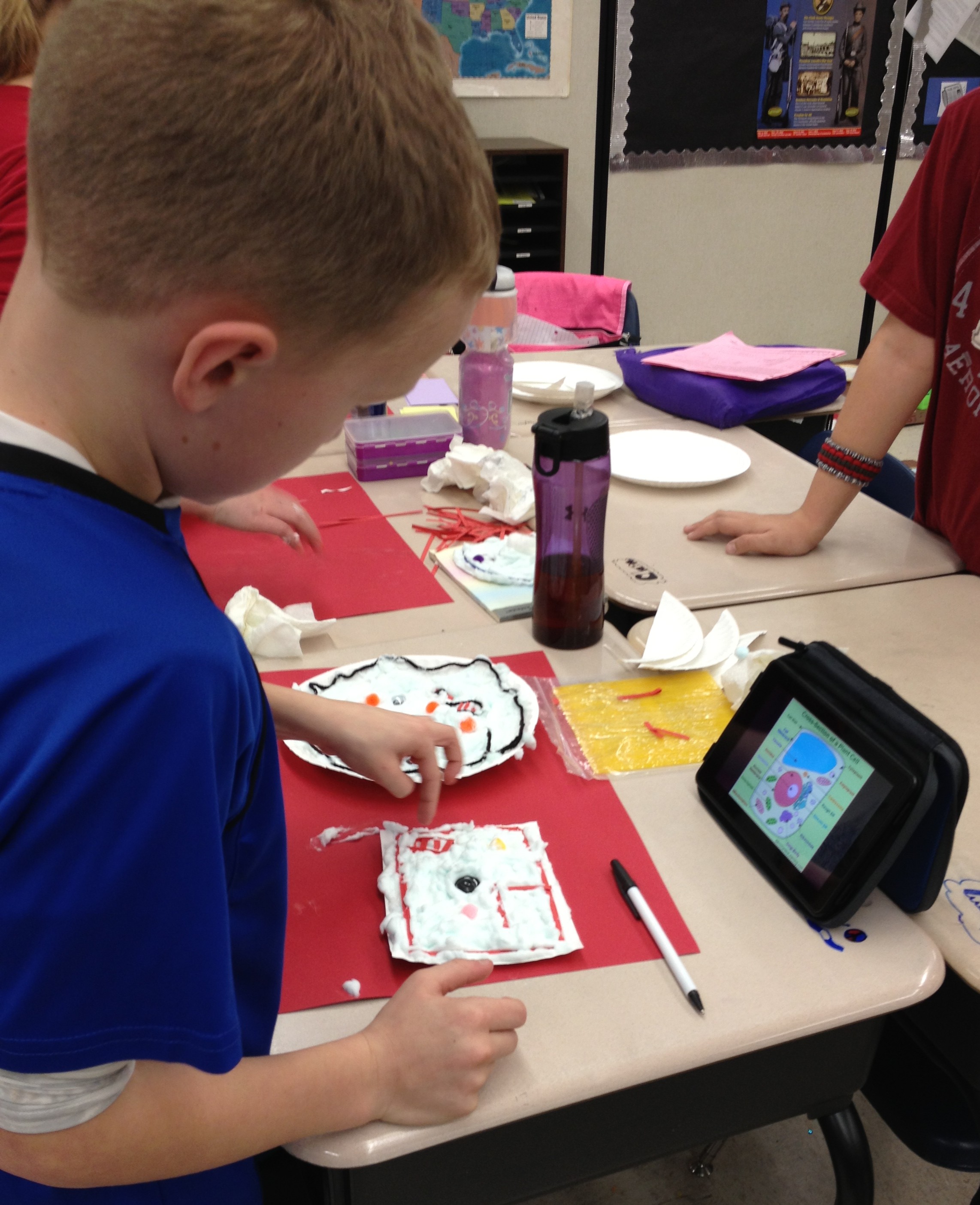 I was petrified. A year ago I didn’t know how to use any of these devices. But, my students did. That’s all that mattered. My students couldn’t wait for the opportunity to use their device in class. I saw something in their eyes that told me I could do this. We tried one website together and were amazed at how it joined my computer with theirs, while showing it on the board. My mind went wild with ways I could begin using just this website to make our content come alive. Then, we tried another website. Before long, the kids were telling me about great apps they could use to produce the same things we were already doing. My classroom had evolved from direct instruction with me leading every angle to a fresh, new student centered place my kids wanted to be. The answer to my never-ending question of “how” to reach every learner was unfolding right before my eyes. I was changing…one website and one app at a time. I felt like a kid again and began to really enjoy my content. I watched every single child engage. The playing field was leveled for every learner. The A.D.D child, the special education, the gifted, and yes, even the painfully shy was freed to speak, even if only through texting. I was quickly learning that my job was no longer to be the giver of information, but to help students use the information at their fingertips to discover, to analyze, to create and to problem solve.
Embracing BYOT is helping me to reach ALL learners, where they are, not just the easy students. It’s a tool. A tool meant to add to what we are already doing, not to replace it. I’ve learned to keep the art projects, and allow students the choice of how they create their final product. Yes, some kids still choose markers and poster board, and that’s okay. 🙂 BYOT provides immediate differentiation. It encourages collaboration, while building community and fostering real growth. I honestly believe that my journey is helping me to become “THAT” teacher…the one I have always wanted to be.
See more from Tracey on NBC News At One School District, the Motto is BYOT – Bring Your Own Technology.
Spotlight on BYOT Teacher – Erin Curry
Posted by BYOT Network in BYOT Strategies on March 13, 2013
A Note from Tim: Forsyth County Schools in Georgia is in its fifth year of implementing Bring Your Own Technology (BYOT). The first year was spent on developing the infrastructure, and the last four years have focused on piloting the initiative, developing personal and professional capacity, and eventually spreading the practice of encouraging students to learn with their personal technology tools throughout the district. I have been so impressed with the dedication of our teachers to transform their classrooms with BYOT! Over the next few weeks, I will be sharing some of their experiences from different grade levels in their own words.
Guest Post by Erin Curry @ecurry07
Third Grade Teacher – Chestatee Elementary School
After listening to the information regarding BYOT, my initial thought was that my students were probably not responsible enough to be entrusted with the devices. I also questioned my own ability to utilize them effectively in a classroom setting. I was not at all opposed to using technology in the classroom; in fact, my research paper for my master’s degree focused on the potential positive impact of employing technology in an inclusive classroom. However, the thought of my students bringing in outside devices greatly concerned me. I was worried about the possibility of the devices getting stolen or ruined. Were my students ready for this responsibility? I also worried about my students losing focus on me and becoming distracted by their devices. Lastly, I wondered if I was prepared and equipped to effectively use the devices in my classroom.
Despite my concerns, I decided to dive in and I asked my students’ parents to join me on this unfamiliar journey. I worked with the parents to ease the children into their new responsibility. When parents felt that their child was ready, they could send a device to school a few days a week with their child to use. It took a while for many of the parents to get on board with this, but once they learned what we were doing with the devices, they slowly became more comfortable with this new approach. By January 2013, 75% of my class was bringing in some type of device to enhance their learning.
When it came to helping my students become familiar with this new technology, I started slowly. I found an app that we could use on my IPAD–the Socrative app–and we practiced using it for about two weeks. Socrative allowed me to do a question/response type assessment with my students. Once I felt my students were comfortable with this app, I began integrating more apps into our lessons. They soon learned how to use the devices effectively at center time (reading and math app games), during writing (recording and listening back during editing and for voice dictation for my struggling students), for research, and for small student presentations.
This journey has undoubtedly led to more engaged learning opportunities in my classroom, but more importantly, it has propelled my students to become more responsible learners. Unlike I originally thought, my students’ focus has not strayed, but rather improved. They are more excited about our lessons and the role that they are able to play in their own learning process. I am thankful for this opportunity and I honestly cannot imagine my classroom without BYOT.
Strategies for Taking Flight with BYOT
Posted by BYOT Network in BYOT Strategies on March 6, 2013
(Cross-posted at Bold Visions and BYOT Network and cowritten by Jill Hobson, Director of Instructional Technology – Forsyth County Schools)
The Partnership for 21st Century Skills identified 4 critical areas of learning for students that include creativity, critical thinking, communication and collaboration. In Forsyth County Schools, we’ve been working hard with parents, teachers and students to embrace learning with student-owned technologies; something we call Bring Your Own Technology (BYOT). What we know for sure is that BYOT is really more like Bring Your Own Learning because we’ve discovered that it is NOT about the technology – it IS about the learning.
The video, Above and Beyond, by Peter H. Reynolds and produced for the Partnership for 21st Century Skills, is a wonderful illustration of what is possible when students are given the freedom to personalize the learning experience for themselves.
As you watch the video, you might consider the following questions:
- What happens when designers of learning recognize that students are always volunteers in learning?
- How can designers of learning create a “kit” and still allow students the freedom to produce individualized results?
- In a world where we feel pressured to cover everything within a given time frame, how do we schedule innovation and deeper learning?
- How do we honor each child’s strengths and still nurture collaboration?
- How would the meaning of the story change if Maya and Charlie were to lose the race?

“There are two lasting bequests we can give our children. One is roots. The other is wings.” ~ Hoddin
Photo Credit—KJH Photography
We have spent a great deal of time watching BYOT unfold its wings in the classrooms around our district. And we’ve seen so many great strategies that support the 4 C’s of creativity, critical thinking, communication and collaboration. These strategies are ageless and cross all content areas. We teach them in our professional learning sessions and coach teachers to consider these as they begin to incorporate BYOT themselves:
- Backchanneling while watching a video: In this way the teacher is able to foster collaboration and communication by having students answer questions and post observations as the video proceeds.
- Take a picture or create an image which demonstrates understanding of a concept: This is a powerful way to encourage creativity as well as critical thinking. A variation on this strategy is having students annotate on the image using an app on their device.
- Arrive at consensus and submit one answer per pair: It’s not necessary for every student to have a device. In fact it’s preferable that students are forced to collaborate on their thinking and agree on the answer that will be submitted via a student response system like Socrative. This strategy enhances critical thinking as well as collaboration.
- Sharing tools for learning: There is a magical thing that occurs when BYOT is first introduced in a class. If a teacher encourages students to share their devices with each other while talking about the ways in which the apps and device can be used to support learning, the great ideas flow and student excitement about learning blossoms. And meanwhile students are thinking critically, collaborating, communicating and getting creative.
- Demonstrating how to do something: We’ve seen some fantastic examples of critical thinking where students are using screen sharing apps to demonstrate how to solve math problems. We’ve even seen some examples where students have to incorporate a mistake into the problem and show why that mistake is incorrect and how to fix it – requiring some creativity to communicate as well.
- Turning a standard into a driving question: When teachers gain some comfort with implementing BYOT and have begun to give up some of the control in the classroom, this strategy works very well. The teacher will share a particular standard with students and together they will write a question that is compelling, asks “so what” and results in a product that useful and beneficial beyond the classroom. This strategy definitely addresses all of the 4 C’s in the process!
- Finding a new way to show what you know: Another great strategy to use once students have become comfortable in the BYOT classroom is to ask them to demonstrate their learning in an innovative way. Students cannot repeat any of the previously used strategies as a way to represent learning. Students are forced to think critically about ways that they can demonstrate their mastery and to do so creatively.
- Building a community bank of ways to show what you know: The teacher has to utilize the ingenuity and critical thinking of the students in the classroom for instructional and technical support. By suggesting ways to learn with their technology tools, students begin to own their learning. Teachers can posts these ideas throughout the classroom or online in a wiki, so students can use them as creative resources and communicate with each other for additional expertise.
Implementing the above strategies can strengthen the learning community of the classroom. The real transformation begins to occur as teachers realize that they can and should learn alongside their students to explore new ways to utilize personal technology. Not only do students strengthen their digital age skills, but they also feel more connected to each other, their teachers, and their learning. As shown in Above and Beyond, our students will one day truly take flight, and hopefully their experiences today will successfully pilot them in their different directions.
Supporting Inquiry with BYOT
Posted by BYOT Network in BYOT Strategies on February 28, 2013
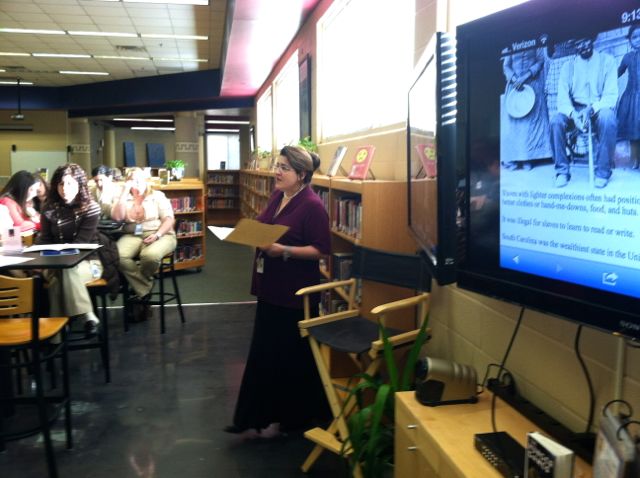
Kim Simshauser describes the 4 C’s Cafe
Learning at Liberty Middle School in Forsyth County, Georgia, begins with a focus on inquiry in its newly remodeled media center. Through a combination of school funds and the ingenuity of the instructional technology specialist, Kim Simshauser, the media center has been reimagined into a hub of digital age learning. In fact, Kim refers to the new space as “The 4C’s Café” in reference to the skills of collaboration, creativity, communication, and critical thinking evident throughout the school. Students are welcomed into the media center to begin learning before the start of the school day.
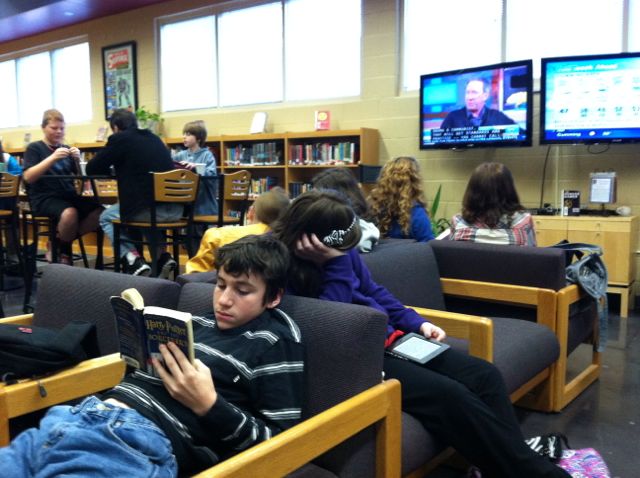 School personnel and volunteer students act as baristas (much like Starbucks) and serve up hot chocolate, decaffeinated beverages, and instructional advice while students browse the book collection, use their personal technology tools for research, study individually or in groups, or watch the news being streamed over two monitors. Kim notes that since the changes have been made that the learning environment is being used more than ever by teachers and students, and now the media center is packed with activity from morning until the end of the day.

Principal Connie Stovall explains the iTeam
The classrooms at Liberty Middle School also support inquiry through guiding questions and learning projects that are facilitated by the students’ personal technology tools. Bring Your Own Technology (BYOT) has been implemented school wide. Students are encouraged to bring their own devices to school, or they may use the school’s technology resources to develop their digital age skills. Principal Connie Stovall provides a scaffold for this emphasis on inquiry by working with her staff and students to develop an inquiry-based team or iTeam. The teachers and students in this seventh grade team applied to participate as trailblazers in the school’s inquiry initiative. They work with each other, their students, and Kim Simshauser to plan lessons that empower the learners. The iTeam students realize that they have a big responsibility to be leaders throughout the school, and their teachers were recently named Team of the Year by the Georgia Middle School Association. In the 2013-2014 school year, the seventh grade team will loop with their students to eighth grade, and new sixth and seventh grade iTeams will be added. The eventual goal is to implement inquiry-based teams throughout the school.
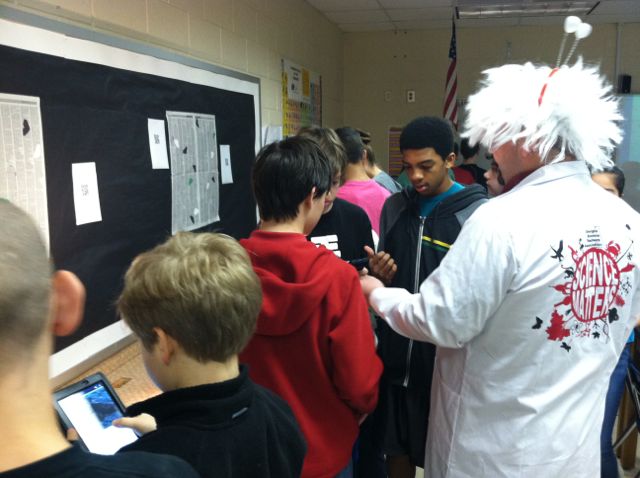 Teachers and students at Liberty Middle School discover that inquiry can be more easily facilitated when students bring their own technology tools to school. Guiding questions can lead to in-depth research, and students can explore new ways to show what they have learned about a topic. These explorations surpass typical standards-based performance tasks and content. They become authentic representations of real-world problems in context. One goal of inquiry is to lead to more questions that become even more relevant to students as they become interested and passionate about a subject.
Here are some additional links and resources related to inquiry-based learning:
- Inquiry-Based Learning (Northeastern Illinois University)
- Inquiry-Based Learning for Teachers
- Inquiry-Based Learning (Concept to Classroom)
- Teaching Tips: Inquiry-Based Learning (eThemes)
Ferris Bueller’s Day Off: Boost Rigor with BYOT
Posted by BYOT Network in BYOT Vision on February 21, 2013
Guest Post by Alena Zink @ZinkEd_u
Instructional Technology Specialist
The post is also available on her blog – iTeach.
One of my responsibilities as the instructional technology specialist this year is to observe classrooms and provide specific feedback on the effectiveness of BYOT and technology integration in classrooms. We have talented professionals in our building, but I still see lessons in which teachers chew down every bit of information and then monitor their students’ digestive process during “busy-work” activities. Then again, there are some lessons that are plainly too difficult for students to explore independently, and as a result they disengage, give up, and never succeed. Such lessons always remind me of Ferris Bueller’s Day Off and make me think how little instruction has changed since 1986!
One may skip this post after seeing the word rigor in it, knowing how overused and often misunderstood this term is today. From parents to administrators, everyone demands that teachers turn their classrooms in rigorous learning environments. What does this mean? What does rigor look like in a classroom?
R is for relevant and I is for integration. Research from International Center for Leadership in Education shows that higher relevance and integration of subjects leads to deeper understanding of a topic. Complex problems of the real world can be solved only by developing new knowledge built on analytical explorations of existing evidence. Therefore, we need to stop teaching a higher-level real world application one discipline and one worksheet at a time. Common Core Standards demand higher-order thinking and deeper understanding of objectives and connections between them, too. Winnie the Pooh is a great character, but we need to move away from just describing him to finding connection with today’s world, friendship in our lives, and traits that can be useful in our future. We need to move from “covering” curriculum to “uncovering” its depth, and it cannot be done one subject at a time! We must revise our teaching and move towards PBL (project-based learning), stacking standards, and making every activity relevant. BYOT is a perfect tool that fits right in PBL environment.
G is for geographical change. Rigorous, project-based instruction forces geographical changes in a classroom. Get rid of rows of desks facing the white board – they are simply not effective. Instead, think of a mobile set up: easily movable furniture and sitting areas for group work and collaboration. Ideally, put in two active boards for presentations and constant back-channeling. Turn walls and static bulletin boards into dry-erase surfaces on which students can brainstorm ideas, take notes, plan, and work collaboratively. Unleash BYOT – it is a perfect platform for collaboration and communication. Providing endless opportunities to learn about diverse cultures, perspectives, and relevant topics, technology brings down classroom walls and makes the world a smaller place for students to explore. The geography of learning today is limited only by teachers.
O is for ownership. We should stop planning and micromanaging every step in student learning and set clear expectations for their work instead. Our expectation should be extremely high! No teacher should ever dumb down the curriculum just because she/he has “one of those classes this year.” We must focus on students’ progress, not their grades! We must become coaches, cheerleaders, and critical friends to our students. Students must become producers of knowledge and be allowed to choose how to show their learning. They need opportunities to think critically about evidence they read, hear, or see, participate in collaborative discussions, and express themselves in a variety of ways. BYOT offers unlimited possibilities and infinite tools for teachers and students to communicate, collaborate, think critically, and demonstrate their own learning in creative ways.
R is for reflective learning. Common Core Standards require much more than teaching basic reading and writing skills. Students must become constant, independent, and flexible learners. They need to know how to learn, unlearn, and relearn things. They need to clearly express themselves, learn from each other, listen and evaluate different points of view, and adjust their own thinking based on evidence. Our job is to make students aware of their learning targets and individual gaps and to map out the next step to progress their learning. BYOT brings necessary flexibility and support for collaboration and communication. It changes the spirit and focus of classroom culture and turns it into a student-centered and student-driven environment. BYOT makes it possible to flip instruction and reserve class time for discussions, “uncovering” the curriculum, and students’ reflection on their own learning.
Many teachers still believe that BYOT is a magic wand that will create a rigorous atmosphere in a classroom. It is not true! Rigor is all about quality of instruction and high expectations. BYOT is just a steroid that makes it stronger and everlasting, even when it is Ferris Bueller’s day off.
BYOT in Kindergarten – Engaging New Learners
Posted by BYOT Network in BYOT Strategies on February 15, 2013
Guest Post by Emily Dunlap @emily_dunlap
Instructional Technology Specialist
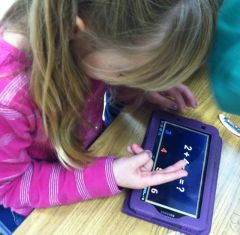
If we are going to use Bring Your Own Technology (BYOT) in our schools, why not start with our youngest students? Kindergarteners are digital natives in the truest form because technology has surrounded them since the day they were born. Why should their school experience be any different? If students bring and use their own devices during their first year of school, they will then be the truest form of a digital native – never knowing that there was any other way of learning.
Luckily, I am the Instructional Technology Specialist (ITS) at a school where most of our teachers and parents agree and are willing to allow students to bring their devices to school to use as instructional tools. A couple of my Kindergarten teachers began implementing BYOT in January. They felt that they needed the first half of the year to build communities in their classrooms to facilitate this type of learning. They wanted to ensure that their students would be respectful and responsible of each other and their devices.
Managing New Tools
The teachers sent home our BYOT policy that outlines the responsibilities of the students, parents and teachers when bringing a device to school and must be signed by all three individuals. They also sent a letter that included a list of suggested apps that students might want to download and the teacher’s policies regarding management of devices in their classrooms. The teachers have an individual large Ziploc bag with each student’s name on it. The bag contains the signed BYOT form and device until it is time to use them. While not in use, all of the bags are locked in a closet to ensure that no devices are lost or broken. So far, this management system has worked well for both of them.
Implementing New Strategies
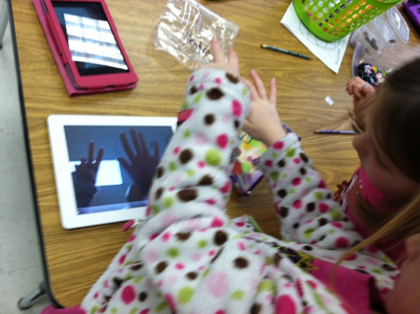 So….now that you have the devices in the building, what do you do with five year olds bringing in different devices loaded with a variety of apps? After collaborating with the teachers, we realized that the best way for Kindergarteners to get the most out of BYOT, is to use their tools to show what they know. The teacher should simply ask the class a question and encourage the students to figure out how they could demonstrate knowledge of that standard. There is no right or wrong way to answer as long as their response shows mastery of the standard in question. By having students choose what way they want to answer the question, they become more familiar with how to use their devices as a tools instead of something to just play games on. That is the purpose of BYOT; isn’t it?
During our first implementation of BYOT, Ashley Loftus, one of our Kindergarten BYOT teachers had all but three of her twenty-two students bring in a device of some sort, and the others had the option of participating in the lesson on a school-owned desktop, laptop or to collaborate with another student. She asked her students to use their devices to show how many days are in a week. Some students found a number app they had loaded and found the number seven. Other students typed or drew “seven” or “7” on numerous apps; others recorded their voices or made a video or took pictures….all showing that the answer was seven. No two responses looked the same, but they were all correct and allowed Mrs. Loftus to assess her students’ knowledge of this content.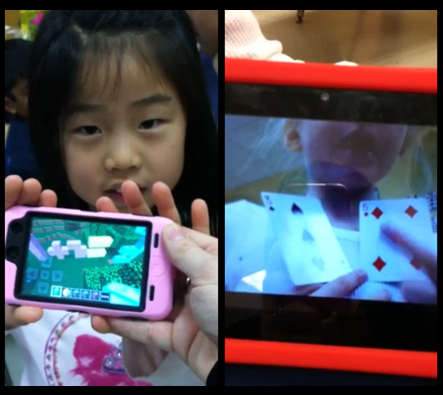
Ashley quickly found that she could use BYOT as an alternative to pencil and paper as a formative assessment while offering opportunities for the children to explore their inner creativity based on their own abilities. Here are two students’ responses when asked to demonstrate an addition problem. One used Minecraft to show her equation while another made a video of herself explaining how to solve her problem.
Guiding New Understandings
The key is to ask students questions pertaining to the standards you are covering and allow the students the freedom to use their device in any way to show you what they know. Ashley went through the current quarter’s standards and came up with the following list of questions she will use during BYOT lessons:
- Show me how many syllables the following words have – wonder…target…combination
- How many syllables does your name have?
- What was the setting in _____ story?
- In your opinion, do you like winter or summer?
- Show me one way to make 8.
- What kind of punctuation mark would I use for this sentence… “I love school”?
- Show me a 2d shape.
- Show me a 3d shape.
- How many vertices does a rectangle have?
- I am going to break down a word and I want you to blend it.
- Show me something heavier than a crayon.
- Show me something longer than your pencil pouch.
- Show me something on your device that you can use to help you learn.
Encouraging New Skills
What a great way for a digital native to demonstrate the knowledge they are learning in school! Sure, they could do these exact activities using pencil and paper, but by using their device, they are engaged and empowered. The possibilities are endless, and our Kindergarteners are learning to be creative, critical thinkers while collaborating and communicating with one another – all essential skills of the digital age.
Learning from the Journey with BYOT
Posted by BYOT Network in BYOT Purposes on November 27, 2012
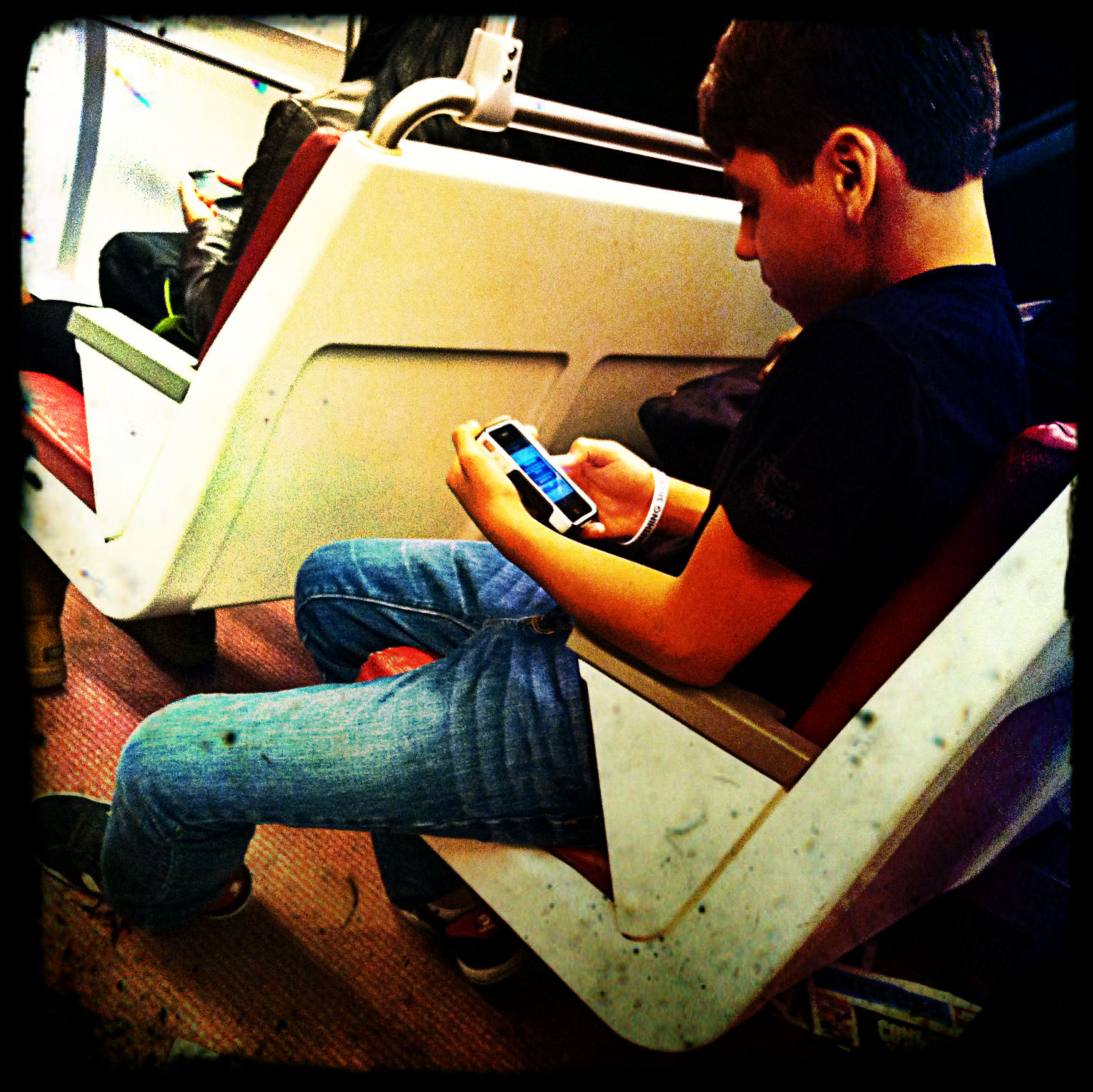 I recently participated in the Family Online Safety Institute’s (FOSI) Annual Conference in Washington, DC. My 13 year old son was fortunately able to go along for the trip, and as a history buff, he was eager to tour the notable sites in DC. I arrived the day before the conference and was able to explore the city with him and my wife. We took the DC Metro, and he immediately searched for a possible app for his iPhone to make navigation easier. He discovered that there were several mobile apps for that purpose, and he decided on DC Rider. With that app, he was able to see the arrival times of the different trains and to compare possible routes for each trip. He owned this whole adventure, and I found myself following his lead as he directed us along the path to each destination. Sometimes he selected some clever and creative ways for us to arrive at a site, when I might have chosen the direct route, but the journey became as essential to him as the final, planned location.
Later I reflected on this experience through the lens of the Bring Your Own Technology (BYOT) classroom. It is necessary for teachers to know when to make suggestions in order to guide students, but it is often more essential to understand when to get out of the way and encourage students to lead. Students usually know more about their own technology than their teachers, and with BYOT they can use these tools to access all of the information that exists in the world. They can explore authentic problems and discover creative solutions and design innovative products. It is fine to have a destination in mind, but there really is no end of the line in the process of learning, and teachers and students should enjoy exploring all of the alternative paths along the way.
Finally, I realized the next day, as I had to navigate the DC Metro without my son’s assistance, that I had become dependent on his leadership and skills. I floundered for a little bit until I was able to orient myself. I decided that next time I would try a little harder to learn from and with him as he used his technology instead of just being a passive observer and follower. Then we could both be learning from the journey with BYOT!
Don’t Be a B.L.O.B. – Support Responsible Use of Technology with BYOT!
Posted by BYOT Network in BYOT Leadership on September 11, 2012
What is a BLOB?
 Think of the 1958 horror/science-fiction film, The Blob, that portrayed two young teenagers struggling to battle a giant mass of an alien that attempted to swallow up their small town in Pennsylvania. The movie poster described the Blob as “Indescribable…Indestructible! Nothing Can Stop It!” Without hesitation, this amoeba-like creature indiscriminately consumed everything in its path until the teenage heroes managed to utilize their available resources to render it useless.
In today’s schools, a BLOB acquires a completely new meaning – a Banner – Locker – Or – Blocker. BLOBs are the people who keep students from using their personal technology devices to facilitate their learning. They ban technology devices because they assume that students will use their devices inappropriately, and/or they prefer to maintain the status quo of teacher directed instruction with passive student involvement. “Lecture all week and test on Friday” is the mantra of many BLOB schools in order to prepare students for the standardized tests toward the end of the year that are supposed to document the how effective the teacher and students were throughout the year.
A BLOB may also be guilty of indiscriminately interpreting the requirements of the Children’s Internet Protection Act (CIPA) to over filter websites and social media throughout the school day, even to the detriment of learning opportunities of students. To qualify for E-Rate funding, schools must show that they are following the requirements of CIPA. These funds come from the Universal Service fee that you can find on your bills from telecommunications providers (phone, cable, and Internet), and they are used to supplement the telecommunications charges to schools and libraries across the country. Karen Cator, Director of the Office of Educational Technology at the U.S. Department of Education addressed some of the requirements and misinterpretations of CIPA in this interview by Tina Barseghian on the MindShift.org blog – Dispelling Myths About Blocked Sites.
What Is Responsible Use?
Schools that encourage their students to Bring Your Own Technology (BYOT) can work within the framework of responsible use by acknowledging that students have the freedom to make choices, and they expect that students will make the right choices to benefit themselves and their instruction. Starting with the expectation that students want to make good choices creates a noticeable difference in the culture of learning within a school as opposed to assuming that students want to break rules and use technology inappropriately. The responsible use of technology tools is empowering to students rather than following an acceptable use policy that dictates how and when technology should be used. The following attributes are some specific hallmarks of responsible use: trust; high expectations; open access; sense of community; practice; and persistence. In these schools, administrators and teachers acknowledge that students may sometimes make mistakes with their technology tools, and they immediately guide students in the appropriate use of technology and reinforce the importance of personal responsibility in digital age learning. They believe that students want to learn and understand that developing authentic connections among students, teachers, and the content are necessary for developing supportive communities of learners.
What Can I Do to Avoid Becoming a BLOB?
 Michelle Luhtala (@mluhtala) from New Canaan High School brought to my attention that on October 3, The American Association of School Librarians will mark Banned Websites Awareness Day to raise awareness of how legitimate academic websites and social media tools are being blocked in many schools and libraries. Some issues addressed by this event are how students do not fully develop their skills as digital citizens to evaluate information from all types of sources, including the Internet, and how teachers are not able to utilize the social media tools for learning that their students find relevant in their everyday lives. Learn more about Banned Websites Awareness Day and how overly restrictive filtering affects student learning.
Also, become familiar with the requirements of the Children’s Internet Protection Act (CIPA) in order to provide students a safe learning environment without becoming a BLOB!
Resources
“Banned Websites Awareness Day.” American Library Association. N.p., n.d. Web. 10 Sept. 2012. <http://www.ala.org/aasl/advocacy/bwad>.
Barseghian, T. (2011, September 20). Dispelling myths about blocked websites in schools. Retrieved from http://blogs.kqed.org/mindshift/2011/09/dispelling-myths-about-blocked-websites-in-schools/
Federal Communications Commission. “Children’s Internet Protection Act.” Guide. N.p., n.d. Web. 10 Sept. 2012. <http://www.fcc.gov/guides/childrens-internet-protection-act>.
Wikipedia. (28/0). Retrieved from http://en.wikipedia.org/wiki/The_Blob
Connected to Learning with BYOT
Posted by BYOT Network in BYOT Strategies on August 31, 2012
When students use their own technology tools within a Bring Your Own Technology (BYOT) classroom, they can construct new connections that lead to new opportunities for learning. However, many teachers are afraid of what can happen when students make these connections, but these fears are often unfounded when students explore new ways to learn with their own technology at school. In this post, I describe some different ways that students can connect at school and some possible resources for making those connections, and I included Twitter, Facebook, and YouTube even though those sites may not be appropriate for all ages and are blocked within many school settings.
Students Connecting to Each Other
 Students can connect with each other via their technology devices, and according to a recent study, approximately 63% of teens say they communicate with text messages with others in their lives (Lenhart, 2012). Yet, when many students enter their schools, their handheld devices are banned, and communication with their peers are limited in order to listen to lectures and direct instruction in preparation for standardized tests. In the BYOT classroom, however, students can learn and practice new ways to connect with each other through the use of social media when they are involved in collaborative activities with their devices. Participating in group assignments such as developing a class wiki or creating a photo journal can encourage students to share their ideas and demonstrate their learning. Here are some additional resources for helping students connect with each other.
Students Connecting to Teachers
 The bond that teachers can create with the students in their classrooms can help to develop the expectations and community necessary for a successful BYOT initiative. These connections can be motivating to students and help them become persistent learners. In the BYOT classroom, students can develop connections with their teachers as they work alongside each other to utilize technology in the discovery of new concepts and strategies. The traditional role of the teacher as the expert of content knowledge who disseminates that understanding to students through lectures is is often turned upside down in the digital age when as a community of learners, teachers and students build new meanings together. Students can connect with their teachers through the following collaborative tools that allow them to discuss topics they are learning in class and send messages to each other.
Students Connecting to Content
 Many of the concepts that students learn in school are unfamiliar and abstract. By using their own technology devices that they have personalized with their favorite apps and shortcuts, students in the BYOT classroom are able to make greater connections to the content that they are learning. They are also able to locate the information they need just in time to understand these new concepts. Digital Age learners expect to be find ready information as needed to answer their questions, and that information needs to be engaging, visual, and interactive to achieve maximum impact on students. Students can connect with content to demonstrate what they know and with their technology tools they have the capability to emphasize their unique areas of strength and particular talents. These resources can help students connect to content at home and school.
Resources:
Lenhart, A. (2012, March 19). Teens, smartphones, & texting. Retrieved from http://pewinternet.org/Reports/2012/Teens-and-smartphones/Summary-of-findings.aspx
Issues of Equity in BYOT
Posted by BYOT Network in BYOT Strategies on August 23, 2012
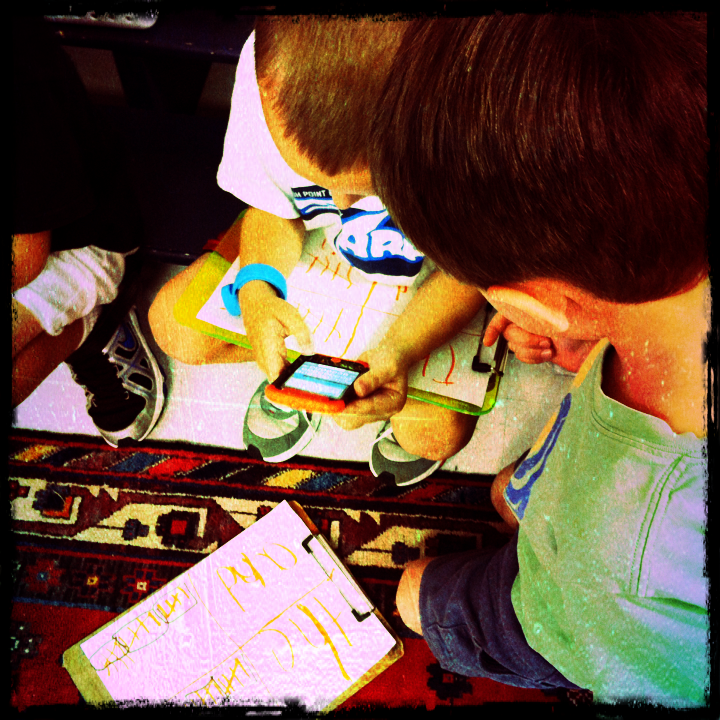 When I discuss the implementation of BYOT in classrooms, I am often questioned about the issue of equity. Is it fair that every student doesn’t have the same device? What do you do about the students who don’t have devices? There is no easy answer to the equity question; however, I have made several observations about equity when BYOT is in practice.
- We do have school technology resources in my district – four desktop computers in every classroom and access to laptop computers. The students without their own devices now have even greater access to school-owned technology since students are bringing their own technology devices to school because of our BYOT initiative. When I walked through classrooms before the implementation of BYOT, the desktop computers were often unused because the teachers directed so much of the one-size-fits-all instruction. Now, teachers are differentiating instruction, partly because of the different devices.
- I can’t predetermine which students will have their own technology tools. Many parents find a way to provide for their children. If teachers have high expectations for how technology will be used in their classrooms and empower students to use their technology tools as needed, students begin bringing their devices more consistently. It isn’t equitable to assume that students won’t have devices or to keep students who do have devices from using them.
- Another issue related to equity is that some teachers want to qualify the types of devices that the students should bring to school – thereby determining that some devices are “better” or “more effective” than others. I think that the students should bring whatever devices they have and then we will figure out together how to use them for instruction. Having the variety of devices can lead to greater opportunities for differentiation and collaboration as students work together to solve problems and develop new solutions.
Strategies for Achieving Equity
- Survey the parents and students to determine what types of technology resources they have available and reassure parents that every child will still have access to the school’s resources. Parents are also more likely to send devices to school when they understand the transformational goals of BYOT.
- Design open-ended lessons that encourage collaboration and open access to school technology resources. Our main goal of BYOT is to help students to become more productive in school rather than just being consumers of information. When students are encouraged to utilize their own devices and school technology, they often congregate in “BYOT Huddles” because they are eager to share what they are learning and creating with others.
- Re-purpose older technology devices for new uses. We have younger students that receive hand-me-down devices from older brothers and sisters, as they upgrade to new technology. Some students also bring slightly cracked iPhones to school that no longer have a data plan, but they work great as iPod Touches on our wifi network.
- Work with the community to brainstorm ways to achieve greater equity. It may be that a business partner can offer access to resources. One great side effect of our BYOT initiative is the dialogue that has occurred among schools and community members and has caused us to develop a BYOT Equity Task Force to tackle the issue of equity in our district.
- Begin your BYOT initiative! How can you even determine what the needs truly are until you begin? One of the early “A-HA” moments of our BYOT Equity Task Force was when we realized that most of our secondary students do have devices in their pockets, but the real access issue was the device they go home to at the end of the day. Some students may still only have that device in their pockets, but they don’t have a home computer with broadband access for more complicated assignments. Now that we have identified that issue, we are developing some plans for addressing it.
Don’t let the issue of equity stop you from implementing BYOT in your districts. It is usually an excuse to keep from embracing new teaching strategies and transforming instruction.


 BYOT Network