Posts Tagged byot
Day 5 of BYOT
Posted by BYOT Network in BYOT Strategies on August 3, 2012
This is Day 5 of a series of posts this week to provide strategies for the first week of school in a Bring Your Own Technology (BYOT) classroom. These ideas are my suggestions for developing a learning community during the first five days of school. Hopefully, this sense of community will lead to an effective BYOT implementation for the rest of the year as students learn and practice the digital age skills of communication, collaboration, creativity, and critical thinking. Please modify these activities to better suit the needs, interests, and abilities of your students.
Scenario: This week the students have begun to construct an online presence through their collaborative work in Wikispaces, Edmodo, and Edublogs with the combined use of school, home, and personal technology tools. By designing their online profiles in these digital habitats, they have personalized their learning experiences. By discovering and recognizing the abilities, interests, and strengths of themselves and of the other members of their learning community, they are positioned to develop a brand, reputation, and digital footprint that can lead to future academic success and someday maybe even to new career opportunities. Rather than to deliver a standardized curriculum that is assessed with traditional multiple choice tests, the vital role of the teacher is to guide the development of these individual and collaborative pursuits and passions.
Activity – Spark a Passion
This week, Shelly Terrell wrote a post entitled 10 Kids Transforming their World through Social Media. That well-written post describe the efforts of 10 children and teens who are making a difference with the use of digital skills and tools about their particular passions. One young teen, Adora Svitak gave a Ted Talk called What Adults Can Learn from Kids; she is an author who has written books, maintains a website, and speaks at educational conferences. According to her website, “Adora believes that everyone deserves the opportunity that comes with literacy and a good education.” In her efforts to accomplish this endeavor, she believes that learning with teachers and children should be “reciprocal,” and a major feature of this learning environment is “trust.”
Likewise, trust has to be a focal element in the BYOT classroom. There really is no way that a teacher cannot empower students to learn with so many different devices and use so many web tools without developing a learning community that is founded on trust for everyone in the group. As the students begin to explore and develop new interests and practice digital age skills, the teacher should model high expectations that sustain trust in the learning community.
Here are some ways to model high expectations:
- Celebrate diversity. Appreciate the differences among your students and recognize that those differences are important to the strength of the learning community as everyone has the potential to add something unique.
- Challenge everyone. A way of increasing rigor in the classroom is to expect everyone to achieve and complete high quality work that includes in-depth reflection and practice.
- Believe students want to do the right thing. This is a big issue. Some teachers are suspicious that their students want to break rules or view inappropriate content. Engage your students in their learning by empowering them to make choices and use their devices as needed.
- Follow the teachable moment. Don’t get so attached to your lesson plans and standards that you miss great teaching opportunities. Many of the best lessons in the BYOT classroom happen just in time at the moment they’re needed.
- Share your interests with the students. The students will be more willing to share and discuss their passions when they realize that their teacher is a real person with personal interests and aspirations.
Steps to spark a passion:
Share the stories of the students given in Shelly Terrell’s post and have them listen to Adora Svitak’s Ted Talk. As students get older, they often get more accustomed to being told what to do, and they need to understand that they are expected to get involved and make choices. Hearing about what other young people are able to achieve through their passion and dedication can be motivating.
Another great post to motivate students is Caine’s Arcade – What Happened During a Summer Freed From Texts, Tests, & Teachers coauthored by Lisa Nielsen and Lisa Cooley. That post relates the story of Caine who followed his passion and utilized his creativity to accomplish something amazing!
The following activity was inspired by a suggestion by Jeremy Angoff. Have students brainstorm ideas about current issues or events that they think should be addressed. Use one of the community’s online spaces for this discussion. An option is to use the short answer question in Socrative to generate responses and then host the discussion within Edmodo. Another student could accumulate all of the different options in one page in the class wiki in Wikispaces. The page could be called, Issues that Concern Us or Ways We Can Make a Difference.
Students can work independently or in groups to choose and research an issue. This is a good time to discuss safe searching, and what type of search engine to use depending on the age of the students. Have the students draft what they learn about that issue or concern in their student blogs in Edublogs. This activity also provides an opportunity to explain how to provide credit various online sources of information. The students should then reflect on what they could do to make a difference regarding their issue and develop a plan in their blogs for putting their ideas into action.
Homework (Post this assignment in Edmodo.)
Now that you are empowered with your personal technology tools in BYOT, social networking tools, and an idea you are passionate about, begin putting your plan into action. Document your strategies and activities in your blog so that you can share them with the rest of your learning community.
Day 4 of BYOT
Posted by BYOT Network in BYOT Strategies on August 2, 2012
This is Day 4 of a series of posts this week to provide strategies for the first week of school in a Bring Your Own Technology (BYOT) classroom. These ideas are my suggestions for developing a learning community during the first five days of school. Hopefully, this sense of community will lead to an effective BYOT implementation for the rest of the year as students learn and practice the digital age skills of communication, collaboration, creativity, and critical thinking. Please modify these activities to better suit the needs, interests, and abilities of your students.
Scenario: Throughout this week students have been empowered to utilize their own technology tools for a variety of instructional uses. A synergy is developing between their online collaborative activities and their face-to-face classwork. As they work together more online, the more they collaborate and communicate in the face-to-face classroom. One fear of many teachers is that they feel as if they are losing control of their classes when students experience the agency to use their devices as needed and begin to share their ideas with each other so readily. However, this shift represents the students taking ownership of their learning experiences, and it should be encouraged.
Activity – Nurture Communication
There are many ways that the digital age skill of communication can be facilitated in the BYOT classroom. This week, it has been practiced through the use of Wikispaces, Edmodo, and Socrative, yet another way to promote further communication is through blogging. A blog provides students with the opportunity to reflect on their learning, share ideas and responses with others, and highlight their academic successes. Blogging enables students to develop their own personal portfolios as they post and document the artifacts of their learning – their writing and projects. Although there are many types of blogging tools, my district has subscribed to Edublogs for all of its students and teachers.
Edublogs
Edublogsoffers free blogging for students, and this use of social networking is an authentic way to teach and practice responsible use. There is an Edublogs app for iOS devices, or students can use other devices to participate in blogging. Students are able to begin drafts of their writing within their blogs and when the draft is finished, they can easily publish each post. This week, the students completed their profiles within the other web tools at home. After the students have signed up for their blogs, they should complete their profiles and customize their blogs in class. I advise students to use the same photo or avatar for each of their profiles in order to develop an online presence in the class that represents them and their personal strengths and interests. Edublogs offers several themes so that students can choose designs that complement their profiles.
The following list explains just a few reasons why I think that it is essential for students (and teachers) to blog:
- Blogging causes students to make connections to what they are learning as they reflect.
- Blogging stimulates critical thinking as students take a stand on an issue and explain supportive reasons for that stand.
- Blogging provides opportunities for on-going debate and discussion as students respond to each other’s posts.
- Blogging showcases and documents student work and creativity.
- Blogging helps students discover their strengths and share their expertise with others.
Branding through Blogging
Throughout the year in the BYOT classroom, the students will continue to develop and practice digital age skills, and this authentic work can lead to an appreciation for individual differences and strengths. This recognition is influenced by several factors. First, the students already have personal interests, and they have the agency with their devices to further refine and perfect those capabilities. Second, BYOT can be the great differentiator in the classroom, Students who have mastered particular skills and concepts can move ahead more easily, and students who need additional practice can receive that support with the use of their own technology tools. Third, when students are empowered to make choices and encouraged to work collaboratively on relevant topics, diverse sets of skills are needed by the learning community for it to be successful. Finally, since the teacher is unable to know every device or every online tool, they have to learn alongside students, and this transformation helps everyone to assume the role of a learner.
As students discover their talents, they can offer advice and support to other members of the learning community. They are often branded as the student you can go to when you need an effective speaker, a videographer, an artist, or a technician. Through blogging, students are able to highlight their individual areas of expertise and this brand becomes further aligned to their personal identities.
When students have finished personalizing their blogs, have them write autobiographical drafts that will be posted in their blogs. There is usually an “About” or “Bio” tab in the blog’s theme where the students can write this information. The teacher will need to review with the students the importance of maintaining online privacy, so the students will need to use critical thinking (along with the guidance of their teacher) to determine what types of information is appropriate for publishing on the web. They should not include actual photos of themselves; provide their last names; or give other identifying information (address, teams, or neighborhood). This will become their first post, so they need to begin thinking about the possibilities of their brand!
Homework (Post these assignments in Edmodo.)
- Publish your first post. Today you completed an autobiographical post that included some of your strengths and interests. Share that post with your parents. What do they think about what you have shared? What qualities do they think you should include? Revise your post if necessary and publish it.
- Discuss in Edmodo. What other ways do you think we could learn with blogging this year? Discuss this question in Edmodo by posting your suggestions as a “Note.”
Day 3 of BYOT
Posted by BYOT Network in BYOT Strategies on August 1, 2012
This is Day 3 of a series of posts to provide strategies for the first week of school in a Bring Your Own Technology (BYOT) classroom. These ideas are my suggestions for developing a learning community during the first five days of school that can hopefully lead to an effective BYOT implementation for the rest of the year. Please modify these activities to better suit the needs, interests, and abilities of your students.
Scenario: Through consistent collaborative work with their technology tools, students are learning and practicing new uses for their devices. Even though it is still early in the year, they are developing into a community with a common vocabulary regarding expectations for online communication and for the responsible use of technology. Although every student may not have a device, the school’s technology resources are being used more than ever to facilitate instruction. However, the students still need to learn additional ways to scaffold the use of their tools for a variety of learning activities.
Activity – Encourage Participation
On Day 1 of this week, the students began a wiki page about ways they could learn with their devices. Continue to add to this list by having the students brainstorm specific activities they could complete each day with their devices. For this brainstorming activity, have students use the Socrative Student app (iOS, Android) to encourage the participation of all the students.
Socrative
Socrative is a student response system that works on all web-enabled devices (including many e-readers), and students can download the free app for both iOS and Android devices. At this time, teachers can sign up for a free account, and with the free teacher app (iOS, Android), they can lead the student response activity from their teacher laptop/desktop or from their handheld devices. Socrative enables teachers to pose multiple choice, true/false, and short answer questions. The other activities that teachers can conduct are pre-made quizzes, exit ticket activity, and a space race game where students can engage, either individually or collaboratively in a game using a pre-made quiz. Teachers can also manage and share their quizzes with other colleagues.
Students do not need accounts to use Socrative; they just select the link (on the Internet) or the app on their handheld devices. Then they enter the room number that the teacher provides them from the teacher account and then join the room. They are directed to wait until the teacher begins the activity (by asking a question or starting a quiz), and then they enter their names and begin.
For this activity, log into Socrative and select a Short Answer quiz. Ask the students what ways that they can use their devices at school to complete tasks they already do without technology. Instead of raising their hands to answer the question, have students submit their suggestions using Socrative and their devices. If they do not have a device, they can use the Internet-based Socrative application from a school technology resource, or they can collaborate with a peer and submit an answer with one device.
Using Socrative is a more effective way to encourage participation than just raising hands because this models the expectation that all students have valuable insights to be shared rather than only the students who are more comfortable with speaking in front of the group. After the students submit their suggestions, Socrative enables the teacher to have the students vote on the answers. This polling can help to generate further discussion. Another student can also be involved by entering all of these suggestions in Wikispaces within the class wiki page – Ways to Learn with Our Devices.
Here are some possible ideas for additional ways that students can use their devices to enter into the class wiki page:
- Solve math problems with a calculator app
- Use an online thesaurus or app during writing assignments
- Define unfamiliar vocabulary words
- Take notes during lessons
- Enter due dates on a calendar
- Research new concepts
- Read eBooks
- Participate in online discussions
Another suggestion for using Socrative is to have students submit their own questions (using the Short Answer option) that the teacher can then use in pre-made quizzes or as follow-up questions. These questions can be based on new content or topics, and they encourage the students to think about what they are learning. Try this activity by having the students submit questions about Responsible Use and then pose those questions to the class. Their questions and answers can also be uploaded to the class wiki page – Our Responsible Use Guidelines – if additional recommendations are generated.
Homework (Post these assignments in Edmodo.)
- Develop your Wikispaces profile. Yesterday, you created your profile in Edmodo. Tonight, you should also develop your profile in Wikispaces. Again, this personalizes the experience of working within a social network. As part of your profile, you should upload an appropriate photo or avatar that represents you. As always, if you do not have a computer at home to complete this assignment, you will be provided time to complete it at school. Try to come to school tomorrow with a completed profile in Wikispaces.
- Download these apps: Research and download apps that help you complete the different class activities listed in our class wiki. Recommend these apps to the other members of the class in our Edmodo group.
Day 2 of BYOT
Posted by BYOT Network in BYOT Strategies on July 31, 2012
This is Day 2 of a series of posts this week to provide strategies for the first week of school in a Bring Your Own Technology (BYOT) classroom. I know that the suggested activities are not the only things you are completing each day; these are just my ideas for setting the stage for an effective BYOT implementation.
Scenario: On the second day of BYOT, more students usually remember to bring their technology tools to school, and the teacher will want to provide time for those students to share out about their devices, too. At this point, I remembered that the teacher should also share out about his/her favorite technology tool! Of course, the students can always add additional information to the class wiki that was designed yesterday to collaborate in describing the ways they can learn with their devices. The teacher has already discussed the responsible use of technology tools, but it should consistently be modeled, expected, and reinforced. Students quickly grasp the technical aspects of BYOT, and then they turn to their teacher expecting something more. They want guidance in how they use their technology for learning in ways that are relevant and authentic.
Technology Uses
My school district uses Bernajean Porter’s Grappling’s Spectrum of Technology Uses to differentiate among literacy, adapting, and transforming uses of technology. Literacy uses describe activities that are just about the technology, like learning to connect to the wifi network or sharing out about a favorite app. Adapting uses involve using tools to do the same types of assignments that students completed without technology like taking notes during a lecture. Transforming uses occur when students are constructing new learning experiences involving higher-level thinking that could not be completed without technology. This first week of school contains many literacy and adapting uses as the students learn how to work together in the BYOT classroom, but the ultimate goal is to progress to transforming uses of their devices. For a more in-depth exploration of this topic, read this post: Levels of Use in BYOT – Transforming Learning Experiences.
Activity – Engage the Students
Follow up yesterday’s activity in developing Our Responsible Use Guidelines within the class wiki by having the students work with partners or small groups to create comics that illustrate those guidelines. They can use the app Comic Touch Lite on iOS devices, or they can use software on the school’s technology or a similar app on their own Android tools. With this app, they can take a photo that represents or illustrates each guideline and write accompanying text in bubbles or captions to help tell the story of what is happening. In the BYOT classroom, always give the students the option to complete the activity in another way or to collaborate with others because of the differences among technology tools. Two of the major benefits of BYOT are that it encourages differentiation of assignments and collaborative work.
More schools continue to provide all of their students with email accounts, and this is an excellent practice to facilitate BYOT. Students under 13 can then complete projects and activities using apps on their devices and email their work to their teachers. The comics in this activity can be saved within the Photos on the iOS device and emailed to the teacher or another student. The student using the school’s technology (desktop/laptop) can then edit the wiki to insert the corresponding comics next to each guideline.
Social Networking
Greater opportunities exist within the BYOT classroom for students to connect with each other, their teacher, and the content. One way of reinforcing these connections is through the use of social networking. Through the collaborative work within the wiki and through discussions regarding responsible use and netiquette, the students have the beginning of an online community. This sense of community can continue to develop through the use of a social network. Facebook and Twitter are social networks that teachers can use depending on the age of the students and the expectations of the school community, to make these connections; however, they are not specifically geared to education. I advise teachers to set up their initial networks within the walled garden of Edmodo.
Edmodo
Edmodo is a free site for students and teachers to participate in secure social networking. When a teacher signs up for an account, they can then create a group for each of their classes. A group code is then generated by Edmodo that the teacher can give to the students in that class. When the students sign up for Edmodo, they create their own usernames and passwords and enter the group codes provided by their teachers to enter their different class groups. Edmodo also has an app for both iOS and Android mobile devices, so it is a great utility for the BYOT classroom.
In Edmodo, students and teachers can share resources and links, participate in discussions, and manage events on a class calendar. Parents can also be given partial access to see their child’s activities and encourage a home/school connection. One concern that I have for Edmodo is that like any educational tool, it could be misused to control a class (through teacher driven assignments and grading) rather than to develop a community of learners. I began this series with collaboration via a wiki in Wikispaces before proposing Edmodo just for that reason.
These online resources are very helpful in supporting a teacher’s work with Edmodo:
- Edmodo Help Center (Look at the Help Topics down the right hand side of the page).
- We asked, you answered! 15 more brilliant ways to use Edmodo
- Best Practices for Digital Citizenship (poster)
- Turn Social Networks into Learning Networks with Edmodo by Katy Schott
- How does Edmodo support PBL? by Dayna Laur
At this point, I think that the teacher should copy yesterday’s wiki page on Our Responsible Use Guidelines (if they are jointly approved by the members of the learning community in the classroom) and post them within Edmodo. The guidelines could still be modified as needed, but they can serve as a common agreement of responsible behaviors that can be shared with parents and students alike.
Homework (Post these assignments in Edmodo.)
- Develop your Edmodo profile. When you enter a social network, one engaging activity is to develop your profile. This is how members of that network can identify you. It personalizes your experience within the social network as you provide general details about yourself including a photo or avatar that represents you. Remember that you are practicing Responsible Use; that Edmodo is a closed community just for our classroom use; and that you should not include information that is too private. You can decide what information should be made public to the other members of your class in Edmodo. Think about what kind of information describes you. What photo or avatar should you use to represent yourself? Note: Devices using the Edmodo app do not allow you to edit your profile with the app; although you can see completed profiles. If you do not have a computer at home to complete this assignment, you will be provided time to complete it at school. Try to come to school tomorrow with a completed profile in Edmodo.
- Download these apps: Download these apps: Edmodo (iOS, Android), Socrative-Student, (iOS, Android). For more apps, look at this list: Apps for Mobile Devices to download. If you do not have a device, you can use the school’s technology resources, and many of our activities can also be completed with a variety of technology tools.
Day 1 of BYOT
Posted by BYOT Network in BYOT Strategies on July 30, 2012
This is Day 1 of a series of posts this week to provide strategies for the first week of school in a Bring Your Own Technology (BYOT) classroom. In order to begin this series, I made three assumptions:
- The principal supports BYOT (see 5 Leadership Strategies for Implementing BYOT).
- Some background communication has occurred with parents and community members to achieve support for BYOT in the school.
- The school has some type of wireless infrastructure and access for supporting BYOT or permits students to bring their own data plans.
Scenario: The students are entering the classroom, and some of them are bringing devices to school. They have already visited the class during Open House, and learned about becoming a BYOT school, and the reality is that, as Jill Hobson, Director of Instructional Technology for Forsyth County Schools, has stated, “You’re already BYOT, but you won’t admit it.” Therefore, many students already have devices in their pockets and backpacks and just need to know how to use them in new ways to facilitate their learning experiences.
Activity – Build a Community
In any strong community, members know the rules and expectations for how they should learn and work together. Educators and schools often just give students the list of rules for students to follow, but BYOT provides greater opportunities for student participation. Expectations for responsible use will be more meaningful to students if they help create them. This process increases student buy in by make the guidelines relevant.
- Discuss Responsible Use. Have students provide examples of how devices should be used appropriately at school and what could happen when devices are used irresponsibly. I would begin this as a class discussion because although many students know how to use their devices, I wouldn’t assume that they know how to use them appropriately within a school setting. Remember, many students are self-taught or peer-taught in how technology should be used.
- Facilitate the Discussion. Guidelines for responsible use need to address the following issues: Netiquette, Cyberbullying, Plagiarism, Security, Maintenance of Devices, Privacy, Passwords, Appropriate Content, and Safe Online Searches. As the moderator of the class discussion, the teacher can help to ensure that these topics come up during the discussion. There may also be some additional issues that should be discussed that are relevant within your particular learning community.
- Share Out about Devices. Have students take out their devices and share them with each other by discussing with a small group or the whole class how they already use their technology. There are several reasons why this sharing is important:
- It acknowledges the expertise of students in their technology tools, and it shows that you trust them to be responsible with them at school.
- Students are usually eager to share what they know about their devices, and this time to share helps them to make connections between personal uses of technology and educational purposes.
- It helps students express the excitement of bringing their technology to school so that they are able to focus and work with their devices more constructively in later activities.
- It allows you and the other students to help distinguish between all of the different devices so that everyone can assist with securing the technology and finding the experts on particular devices.
- It helps you and the students to learn more about all of the different capabilities of the technology available within the classroom.
- It is sometimes easier to talk about your technology tools in a new group than it is to talk about yourself, so it is a good way to begin communicating with others.
- Begin a Wiki. Go to Wikispaces, and sign up to begin a new wiki for your class. I like this tool because the wiki is free, and I can add students into it even if they don’t have email addresses. It is really easy to use, and it tracks each change that is made to a wiki. If a student accidentally deletes too much content, I can revert the wiki back to an earlier edition. Wikis encourage collaboration by empowering all of the students to produce and edit content that can be shared with the entire class.In your class wiki, develop two pages:
1. Our Responsible Use Guidelines
Have students use their own technology tools or school technology resources or work with a partner to add to this page within the wiki. Based on the earlier discussion on responsible use, have students develop the guidelines and expectations for how they should use their devices at school. They should at least address all of the topics that were suggested regarding responsible use.
2. Ways to Learn with Our Devices
Have students use their own technology tools or school technology resources or work with a partner to add to this page within the wiki. From the sharing of devices, they should explain how the tools can be used at school for learning about new things, and students may even share new ideas and strategies through the wiki that they did not express during the discussion.
These pages can be revisited throughout the school year as often as needed. Students are continually upgrading and getting new devices, and the wiki can be a source of good collective information.
Homework
- Have students share the wiki with their parents. It encourages good home/school communication, and it is reassuring to parents that their child is learning responsible use.
- Have students download these apps: Edmodo, Socrative-Student, Comic Touch Lite (these links are for iOS devices – iPads/iPhones). Some of these same apps are also available with Android devices, and encourage students to look for them with their parents. For a more comprehensive list of apps look at this list: Apps for Mobile Devices. If students do not have a device, reassure them that they can use the school’s technology resources, and many of these activities can also be completed with a variety of technology tools.
The First Five Days of School with BYOT
Posted by BYOT Network in BYOT Strategies, BYOT Vision on July 25, 2012
 I recently read an article by Dennis Pierce in eSchool News that discussed Alan November’s “First Five Days” project. November announced this project at his Building Learning Communities conference in Boston in July 2012 with the goal being to make the most out of the beginning of the school year in order to set the stage for nurturing further success.
From my conversations with teachers around the country, many educators are returning to schools with new policies aimed at encouraging students to Bring Your Own Technology (BYOT) to facilitate learning experiences. In thinking about the first five days in a BYOT classroom, what kinds of things should happen to successfully begin this transformational implementation?
I brainstormed my own list and tried to organize it chronologically according to each of the five days. However, I again realized that in the BYOT classroom, many things have to happen just in time (or simultaneously), and a sequential list of orderly items was impossible (for me). As Anne Collier explained in her blog at NetFamilyNews.Org, all kinds of learning [happens] all at once with BYOT. Instead, I’ve enumerated a simple list of five strategies for the first five days of BYOT and provided links to additional resources whenever possible.
Construct a learning community. You will need an online space to house your learning community. Wenger, White, and Smith referred to this online space as a digital habitat, and the teacher becomes the steward or facilitator of that habitat. That space could be a blog, website, wiki, LMS, etc, and this is the environment where you and your students can learn more about each other, participate in on-going discussions, and practice digital age skills. As you decide what type of space you should use, think about the needs of your students. This may include the accessibility they have to various types of technologies; their ages, interests and capabilities; and your goals for interaction. For more information, review these strategies for designing an online learning community.
Discuss responsible use. Empower your students to talk about the appropriate ways to use their technology tools at home and school. Students need time to share their devices with each other and to demonstrate how they use them. They can also provide scenarios regarding technology use that illustrate the importance of using them responsibly. When is the right time to utilize technology tools, and when should they be put down in order to be “present in the moment” as suggested by Jen LaMaster in her blog of Ed Tech Reflections? Encourage your students to develop these group norms for behavior in your learning community along with your input, and provide them with multiple opportunities to practice and reflect on responsible use during the first five days of school.
Model your expectations. It isn’t sufficient to just say that you have high expectations for every student. Show the students that you trust them to do the right things with their technology devices. For example, every student can participate in a class wiki to develop guidelines for responsible use so that everyone contributes to the body of knowledge of the learning community. Students are actually smarter in the appropriate use of technology, than most people think (see here). A free class wiki can be organized in Wikispaces to ensure the input of all students.
Practice the 4 C’s of Digital Age Learning – Communication, Collaboration, Creativity, and Critical Thinking. Begin a week long project that supports inquiry and the use of the students’ technology devices. If some students do not bring technology devices, encourage collaboration through sharing and maximize the use of the school’s technology resources. Projects need to engage students in higher level thinking and authentic work. Bernajean Porter explained different uses of technology: Literacy, Adapting, and Transforming in her Grappling’s Technology and Learning Spectrum, and in the first five days, the students will have to participate in some literacy and adapting activities. However, the ultimate goal should be to achieve transforming uses of technology in that students become producers, rather than solely consumers in their learning, and the implementation of BYOT can lead to greater student agency and empowerment within the learning community.
Be patient. Understand that students will occasionally make mistakes with their technology devices, but these mistakes are essential during this learning process. Use these situations to reinforce the appropriate ways to use technology at school as well as to learn new technical skills. Although they may know how to use these for entertainment and communication, they don’t always know how to learn with them as members of a community. If you don’t know how to resolve a situation, be willing to learn alongside and from your student experts. Consistently challenge students to do their best work and look forward to an outstanding school year!
Can you think of some additional strategies for BYOT in the first five days of school?
5 Leadership Strategies for Implementing BYOT
Posted by BYOT Network in BYOT Leadership on June 21, 2012
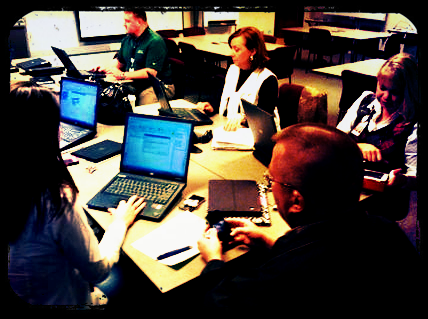 Bring Your Own Technology (BYOT) is essentially a “bottom up” initiative in the sense that students already have personal technology devices in their pockets, and they often provide the incentive or demand to begin using those tools for instruction. Educators usually have to scramble to catch up to students in the personal uses of technology and have to be willing to learn alongside them to facilitate BYOT effectively. This shift entails the transformation of learning experiences as students progress from solely being consumers of information to becoming producers of original content. This can be a challenging metamorphosis in many learning environments, but by utilizing some key strategies, school leaders can purposefully nurture a culture that is beneficial for transformational learning with BYOT.
1. Empowering – Learning to share ownership of the BYOT experience can be difficult for classroom teachers as they begin to empower students to develop a sense of agency. Students have to use critical thinking to make authentic choices about how they will learn with their devices and creativity to show what they have learned. This agency involves trusting the students and maintaining high expectations for responsible use of technology. School leaders demonstrate trust of their teachers and students as they recognize the inherent leadership of others and begin to open communication about technology uses rather than insisting on blocking and banning technology tools.
 2. Modeling – School leaders need to model learning with BYOT as they work with teachers and students. There is no “one size fits all” learning community, and professional learning has to become differentiated for the teachers so that they can choose among the tools and strategies based on their individual interests and needs. As school leaders begin to focus on developing processes and skills within the learning community instead of only on content knowledge, teachers will also emphasize those abilities in their classrooms. When a school leader continually reviews only numerical data from standardized test scores, then the instructional message becomes “teach to the test.” By being a personal lifelong learner who is willing to learn from others. a school leader can model a passion for learning and trying new things.
3. Practicing – A key strategy for promoting a BYOT initiative is for school leaders to begin using their own technology devices by exploring ways to use social media for personal and professional learning. Through the use of Twitter, they can develop networks that can help them connect with other educators to share ideas and strategies for instruction, technology, and leadership. They can also use Twitter and personal technology devices to lead professional learning activities and encourage collaboration. As leaders practicing BYOT, they can begin recommending apps and tools to teachers and students as they promote digital age skills within their schools and learn new uses for personal technology.
4. Encouraging – As teachers and students begin experimenting with their devices to discover new instructional approaches, they will occasionally make some mistakes. A school leader has to encourage the learning community to persist in the use of their technology tools and remain understanding through this process of trial and error. This encouragement reinforces a culture that is supportive of growth and innovation. It includes being a cheerleader who is excited about students bringing their technology devices to school and embraces the pedagogical change that occurs when students own the learning. This enthusiasm for learning with BYOT is contagious!
5. Advocating – Members of the learning community may not have an understanding of the need for BYOT within schools. After all, many children often receive their first technology devices to keep them entertained while they are sitting in the backseat of a car or waiting in a restaurant. Parents are more accustomed to seeing their child’s attention being absorbed by a device, but in a school setting, students are eager to share and collaborate with their technology rather than use them in isolation. A school leader has to communicate the possible uses of personal technology for learning opportunities to hesitant parents, community members, and school system personnel.
On a final note, instead of viewing BYOT as a bottom up or top down initiative, school leaders can choose to view it as a community endeavor in which everyone plays a vital role in its successful implementation. What other leadership strategies involving BYOT can you suggest for school leaders?
Just in Time Learning for BYOT
Posted by BYOT Network in BYOT Strategies on June 11, 2012
 I have sometimes heard the misconception that before a school begins implementing Bring Your Own Technology (BYOT), students need to be trained in the acceptable use of technology that has been predetermined by the district; however, many of the digital age skills that students are developing as they use their devices at school occur just in time as they are needed in the course of the process of learning. Just in time learning entails that as a specialized strategy is necessary to solve a problem or share a solution, then that skill is learned and utilized in a relevant way within the context of the work. There are several just in time skills that students begin to acquire within the BYOT classroom.
Just in Time Digital Citizenship
We have all heard of students making mistakes with technology or using it inappropriately, often with devastating consequences. Many of these issues occur because students are self-taught or peer-taught in how they should use their devices without the just in time guidance of a teacher. When students are empowered to bring their personal technology devices to school to assume more control of their learning, they can be coached in responsible ways to use technology. Students in the BYOT classroom, have the advantage of learning how to use their devices for instructional purposes with the facilitation of their teachers. Students continually practice and refine digital citizenship in the BYOT classroom as they learn with each other through the use of the same technology devices that they use at home. Skills in netiquette, the appropriate ways to communicate with others online, as well as strategies for ensuring Internet safety, can be encouraged by the teacher within the BYOT learning community.
Just in Time Technical Troubleshooting
As devices and applications continue to change, there is no one consistent method for resolving technical issues. Technical troubleshooting and instruction must occur just in time in the BYOT classroom according to the pertinent needs of the situation. Teachers and students learn how to use new technology tools and programs while they are being utilized, and students often provide the technical training for their peers and their teachers. Since students are utilizing different devices for instruction, they will have to become proficient with the technical aspects of their own tools and usually become recognized for their particular areas of expertise. In this way, students and teachers can develop critical problem-solving strategies for working and learning within a digital world.
Just in Time Collaboration
Learning how to work with others to achieve a common purpose is essential to the BYOT classroom because students are bringing different devices to school, and those devices have different capabilities. The students also possess different knowledge, abilities, and interests, therefore, they have to pool their resources and intellect and negotiate responsibilities for the learning. Groups need to be dynamic and fluid as students work together and with their teacher to share information and make decisions. Many Web 2.0 sites can be used to develop online collaborative spaces, including Edmodo and Wikispaces. Just in time collaboration can occur synchronously or asynchronously and capitalizes on the potential strengths of everyone in the learning community.
Just in Time Critical Thinking
Critical thinking with BYOT involves being able to distinguish among conflicting information and facts as students conduct research with their personal devices. Recognizing propaganda and determining the accuracy of content are other essential critical thinking abilities required by the digital age. Students need to develop the capacity to use reason as they formulate opinions based on what they already know and on what they have learned from their classmates and in online searches. Students learning how to make these decisions just in time can be nurtured by the classroom teacher through modeling, practicing, reflecting, and questioning. A great tool for posing questions to students is Socrative. It works across multiple devices and incorporates various types of questions, and teachers can easily create follow up questions to responses that students have texted and shared with the rest of the class.
Just in Time Communication
In the traditional classroom, communication is often one-way – directed from the teacher and toward the student. In the BYOT classroom, there is a potential shift in communication as students use their devices to discuss content they are learning with others, set goals for themselves, and share new concepts. This communication happens just in time as the students are encouraged to communicate, whenever and wherever, as a function and expression of learning. The lines of communication are now multi-directional and extend beyond the classroom as students can web conference through Skype with other students in classrooms around the globe. They can instantaneously publish their ideas by blogging using Edublogs or through other blogging tools. Blogs can become a lasting portfolio of student work, and this process of authorship helps students to develop an authentic and beneficial digital footprint.
Just in Time Creativity
With the abundance of free and inexpensive applications for mobile devices, students are able to develop new skills in creativity. In the BYOT classroom, teachers can help foster creativity as students utilize their personal technology tools to invent and design original products. These inventions are often constructed just in time as solutions to problems or for students to illustrate what they have learned in imaginative new ways. In this manner, students aspire to become producers of content that they find relevant rather than solely being consumers of static information that has been predetermined as meaningful for students. With netbooks and laptops, students can download the free, open source, program Audacity to develop podcasts and recordings, or they can record straight to their handheld devices. Students can also use the camera tools on their devices to take photographs and easily turn these photos into new creations with the use of iPhoneography apps (my favorite is Pixlr-o-matic). VoiceThread is a web tool (with an app for mobile devices) that can enable multiple users to upload their original photos and comment on them collaboratively.
One more note… Just in Time
By the way, just in time professional learning opportunities also emerge for teachers in the BYOT classroom as they learn alongside their students and discover new interests, skills, and strengths in the use of personal technology for instruction.
Turning the Key for BYOT
Posted by BYOT Network in BYOT Purposes on May 8, 2012
 I woke up yesterday to a hectic morning as my wife was rushing out the door to go to work. She couldn’t start her car because the key wouldn’t turn in the ignition. We took turns wrestling with the key and steering wheel without budging them when I decided to search online to see if anyone else had posted their experiences with the same problem and listed a possible solution. Luckily, there were several discussion posts in a couple of different forums about such a problem, and I tried a few suggestions before I found the one that did the trick. I eventually unlocked and locked the car door manually with the key in order for it to reset. When I inserted the key again, it turned, and I heard the best sound in the world at that moment – the engine thundering into action!
I considered how awesome it is to have that immediate access to information when it is needed, just in time. Similar situations happen in the classroom. Students need ready access during the process of learning, but that access is controlled by the content obtainable in the textbooks, the availability of school’s technology resources, and the opportunity students have to make choices. When students bring their own technology to facilitate their learning in BYOT, they can utilize more independence in finding necessary information and answers to their questions. They can collaborate to build the body of knowledge with the other students in their learning community by posting content that has relevance and meaning to the rest of the group. Teachers can also encourage students to search for new ways to learn with their own technology tools and to create original products and projects.
It’s time to turn that key for BYOT from LOCK to START and accelerate learning for all students – just in time!
Teaching the 4 C’s in BYOT
Posted by BYOT Network in BYOT Strategies on April 17, 2012
The Partnership for 21st Century Skills has developed a Framework for 21st Century Learning that identifies key learning and innovation skills, otherwise known as the 4 C’s: Creativity, Critical Thinking, Communication, and Collaboration. In the Bring Your Own Technology (BYOT) classroom, facilitating the 4 C’s becomes a logical extension of classroom instruction as students are connected to their learning and each other with their personal technology devices. With their own tools, students are able to practice and develop the 4 C’s as the teacher coaches, scaffolds, and models the learning. Of course, the students are the experts in their own devices, but the teacher has to create an environment that is conducive of exploration and inquiry so that students have the opportunity to learn how to learn with their technology. One way the teacher can encourage this type of environment is by learning alongside the students.
 Another strategy for implementing the 4 C’s within instruction is to promote them with the use of web tools and project-based learning. Although there is some overlap among the 4 C’s depending on how the tools are being used, I have provided some specific examples below:
Creativity – VoiceThread
A VoiceThread is an online slide show that enables students to upload and present images, documents, and videos and then share comments by writing or recording messages. They can also draw on the slides in order to annotate them during the presentation. Although VoiceThread is a great tool for supporting all of the 4 C’s, it can encourage creative expression with the students’ devices. Students can take their own photos and create presentations to demonstrate what they have learned, and the other students can provide creative comments. For example, in a study of similes (comparisons using like or as), a student can take a photo of an object with an iPod Touch and optimize it in a free photo app (one of my personal favorites is Pixlr-o-matic). The student then saves the photo and uploads it into VoiceThread. The other students can then provide interesting similies in their responses that involve the object in the photo. There is an app for VoiceThread that can be downloaded on the iTunes store for iPods and iPads, or VoiceThreads can be created online on Macs or PCs.
Critical thinking – Socrative
 Socrative is a web-based student response system that enables teachers to ask multiple choice, true/false, or short answer questions that students answer on their own devices. Teachers can also create and save quizzes ahead of time for students to complete, or they can begin ad-hoc sessions during class discussions with students. One aspect of Socrative that promotes critical thinking is that after asking an open-ended short answer question, the teacher can easily choose to have student vote on their answers. Teachers can also have students participate in an activity in Socrative called Space Race in which students can compete in random or assigned teams to complete a teacher-made quiz and be the first to get their team’s rocket to the finish line. I have seen this activity increase collaboration even in a high school AP Calculus class as the students worked in groups to solve problems and answer the questions. It works effectively even if every student does not have a device because the students can take share a device to answer questions and the new concepts are more likely to be retained as the students learn them in groups. The short answer option can be useful for the students to text in their own questions, and the teacher can then pose these questions back to the class or use them in a future quiz. Socrative also provides a preset Ticket Out the Door to assess student understanding of the learned content. There is a teacher app for Socrative (iOS, Android) as well as a student app (iOS, Android), so teachers are able to conduct the session from their smartphones or laptops, and students can participate via smartphones, laptops, or desktops.
Communication – Edublogs
With Edublogs, teachers and students can develop blogs for education that help to provide opportunities for communication in the classroom and in a global community. When students have their own blogs, they are able to publish the results of their project-based learning and collaboration and share what they have accomplished with others. Writing becomes more authentic as students have a purpose for their writing assignments, and students are able to customize their blogs according to their personal learning interests and styles. Although a blog is useful for publishing creative writing, it can also be used to communicate technical concepts like the steps in a scientific process accompanied with photos of the activity. Edublogs also publishes an annual list of the best blogs in education as well as additional web tools and apps on The Edublog Awards Blog. This list can be a useful resource for teachers and students as they begin developing their blogs. A teacher can sign up each student in the class for a blog, even in elementary grades, because an email address is not required. There is no app for Edublogs, but blogs can be edited through the Internet browser on smartphones, tablets, netbooks, and laptops.
Collaboration – Wikispaces
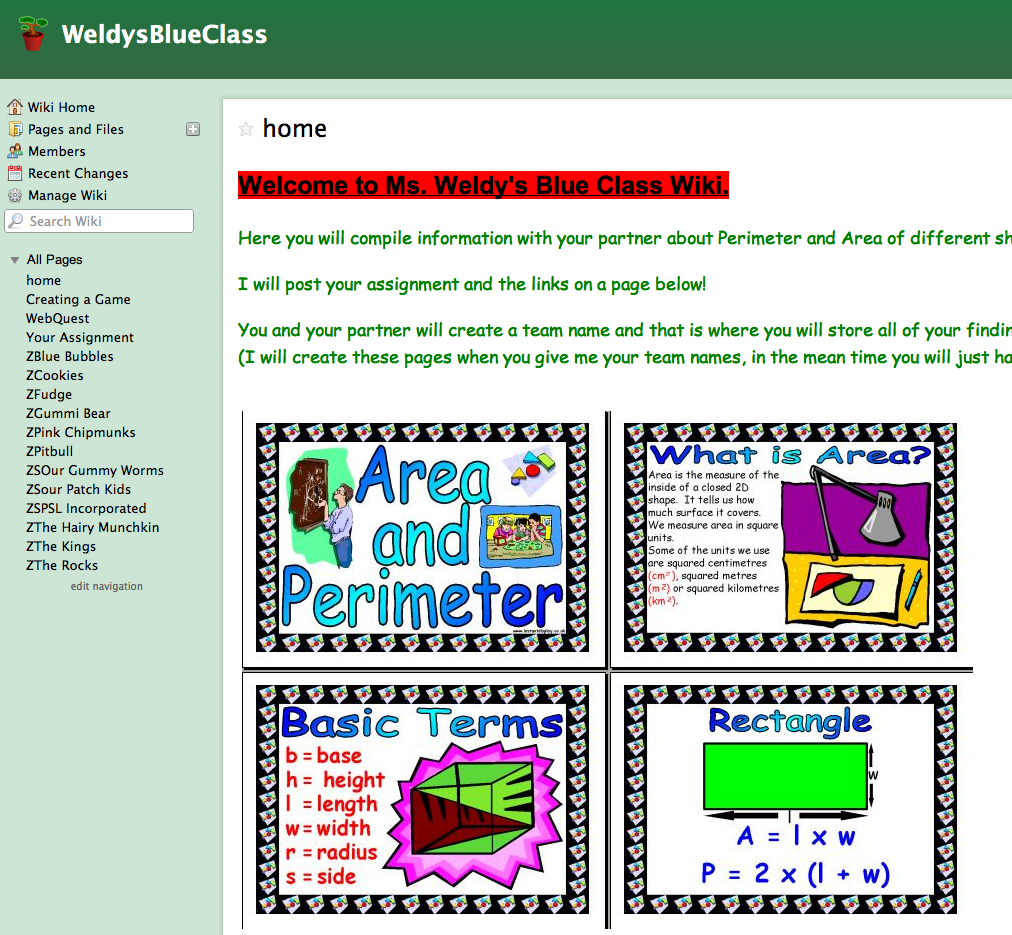 A wiki is a collaborative space for teachers and students to construct their learning experiences together. Teachers can develop class wikis in Wikispaces and easily upload all of their students, even if they do not have email addresses. In the wiki, the teacher and students can encourage a sense of community in the classroom by sharing files and creating content. As the students edit their work within the wiki, the teacher can track who made all of the changes to determine student participation. Like a blog, a wiki makes a good launchpad for encouraging BYOT. Since the students are working independently or in small groups, the wiki gives them a place to continue their projects or assignments while the teacher is learning alongside and coaching other students in the class. One example of how a wiki was used in a middle school math classroom, is that the teacher divided the students into groups to explain particular problem solving strategies and mathematical concepts. In this manner, the students in the class actually produced their own math “textbook” as an on-going project that they were able to use as a resource. Although, there is no app for Wikispaces, the students are able to edit text on the browser of their handheld devices, and they are able to use tablets, laptops, and desktops to complete all of their other editing in the wiki.
Some final thoughts…
The above resources are currently free, at least for individual teacher accounts, or a district may choose to subscribe to them in order to receive analytics or more customization. Their use in the BYOT classroom can be a good way for teachers to begin implementing BYOT and encouraging students to bring their own technology tools to school to facilitate their learning.
What other tools and strategies can be used to promote the 4 C’s in today’s digital age classrooms?


 BYOT Network