Full Throttle Tech with BYOT from a HS Student’s Perspective
Posted by BYOT Network in BYOT Vision on April 25, 2013
A Note from Tim: Forsyth County Schools in Georgia is in its fifth year of implementing Bring Your Own Technology (BYOT). The first year was spent on developing the infrastructure, and the last four years have focused on piloting the initiative, developing personal and professional capacity, and eventually spreading the practice of encouraging students to learn with their personal technology tools throughout the district. Here is what a week of a teacher using BYOT could look like from the perspective of high school student, Asher Thompson.
Guest Post by Asher Thompson @AsherT_gadeca
 As a high school student, I know that I have the luxury of seeing something that my teachers do not….how the other teachers teach. As a teacher, you may hear little pieces of what that math teacher down the hall is asking her kids to do and you might overhear how the science teacher next door teamed everybody up for that really tough lab. As a student, I know exactly what my math teacher is expecting and how your colleague could have teamed us up in a better way during science. Teachers don’t get to experience the other classes, but that doesn’t mean they can’t learn how other students in their school are benefitting from technology in the classroom. Dr. Clark has asked me to write this article about ‘Full Throttle Technology’ which something I mentioned while guest-moderating a previous #BYOTChat. Below you will find what a sample week of what ‘Full-Throttle Tech’ looks like through my eyes. This is for every teacher, from the ones with the pedal to the metal on technology to those with both feet firmly planted on the brake.
Friday
We won’t stop talking. You’ve just finished the last part of your lesson and you can’t believe we can be this chatty this Friday… every Friday…. every single week. I’m sure you are very nervous about BYOT week next week. You might be dreading it and worry that we heard, “Next week is a free week. Bring you phone.” Stop and regroup and tell us that next week we will need our phones and/or laptops because we are going to ‘try something new’. You could also let us know that we need our technology next week ‘for an experiment’. Here’s a great hint…. if you tell us it’s an “experiment” we hear, “This is just a one week thing, so if you abuse the privilege there won’t be any more phones or laptops in my classroom after next week. “ Just wait to see how technology is going to change your opinion next week!
Monday
Welcome to the Big League! You see kids come in and they instantly pull out their phones, but you’re one step ahead of us. Your computer is already connected to a projector and BAM! up pops the warm-up. You have a typical PowerPoint slide but this time you easily added a multiple choice Poll Everywhere. Trust us, you won’t need to say anything. We will know how to text in an answer (or use a computer if we prefer) so let us utilize it on our own. Now it’s time to get us involved. Explain and assure us that everything is anonymous and you will never see who said what. Go to the next slide and let us use another poll that asks us one thing that we like about the class and one thing that we would change. If you really want students to enjoy learning, you have to solicit and consider this type of data. Now it’s time to do your regular lesson, but every few minutes provide another poll to get your students engaged and keep their attention. How about before each new topic you give a multiple choice question about a major theme in the topic? For example, if you taught History you could ask, “How do you think Rasputin rose to power? A) Overthrew government, B) Healed a child’s hemophilia, or C) Made friends with Senators”. Here’s where technology can work for you…. if we get to contribute, we are going to want to see if we were right. We will be engaged. You’ve hooked us! Be sure to give us the answer towards the end of the topic so that we don’t hear the answer and zone out.
Tuesday
Congratulations, you survived your first day. Let’s check. Are you still breathing? All body parts present? Good! It’s time to continue with technology in your classroom. Once again you have a Poll Everywhere warm-up. Now we’re expecting you to do another PowerPoint with some more polls sprinkled into your lesson again. Well, you’ve got something new up your sleeve! Last night you uploaded that vocabulary worksheet onto Quizlet and presto! You are now sharing an online stack of flash cards with your class! Have us use our Quizlet app or the website to play some of the games. When we feel comfortable, we can even take the test. After we’ve been competing you are going to notice that even that kid that sulks in the corner is wanting to know who just beat his best time in Scatter. It’s now time to ask the students that get A’s on the to test come up to your desk to show you their score. Ta-da! You’ve provided an instant homework-weighted grade done in class that had us engrossed while having fun. Just don’t forget to remind us to keep using the flashcard set to help prepare for the quiz coming up on Friday.
Wednesday
 Half-way there and we haven’t even driven you crazy yet! Isn’t that incredible? Not really. We’ve just been engaged learners and engaged kids have far fewer behavior issues. Now is the time you’ve been waiting for…. time to pull out the big guns. You had us all download Socrative last night because you’ve set everything up for a lesson so even you have your phone out today. You are using the same lesson plans you would have used even if you hadn’t done this BYOT week so there is no difference in planning time on your end. The difference is that when you ask a few questions you get EVERY student’s response. This is a first ever in your class! That kid who has never raised his hand is actually telling you what he knows. It’s a miracle! Now, you’ve had us captivated the whole class, but how is class going to end? It’s time to send us an Exit Ticket. Stand by the door with your phone and make sure we’ve completed our Exit Ticket. Now you are going to know how many of us actually understand what’s going on and what we might need to review for tomorrow.
Thursday
Whoo hooo, Thursday already! We are actually excited to come to your class. Many of us have our laptops in our backpack just like you asked. You’ve been careful to make sure that kids that don’t have laptops know you checked some out from the media center and surely there will be friendly kids in class that are happy to share with others. We get started and you send us to Prezi, because now that you’re a cool BYOT teacher you find PowerPoint just so mainstream. Once again, your projector is connected to your computer and you are logged in to Prezi. Each group of 4 or 5 students uses a laptop and is assigned one topic on the unit the class is working through this week. Here’s where things get even more fun…. instead of us each doing it on our own, we all log into a Prezi presentation you created and start working on our pieces. Each group has different component of the lesson to complete. At the end of class you inform us that we just made the study guide for the quiz tomorrow and that you will link each group’s Prezi presentations to your website (which of course you have)!
Friday
 It’s the day we’ve been dreading…. quiz day. Why does every single teacher plan them on Friday? It’s a known fact that students have reported passing by the teacher workroom and hearing the teachers agree to coordinate all exams for the same day. We are expecting just a pen and paper test, but you actually don’t want us to fall asleep! You hand out a rubric and send us to Zoho where we follow your rubric to create one slide with a picture and a paragraph explaining the topic. The collection of slides the class created generated a complete presentation. During the last half hour of class each student is given one minute to explain their topic. Finally, a quiz that actually really gets us ready for the quiz! The bell rings and instead of the old sighs of relief you used to hear, now you hear a hint of disappointment. The BYOT you used in class has us all excited to come back after the weekend is over!
The point of this lesson plan was to show that you don’t need to completely recreate your lessons,. Technology is made to work side by side with traditional teaching. It is here to enhance the way to teach the standards. You can use technology to more accurately measure our comprehension of the material, more effectively reinforce the concepts you need to teach, and more powerfully keep your students engaged. I want to thank Dr. Clark for giving me the opportunity to explain what “Full-Throttle Tech” looks like through other students and my eyes at my BYOT school.
The IKEA Effect of BYOT
Posted by BYOT Network in BYOT Research on April 18, 2013
Many of us have ordered furniture or other items from IKEA and spent a weekend assembling those products to be proudly displayed as our handiwork. Earlier this year on National Public Radio, Shankar Vedantam, author of The Hidden Brain, reported a story in Research News entitled “Why You Love That IKEA Table, Even If It’s Crooked.” The basic premise of this research is that when we labor at something that we personally create, we value it more although it may have some imperfections.
According to research by Mochon, Norton, and Ariely (2012),
Building your own stuff boosts your feelings of pride and competence, and also signals to others that you are competent.
 This phenomenon is known as the IKEA Effect, and it has repercussions that could extend beyond the field of business marketing. Some outcomes may include a desire to create a product; valuing one’s handiwork; and increased competence. On the other hand, another consequence is that when people feel incompetent, they may be more vulnerable to the IKEA Effect. Mochon, Norton, and Ariely (2012) found that with increased self-esteem, people appear to be less interested in proving their competences to others.
As I listened to the broadcast, I reflected on the IKEA Effect’s possible implications for learning within the Bring Your Own Technology (BYOT) classroom.
Engagement
One of the most obvious results of BYOT is that students have the potential to produce content instead of solely consuming it. There is no need for the teacher to lecture about information that the students can readily access on their devices, and the classroom has to become a more hands-on learning laboratory where students are empowered to discover new ways of researching content and sharing what they have learned with others. According to the IKEA Effect, this act of creation can lead to a sense of competence.
 Publishing
In the BYOT classroom, students expect to contribute to the growing body of knowledge accumulated by their learning community. These contributions may be in the form of original products that can be housed and viewed online. Think of a repository of resources, tutorials, and projects that are uploaded and reviewed with a larger audience than just the teacher and individual student. This sharing reinforces a sense of pride in one’s handiwork.
Authenticity
Because students in the BYOT classroom are creating new products for a real purpose, rather than just recalling information for the test at the end of the week, there is a sense of validity to their learning. Students are able to make new connections to what they are learning via their connectivity to their personal technology tools and each other. They know how their devices work, and their teachers can help them brainstorm possible new uses. Their technology tools take on new meaning as they are used to construct new experiences.
Personalizing
Through the act of construction, students have more ownership in their learning. This shift occurs because the students’ devices have different capabilities, and the teacher can’t force everyone to create the same product in an identical manner. The students are also able to lend their expertise in their technology tools for the good of the learning community and provide technical support and instructional assistance. They may choose to present what they have learned by creating a video, building in Minecraft, or designing a game. The possibilities can be endless with the power of choice.
Transforming
 One negative aspect of the IKEA Effect is that we sometimes can’t see the imperfections in our own work. How do students learn how to improve the quality of their work within the BYOT classroom? Of course the obvious answer is that the teacher facilitates these learning experiences by asking questions. The students can also collaborate with the assistance of the teacher to develop rubrics and strategies for evaluating their products. Because of the bond within the supportive learning community of the BYOT classroom, the students can critique their work and learn to view their products more objectively.
One difference between the practices of a BYOT classroom and assembling a product from IKEA is that there is no blueprint – no master design to follow. The directions for success are constantly being refined by the teacher and students – the designers of the learning community. Eventually, you will proudly display your own IKEA creation to your family and friends while ignoring those little nicks and scratches you accidentally caused during the process of assembly. Know that the feeling of accomplishment that you achieved with your tools is a daily occurrence in the BYOT environment.
References
- Mochon, D., Norton, M. I., & Ariely, D. (2012). Bolstering and restoring feelings of competence via the IKEA effect. International Journal of Research in Marketing.
- Vedantam, S. (2013, February 6). Why you love that ikea table, even if it. Retrieved from http://www.npr.org/2013/02/06/171177695/why-you-love-that-ikea-table-even-if-its-crooked
Spotlight on BYOT Teacher – Michele Dugan
Posted by BYOT Network in BYOT Strategies on April 4, 2013
A Note from Tim: Forsyth County Schools in Georgia is in its fifth year of implementing Bring Your Own Technology (BYOT). The first year was spent on developing the infrastructure, and the last four years have focused on piloting the initiative, developing personal and professional capacity, and eventually spreading the practice of encouraging students to learn with their personal technology tools throughout the district. I have been so impressed with the dedication of our teachers to transform their classrooms with BYOT! In this series of posts, I am sharing some of their experiences from different grade levels in their own words.
Guest Post by Michele Dugan @FCHSDugan
English Teacher – Forsyth Central High School
 As a high school teacher, I used to fight a daily battle against what I called the “Device Distracters” in the hands of my students. Like a well-written multiple choice exam option, this distracter was a strong contender for students to select. Its allure could only be mitigated by one force in the students’ realm, and that force was me. I offered, suggested, and sometimes declared that students “put these items away.” After all, it was time to learn! However, as incorporation of BYOT started to spread across schools, I realized that I was the one who was selecting the wrong answer; technology is and has been a correct and viable “choice” for learning all along.
Location, location, location
Any realtor or marketing agent adheres to a basic key of success: location, location, location. Educators took note of this strategy. We place important notices in the front of our schools where parents will notice them. We post announcements within the teacher work rooms for all to view. Location matters. So, where are our students directing their attention? Where do they gather, communicate, and collaborate? The answer is apparent: online, through their devices. High school students, in particular, have turned their attention to social media, texting, and other forums for communication. If I can introduce curriculum into their most frequented locations, levels of engagement, understanding, and production rise. I find myself surprised to discover that students are using online social connections to extend the conversation outside of the school day. What teacher doesn’t want to hear that her students held a heated debate over symbolism in The Awakening through social media? (Yes, this happened!) Students have demonstrated that they have the abilities to communicate; BYOT enhanced my capabilities to facilitate and encourage these conversations in the classroom and beyond. Education does not have to end when the bell rings.
A Class Divided United
 I instruct two different courses and well over one hundred students each day. I teach highly gifted students. I teach special needs students. I teach students who work every day and night after school. I teach students who are Ivy League bound. I teach students whose home lives are far from ideal. But most importantly, I teach children who will grow up to be our neighbors, co-workers, and leaders. It is my role to offer them the tools of college and career readiness, and to encourage their strengths. In this way, BYOT (“B”, for me, can stand for “Bring or Borrow”) is their lifeline to the “real world,” and encourages each student to use his or her strengths.
My opinion on BYOT shifted when I realized how often I use technology as a professional. Sure, I use it for instruction, but what about meetings? I access Infinite Campus to see student grades. During professional development sessions, I can take notes with an application that shares my files with my online cloud. I access my shared Google calendar when planning the next due date. While grading, I use my phone’s calculator (after all, I am an English teacher). Why shouldn’t I take the opportunity to guide students through using the same tools they will use upon graduation? More often than not, they are teaching me!
Interestingly, BYOT has made differentiation much more personal for my students. Within my classroom, I can use Socrative, PollEverwhere, and JoinMe to connect with students through their technology. Last year, I noted that I had greater student participation when I used these applications or sites. Why? I asked my students. I learned that the “safe” space for communication, including anonymous answers, allows students to answer freely, without fear of judgment. I don’t have to tell you that peer pressure is a source of stress for our learners. Therefore, when students participate in individual work, I offer QR codes on each desk with links to extensions and remediation. Students choose the link that best suits them; this eliminates the fear of asking for help that some students encounter when they simply don’t understand. Suddenly, my quiet students, my special needs students, my highly gifted students, and my nervous students had a voice and a lifeline, and they are united in that they are all learning every day, and in their own ways. Use of BYOT facilitated unity in my classroom, and students’ confidence levels have soared.
Twitter: It’s not just for the birds anymore.
I often wish I had more opportunities to communicate effectively with my students, their parents, and the community. I feel – and studies demonstrate – that this communication is imperative to student success.
 Outside of my classroom, I use my school Twitter for homework reminders, learning extensions, academic sources, newsletters to parents, and professional development. My professional library of resources is interminably expanding, and – to be completely honest – my teaching has changed completely through suggestions by fellow educators (strangers!) from around the world.
The potential for academic growth is infinite. In fact, author Robert Theobald wrote, “In the future, we shall measure our lives by our own growth and our ability to help others grow.” As a teacher, it is my job – and passion – to facilitate and participate in this growth. The choice to incorporate BYOT into my classroom permits me to learn and extend curriculum with and for my students, and I know I am encouraging a positive opportunity for student success and growth in the process. Community communication facilitates student success, even in 140 characters or less.
Photo Credits – George Ramirez
Spotlight on BYOT Teacher – Jennifer McCutchen
Posted by BYOT Network in BYOT Strategies on March 28, 2013
A Note from Tim: Forsyth County Schools in Georgia is in its fifth year of implementing Bring Your Own Technology (BYOT). The first year was spent on developing the infrastructure, and the last four years have focused on piloting the initiative, developing personal and professional capacity, and eventually spreading the practice of encouraging students to learn with their personal technology tools throughout the district. I have been so impressed with the dedication of our teachers to transform their classrooms with BYOT! In this series of posts, I am sharing some of their experiences from different grade levels in their own words.
Guest Post by Jennifer McCutchen (@fcssjmccutchen)
Eighth Grade Teacher – Little Mill Middle School
My BYOT Transformational Journey
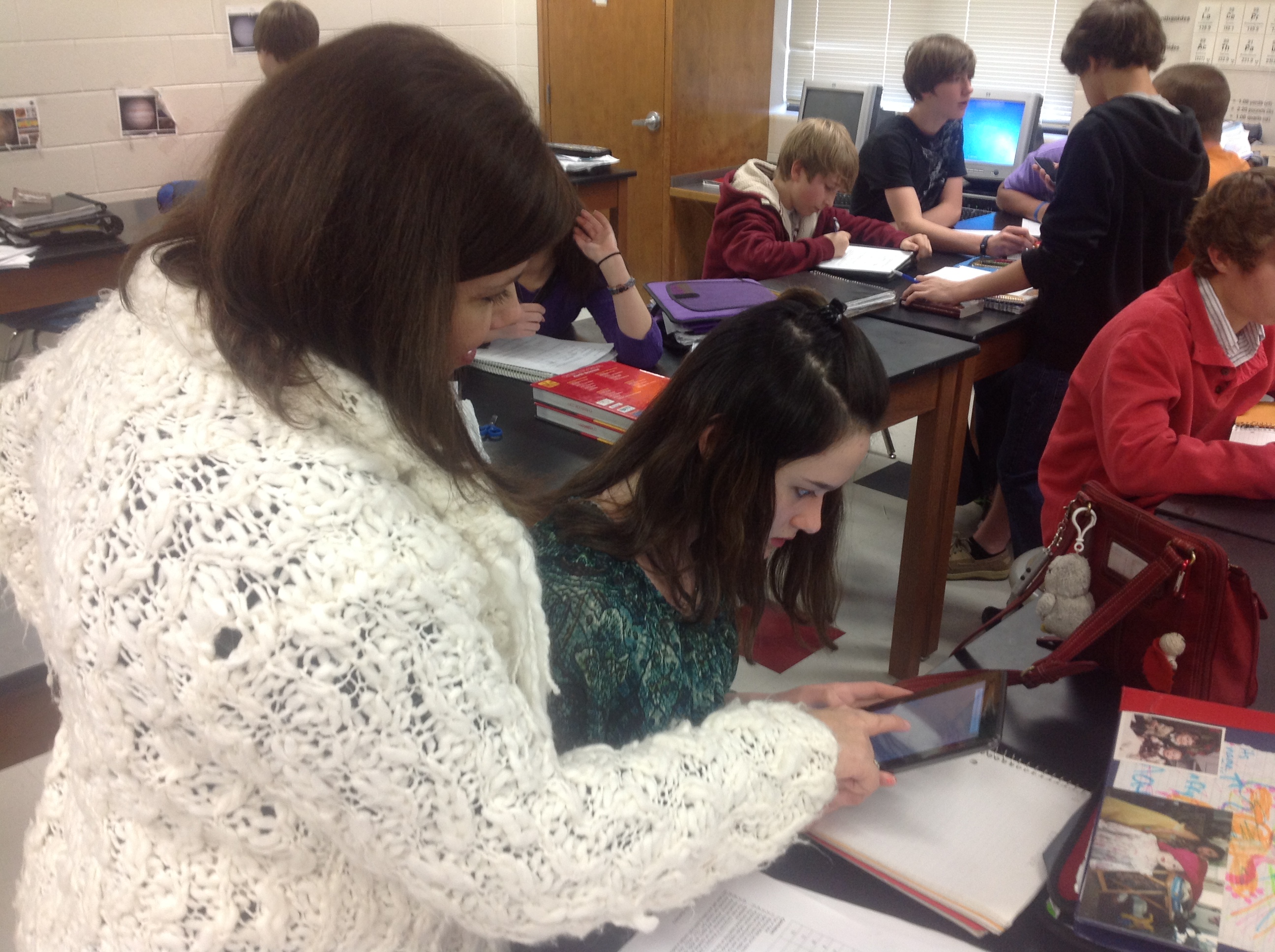 Using technology in the classroom was a paradigm shift for me as an educator. I can tell you it was hard to let go of the idea that I needed to somehow take all of my knowledge and transfer it to my students. After quite a bit of self-reflection and the BYOT initiative in our district, I came to understand the true meaning of becoming a facilitator of learning. I shared with a colleague that, as teachers, our job is a lot like a parent teaching our own children to ride a bike. As parents, we know how to ride a bike, but until our own children try it out on their own, they will never learn. It doesn’t start very pretty, there may be bumps and bruises along the way, but very quickly our children ride the bike…and do it well! The same can be said of my own classroom and using technology.
I began my journey by letting go of the fact that I am not going to be an expert on every device that walks into my room. Where I am not the expert, there is a student who is in every class! They love to be the expert and are eager to help each other. I asked students to find apps that they felt like were helpful to them to accomplish tasks that I would normally ask them to simply write and turn in. Students showed my apps such as “Show me” and “Skitch” where can draw my diagrams from the board, and then use them to make their own about different concepts. I could see a shift in how students communicate results in the lab. Students create lab write ups with rich discussion posts on WikiSpaces. They were now able to capture video to show chemical reactions. They could use voice overs to explain what happened in their own lab. They began sharing and analyzing student work; applying what they were learning to other situations. They asked such enlightening questions of each other, and made comments that I had never thought of! They compared data points on graphs, and analyzed why and how their results were alike and different than others. I could see the “light bulb” go off for students regarding human error and the scientific process.
A student summed up BYOT saying, “It used to be that just you (the teacher) saw our work, now everyone sees it. I want mine to be the best.” Peer pressure can be a great motivator, and combining it with technology makes it even greater!
I have learned to leave fear out of my classroom. I have learned to look at technology as a tool that allows students to learn more, do more and become more than they had been. My classroom has become an inviting and exciting place to learn, not just for my students, but for me, too!
Spotlight on BYOT Teacher – Tracey Abercrombie
Posted by BYOT Network in BYOT Strategies on March 21, 2013
A Note from Tim: Forsyth County Schools in Georgia is in its fifth year of implementing Bring Your Own Technology (BYOT). The first year was spent on developing the infrastructure, and the last four years have focused on piloting the initiative, developing personal and professional capacity, and eventually spreading the practice of encouraging students to learn with their personal technology tools throughout the district. I have been so impressed with the dedication of our teachers to transform their classrooms with BYOT! In this series of posts, I am sharing some of their experiences from different grade levels in their own words.
Guest Post by Tracey Abercrombie @TraceyAbercromb
Fifth Grade Teacher – Coal Mountain Elementary School
One Teacher’s Journey
I always wanted to be THAT teacher, the one that actually caused a child to walk away with more than he came in with. I wanted to do more than just present material and hope for the best. I like to think. I want my students to enjoy it too. In my 18 years, I thought I did this well. Except, from time to time I would notice certain students struggle to pay attention or periodically lose focus. I always worked to keep those kids engaged. A.D.D., Special Education, gifted, A.D.H.D, and painfully shy. Those kids were my challenge-daily. The million dollar question was, HOW? How could I keep these students engaged at a high level? Sometimes we would spend entire lessons on a knowledge level activity, like vocabulary. How could I bring lower students up, while making sure I push my gifted students to new heights?
Times are changing. Now, not only do I still have the same types of learners; that hasn’t changed. But, the distractions have. Kids seem to have more distractions than ever. Social media, smart phones, texting…As teachers, we have two choices. Embrace the distractions or fight them. Our county decided to embrace the only thing that seemed to be holding ALL kids’ attention. If these devices could hold the focus of any type of learner, why would we fight it? Why not learn to use this for good?
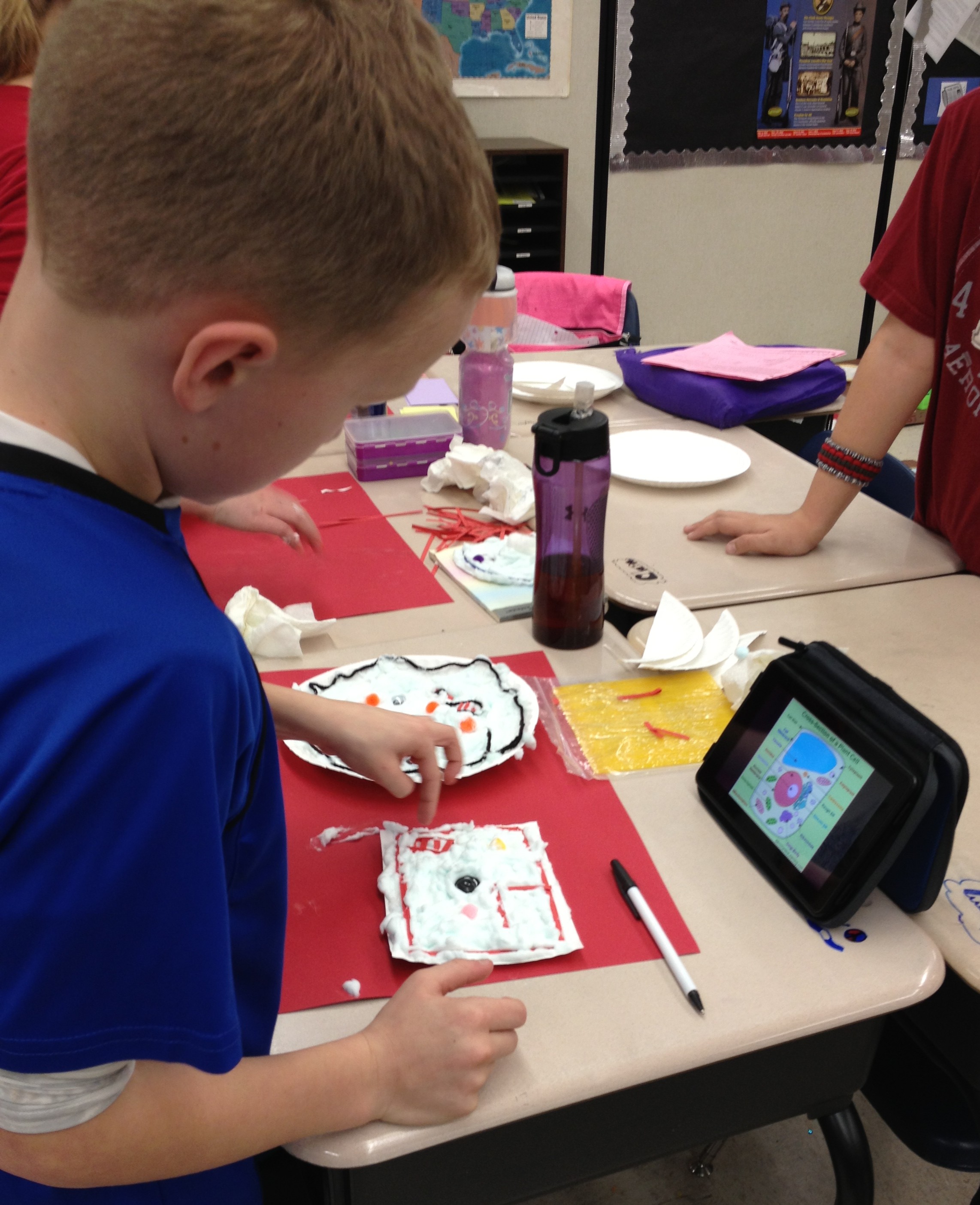 I was petrified. A year ago I didn’t know how to use any of these devices. But, my students did. That’s all that mattered. My students couldn’t wait for the opportunity to use their device in class. I saw something in their eyes that told me I could do this. We tried one website together and were amazed at how it joined my computer with theirs, while showing it on the board. My mind went wild with ways I could begin using just this website to make our content come alive. Then, we tried another website. Before long, the kids were telling me about great apps they could use to produce the same things we were already doing. My classroom had evolved from direct instruction with me leading every angle to a fresh, new student centered place my kids wanted to be. The answer to my never-ending question of “how” to reach every learner was unfolding right before my eyes. I was changing…one website and one app at a time. I felt like a kid again and began to really enjoy my content. I watched every single child engage. The playing field was leveled for every learner. The A.D.D child, the special education, the gifted, and yes, even the painfully shy was freed to speak, even if only through texting. I was quickly learning that my job was no longer to be the giver of information, but to help students use the information at their fingertips to discover, to analyze, to create and to problem solve.
Embracing BYOT is helping me to reach ALL learners, where they are, not just the easy students. It’s a tool. A tool meant to add to what we are already doing, not to replace it. I’ve learned to keep the art projects, and allow students the choice of how they create their final product. Yes, some kids still choose markers and poster board, and that’s okay. 🙂 BYOT provides immediate differentiation. It encourages collaboration, while building community and fostering real growth. I honestly believe that my journey is helping me to become “THAT” teacher…the one I have always wanted to be.
See more from Tracey on NBC News At One School District, the Motto is BYOT – Bring Your Own Technology.
Spotlight on BYOT Teacher – Erin Curry
Posted by BYOT Network in BYOT Strategies on March 13, 2013
A Note from Tim: Forsyth County Schools in Georgia is in its fifth year of implementing Bring Your Own Technology (BYOT). The first year was spent on developing the infrastructure, and the last four years have focused on piloting the initiative, developing personal and professional capacity, and eventually spreading the practice of encouraging students to learn with their personal technology tools throughout the district. I have been so impressed with the dedication of our teachers to transform their classrooms with BYOT! Over the next few weeks, I will be sharing some of their experiences from different grade levels in their own words.
Guest Post by Erin Curry @ecurry07
Third Grade Teacher – Chestatee Elementary School
After listening to the information regarding BYOT, my initial thought was that my students were probably not responsible enough to be entrusted with the devices. I also questioned my own ability to utilize them effectively in a classroom setting. I was not at all opposed to using technology in the classroom; in fact, my research paper for my master’s degree focused on the potential positive impact of employing technology in an inclusive classroom. However, the thought of my students bringing in outside devices greatly concerned me. I was worried about the possibility of the devices getting stolen or ruined. Were my students ready for this responsibility? I also worried about my students losing focus on me and becoming distracted by their devices. Lastly, I wondered if I was prepared and equipped to effectively use the devices in my classroom.
Despite my concerns, I decided to dive in and I asked my students’ parents to join me on this unfamiliar journey. I worked with the parents to ease the children into their new responsibility. When parents felt that their child was ready, they could send a device to school a few days a week with their child to use. It took a while for many of the parents to get on board with this, but once they learned what we were doing with the devices, they slowly became more comfortable with this new approach. By January 2013, 75% of my class was bringing in some type of device to enhance their learning.
When it came to helping my students become familiar with this new technology, I started slowly. I found an app that we could use on my IPAD–the Socrative app–and we practiced using it for about two weeks. Socrative allowed me to do a question/response type assessment with my students. Once I felt my students were comfortable with this app, I began integrating more apps into our lessons. They soon learned how to use the devices effectively at center time (reading and math app games), during writing (recording and listening back during editing and for voice dictation for my struggling students), for research, and for small student presentations.
This journey has undoubtedly led to more engaged learning opportunities in my classroom, but more importantly, it has propelled my students to become more responsible learners. Unlike I originally thought, my students’ focus has not strayed, but rather improved. They are more excited about our lessons and the role that they are able to play in their own learning process. I am thankful for this opportunity and I honestly cannot imagine my classroom without BYOT.
Strategies for Taking Flight with BYOT
Posted by BYOT Network in BYOT Strategies on March 6, 2013
(Cross-posted at Bold Visions and BYOT Network and cowritten by Jill Hobson, Director of Instructional Technology – Forsyth County Schools)
The Partnership for 21st Century Skills identified 4 critical areas of learning for students that include creativity, critical thinking, communication and collaboration. In Forsyth County Schools, we’ve been working hard with parents, teachers and students to embrace learning with student-owned technologies; something we call Bring Your Own Technology (BYOT). What we know for sure is that BYOT is really more like Bring Your Own Learning because we’ve discovered that it is NOT about the technology – it IS about the learning.
The video, Above and Beyond, by Peter H. Reynolds and produced for the Partnership for 21st Century Skills, is a wonderful illustration of what is possible when students are given the freedom to personalize the learning experience for themselves.
As you watch the video, you might consider the following questions:
- What happens when designers of learning recognize that students are always volunteers in learning?
- How can designers of learning create a “kit” and still allow students the freedom to produce individualized results?
- In a world where we feel pressured to cover everything within a given time frame, how do we schedule innovation and deeper learning?
- How do we honor each child’s strengths and still nurture collaboration?
- How would the meaning of the story change if Maya and Charlie were to lose the race?

“There are two lasting bequests we can give our children. One is roots. The other is wings.” ~ Hoddin
Photo Credit—KJH Photography
We have spent a great deal of time watching BYOT unfold its wings in the classrooms around our district. And we’ve seen so many great strategies that support the 4 C’s of creativity, critical thinking, communication and collaboration. These strategies are ageless and cross all content areas. We teach them in our professional learning sessions and coach teachers to consider these as they begin to incorporate BYOT themselves:
- Backchanneling while watching a video: In this way the teacher is able to foster collaboration and communication by having students answer questions and post observations as the video proceeds.
- Take a picture or create an image which demonstrates understanding of a concept: This is a powerful way to encourage creativity as well as critical thinking. A variation on this strategy is having students annotate on the image using an app on their device.
- Arrive at consensus and submit one answer per pair: It’s not necessary for every student to have a device. In fact it’s preferable that students are forced to collaborate on their thinking and agree on the answer that will be submitted via a student response system like Socrative. This strategy enhances critical thinking as well as collaboration.
- Sharing tools for learning: There is a magical thing that occurs when BYOT is first introduced in a class. If a teacher encourages students to share their devices with each other while talking about the ways in which the apps and device can be used to support learning, the great ideas flow and student excitement about learning blossoms. And meanwhile students are thinking critically, collaborating, communicating and getting creative.
- Demonstrating how to do something: We’ve seen some fantastic examples of critical thinking where students are using screen sharing apps to demonstrate how to solve math problems. We’ve even seen some examples where students have to incorporate a mistake into the problem and show why that mistake is incorrect and how to fix it – requiring some creativity to communicate as well.
- Turning a standard into a driving question: When teachers gain some comfort with implementing BYOT and have begun to give up some of the control in the classroom, this strategy works very well. The teacher will share a particular standard with students and together they will write a question that is compelling, asks “so what” and results in a product that useful and beneficial beyond the classroom. This strategy definitely addresses all of the 4 C’s in the process!
- Finding a new way to show what you know: Another great strategy to use once students have become comfortable in the BYOT classroom is to ask them to demonstrate their learning in an innovative way. Students cannot repeat any of the previously used strategies as a way to represent learning. Students are forced to think critically about ways that they can demonstrate their mastery and to do so creatively.
- Building a community bank of ways to show what you know: The teacher has to utilize the ingenuity and critical thinking of the students in the classroom for instructional and technical support. By suggesting ways to learn with their technology tools, students begin to own their learning. Teachers can posts these ideas throughout the classroom or online in a wiki, so students can use them as creative resources and communicate with each other for additional expertise.
Implementing the above strategies can strengthen the learning community of the classroom. The real transformation begins to occur as teachers realize that they can and should learn alongside their students to explore new ways to utilize personal technology. Not only do students strengthen their digital age skills, but they also feel more connected to each other, their teachers, and their learning. As shown in Above and Beyond, our students will one day truly take flight, and hopefully their experiences today will successfully pilot them in their different directions.
Supporting Inquiry with BYOT
Posted by BYOT Network in BYOT Strategies on February 28, 2013
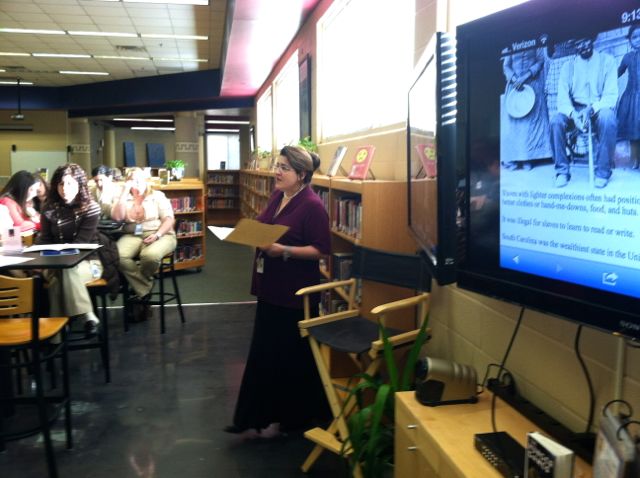
Kim Simshauser describes the 4 C’s Cafe
Learning at Liberty Middle School in Forsyth County, Georgia, begins with a focus on inquiry in its newly remodeled media center. Through a combination of school funds and the ingenuity of the instructional technology specialist, Kim Simshauser, the media center has been reimagined into a hub of digital age learning. In fact, Kim refers to the new space as “The 4C’s Café” in reference to the skills of collaboration, creativity, communication, and critical thinking evident throughout the school. Students are welcomed into the media center to begin learning before the start of the school day.
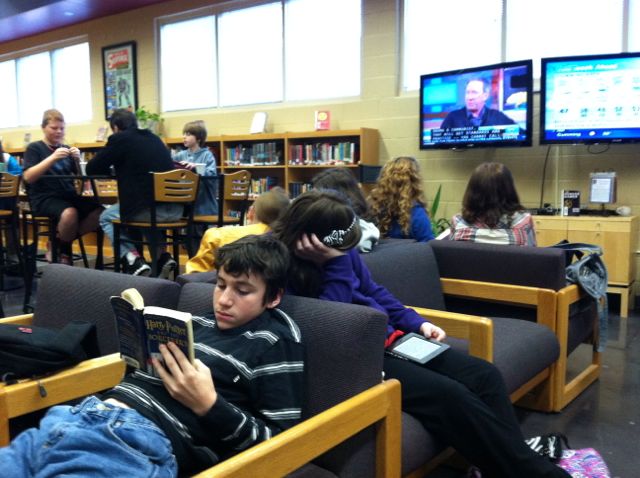 School personnel and volunteer students act as baristas (much like Starbucks) and serve up hot chocolate, decaffeinated beverages, and instructional advice while students browse the book collection, use their personal technology tools for research, study individually or in groups, or watch the news being streamed over two monitors. Kim notes that since the changes have been made that the learning environment is being used more than ever by teachers and students, and now the media center is packed with activity from morning until the end of the day.

Principal Connie Stovall explains the iTeam
The classrooms at Liberty Middle School also support inquiry through guiding questions and learning projects that are facilitated by the students’ personal technology tools. Bring Your Own Technology (BYOT) has been implemented school wide. Students are encouraged to bring their own devices to school, or they may use the school’s technology resources to develop their digital age skills. Principal Connie Stovall provides a scaffold for this emphasis on inquiry by working with her staff and students to develop an inquiry-based team or iTeam. The teachers and students in this seventh grade team applied to participate as trailblazers in the school’s inquiry initiative. They work with each other, their students, and Kim Simshauser to plan lessons that empower the learners. The iTeam students realize that they have a big responsibility to be leaders throughout the school, and their teachers were recently named Team of the Year by the Georgia Middle School Association. In the 2013-2014 school year, the seventh grade team will loop with their students to eighth grade, and new sixth and seventh grade iTeams will be added. The eventual goal is to implement inquiry-based teams throughout the school.
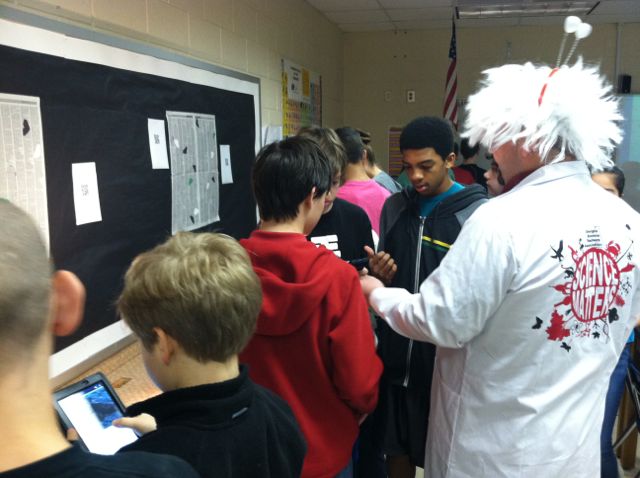 Teachers and students at Liberty Middle School discover that inquiry can be more easily facilitated when students bring their own technology tools to school. Guiding questions can lead to in-depth research, and students can explore new ways to show what they have learned about a topic. These explorations surpass typical standards-based performance tasks and content. They become authentic representations of real-world problems in context. One goal of inquiry is to lead to more questions that become even more relevant to students as they become interested and passionate about a subject.
Here are some additional links and resources related to inquiry-based learning:
- Inquiry-Based Learning (Northeastern Illinois University)
- Inquiry-Based Learning for Teachers
- Inquiry-Based Learning (Concept to Classroom)
- Teaching Tips: Inquiry-Based Learning (eThemes)
Ferris Bueller’s Day Off: Boost Rigor with BYOT
Posted by BYOT Network in BYOT Vision on February 21, 2013
Guest Post by Alena Zink @ZinkEd_u
Instructional Technology Specialist
The post is also available on her blog – iTeach.
One of my responsibilities as the instructional technology specialist this year is to observe classrooms and provide specific feedback on the effectiveness of BYOT and technology integration in classrooms. We have talented professionals in our building, but I still see lessons in which teachers chew down every bit of information and then monitor their students’ digestive process during “busy-work” activities. Then again, there are some lessons that are plainly too difficult for students to explore independently, and as a result they disengage, give up, and never succeed. Such lessons always remind me of Ferris Bueller’s Day Off and make me think how little instruction has changed since 1986!
One may skip this post after seeing the word rigor in it, knowing how overused and often misunderstood this term is today. From parents to administrators, everyone demands that teachers turn their classrooms in rigorous learning environments. What does this mean? What does rigor look like in a classroom?
R is for relevant and I is for integration. Research from International Center for Leadership in Education shows that higher relevance and integration of subjects leads to deeper understanding of a topic. Complex problems of the real world can be solved only by developing new knowledge built on analytical explorations of existing evidence. Therefore, we need to stop teaching a higher-level real world application one discipline and one worksheet at a time. Common Core Standards demand higher-order thinking and deeper understanding of objectives and connections between them, too. Winnie the Pooh is a great character, but we need to move away from just describing him to finding connection with today’s world, friendship in our lives, and traits that can be useful in our future. We need to move from “covering” curriculum to “uncovering” its depth, and it cannot be done one subject at a time! We must revise our teaching and move towards PBL (project-based learning), stacking standards, and making every activity relevant. BYOT is a perfect tool that fits right in PBL environment.
G is for geographical change. Rigorous, project-based instruction forces geographical changes in a classroom. Get rid of rows of desks facing the white board – they are simply not effective. Instead, think of a mobile set up: easily movable furniture and sitting areas for group work and collaboration. Ideally, put in two active boards for presentations and constant back-channeling. Turn walls and static bulletin boards into dry-erase surfaces on which students can brainstorm ideas, take notes, plan, and work collaboratively. Unleash BYOT – it is a perfect platform for collaboration and communication. Providing endless opportunities to learn about diverse cultures, perspectives, and relevant topics, technology brings down classroom walls and makes the world a smaller place for students to explore. The geography of learning today is limited only by teachers.
O is for ownership. We should stop planning and micromanaging every step in student learning and set clear expectations for their work instead. Our expectation should be extremely high! No teacher should ever dumb down the curriculum just because she/he has “one of those classes this year.” We must focus on students’ progress, not their grades! We must become coaches, cheerleaders, and critical friends to our students. Students must become producers of knowledge and be allowed to choose how to show their learning. They need opportunities to think critically about evidence they read, hear, or see, participate in collaborative discussions, and express themselves in a variety of ways. BYOT offers unlimited possibilities and infinite tools for teachers and students to communicate, collaborate, think critically, and demonstrate their own learning in creative ways.
R is for reflective learning. Common Core Standards require much more than teaching basic reading and writing skills. Students must become constant, independent, and flexible learners. They need to know how to learn, unlearn, and relearn things. They need to clearly express themselves, learn from each other, listen and evaluate different points of view, and adjust their own thinking based on evidence. Our job is to make students aware of their learning targets and individual gaps and to map out the next step to progress their learning. BYOT brings necessary flexibility and support for collaboration and communication. It changes the spirit and focus of classroom culture and turns it into a student-centered and student-driven environment. BYOT makes it possible to flip instruction and reserve class time for discussions, “uncovering” the curriculum, and students’ reflection on their own learning.
Many teachers still believe that BYOT is a magic wand that will create a rigorous atmosphere in a classroom. It is not true! Rigor is all about quality of instruction and high expectations. BYOT is just a steroid that makes it stronger and everlasting, even when it is Ferris Bueller’s day off.
BYOT in Kindergarten – Engaging New Learners
Posted by BYOT Network in BYOT Strategies on February 15, 2013
Guest Post by Emily Dunlap @emily_dunlap
Instructional Technology Specialist
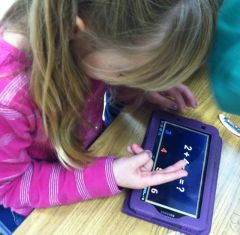
If we are going to use Bring Your Own Technology (BYOT) in our schools, why not start with our youngest students? Kindergarteners are digital natives in the truest form because technology has surrounded them since the day they were born. Why should their school experience be any different? If students bring and use their own devices during their first year of school, they will then be the truest form of a digital native – never knowing that there was any other way of learning.
Luckily, I am the Instructional Technology Specialist (ITS) at a school where most of our teachers and parents agree and are willing to allow students to bring their devices to school to use as instructional tools. A couple of my Kindergarten teachers began implementing BYOT in January. They felt that they needed the first half of the year to build communities in their classrooms to facilitate this type of learning. They wanted to ensure that their students would be respectful and responsible of each other and their devices.
Managing New Tools
The teachers sent home our BYOT policy that outlines the responsibilities of the students, parents and teachers when bringing a device to school and must be signed by all three individuals. They also sent a letter that included a list of suggested apps that students might want to download and the teacher’s policies regarding management of devices in their classrooms. The teachers have an individual large Ziploc bag with each student’s name on it. The bag contains the signed BYOT form and device until it is time to use them. While not in use, all of the bags are locked in a closet to ensure that no devices are lost or broken. So far, this management system has worked well for both of them.
Implementing New Strategies
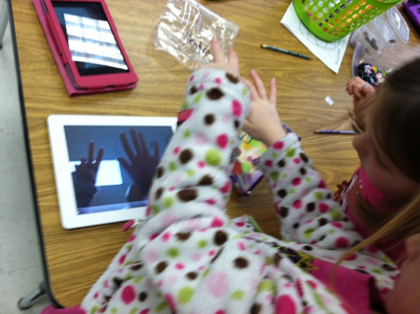 So….now that you have the devices in the building, what do you do with five year olds bringing in different devices loaded with a variety of apps? After collaborating with the teachers, we realized that the best way for Kindergarteners to get the most out of BYOT, is to use their tools to show what they know. The teacher should simply ask the class a question and encourage the students to figure out how they could demonstrate knowledge of that standard. There is no right or wrong way to answer as long as their response shows mastery of the standard in question. By having students choose what way they want to answer the question, they become more familiar with how to use their devices as a tools instead of something to just play games on. That is the purpose of BYOT; isn’t it?
During our first implementation of BYOT, Ashley Loftus, one of our Kindergarten BYOT teachers had all but three of her twenty-two students bring in a device of some sort, and the others had the option of participating in the lesson on a school-owned desktop, laptop or to collaborate with another student. She asked her students to use their devices to show how many days are in a week. Some students found a number app they had loaded and found the number seven. Other students typed or drew “seven” or “7” on numerous apps; others recorded their voices or made a video or took pictures….all showing that the answer was seven. No two responses looked the same, but they were all correct and allowed Mrs. Loftus to assess her students’ knowledge of this content.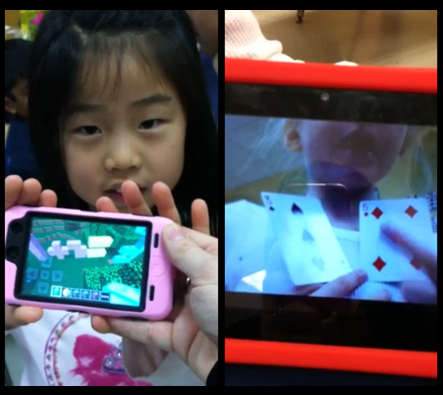
Ashley quickly found that she could use BYOT as an alternative to pencil and paper as a formative assessment while offering opportunities for the children to explore their inner creativity based on their own abilities. Here are two students’ responses when asked to demonstrate an addition problem. One used Minecraft to show her equation while another made a video of herself explaining how to solve her problem.
Guiding New Understandings
The key is to ask students questions pertaining to the standards you are covering and allow the students the freedom to use their device in any way to show you what they know. Ashley went through the current quarter’s standards and came up with the following list of questions she will use during BYOT lessons:
- Show me how many syllables the following words have – wonder…target…combination
- How many syllables does your name have?
- What was the setting in _____ story?
- In your opinion, do you like winter or summer?
- Show me one way to make 8.
- What kind of punctuation mark would I use for this sentence… “I love school”?
- Show me a 2d shape.
- Show me a 3d shape.
- How many vertices does a rectangle have?
- I am going to break down a word and I want you to blend it.
- Show me something heavier than a crayon.
- Show me something longer than your pencil pouch.
- Show me something on your device that you can use to help you learn.
Encouraging New Skills
What a great way for a digital native to demonstrate the knowledge they are learning in school! Sure, they could do these exact activities using pencil and paper, but by using their device, they are engaged and empowered. The possibilities are endless, and our Kindergarteners are learning to be creative, critical thinkers while collaborating and communicating with one another – all essential skills of the digital age.


 BYOT Network