Archive for category BYOT Strategies
One School’s Journey along a BYOT Tour
Posted by BYOT Network in BYOT Strategies on October 6, 2013
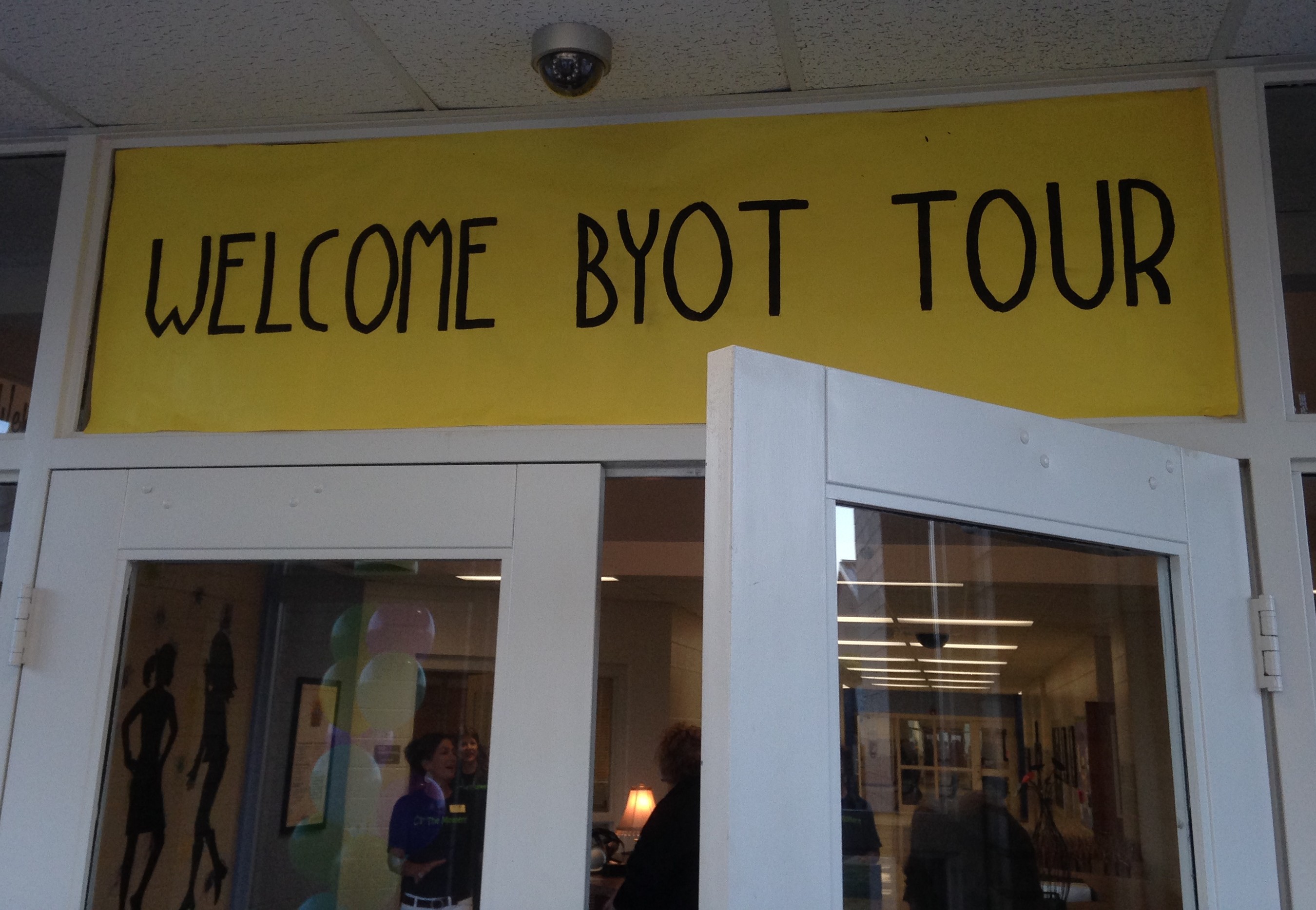 On Friday, October 4, 2013, Forsyth County Schools welcomed approximately 130 educators to tour its Bring Your Own Technology (BYOT) initiative at three of its schools, Chattahoochee Elementary School, Little Mill Middle School, and Forsyth Central High School. The district has had numerous tours over the last few years. Not only do these tours highlight the implementation of BYOT, but they also provide an impetus for professional learning within the district to help us continue growing and refining our teaching practices with instructional technology. Although the district has been encouraging students to bring their own technology tools to school to improve learning opportunities, each school is at a different point in this transformational process. This post details the journey of Chattahoochee Elementary School as it prepared for its first BYOT Tour.
BYOT actually began a few years ago at Chattahoochee Elementary School, and the school’s Instructional Technology Specialist (ITS), Missy Payne, had me visit some classrooms in grades 3-5 to discuss the responsible use of BYOT and some ways that students could learn with their devices. The teachers of those classes wanted to begin utilizing BYOT. I also met with the school leaders at that time to discuss the vision for BYOT at the school.
The use of BYOT was voluntary, however, and although some of the teachers and students began using BYOT in the classroom, the practice did not spread throughout the rest of the school.
Then last year, a new principal, Barbara Vella, was selected to lead the school. She was enthusiastic about the possibilities for instructional technology, including BYOT, for engaging student learning through higher-level thinking and project-based learning. She encouraged both the ITS and media specialist (Michelle Smith) to attend districtwide training in teaching and learning with BYOT. She also requested that her school participate in a BYOT Tour when every teacher’s class would be visited so that others could observe BYOT in action.
We first conducted a walkthrough of Chattahoochee Elementary School to ascertain the levels of technology use within the school. This was an attempt to establish some baseline data that would clarify where to invest time and resources to assist the teachers and students more effectively. In this walkthrough, very few technology resources were in use. In fact, the majority of the classrooms were using whole group, teacher-directed instruction, and many of the instructional activities were being conducted solely to improve performance on high stakes testing – lecture, worksheets, and recipe-like standardized projects. There was very little focus on developing digital age skills, the 4 Cs – Creativity, Communication, Collaboration, and Critical Thinking, even without the use of technology tools. It was apparent that this is where the teachers and students needed additional support.
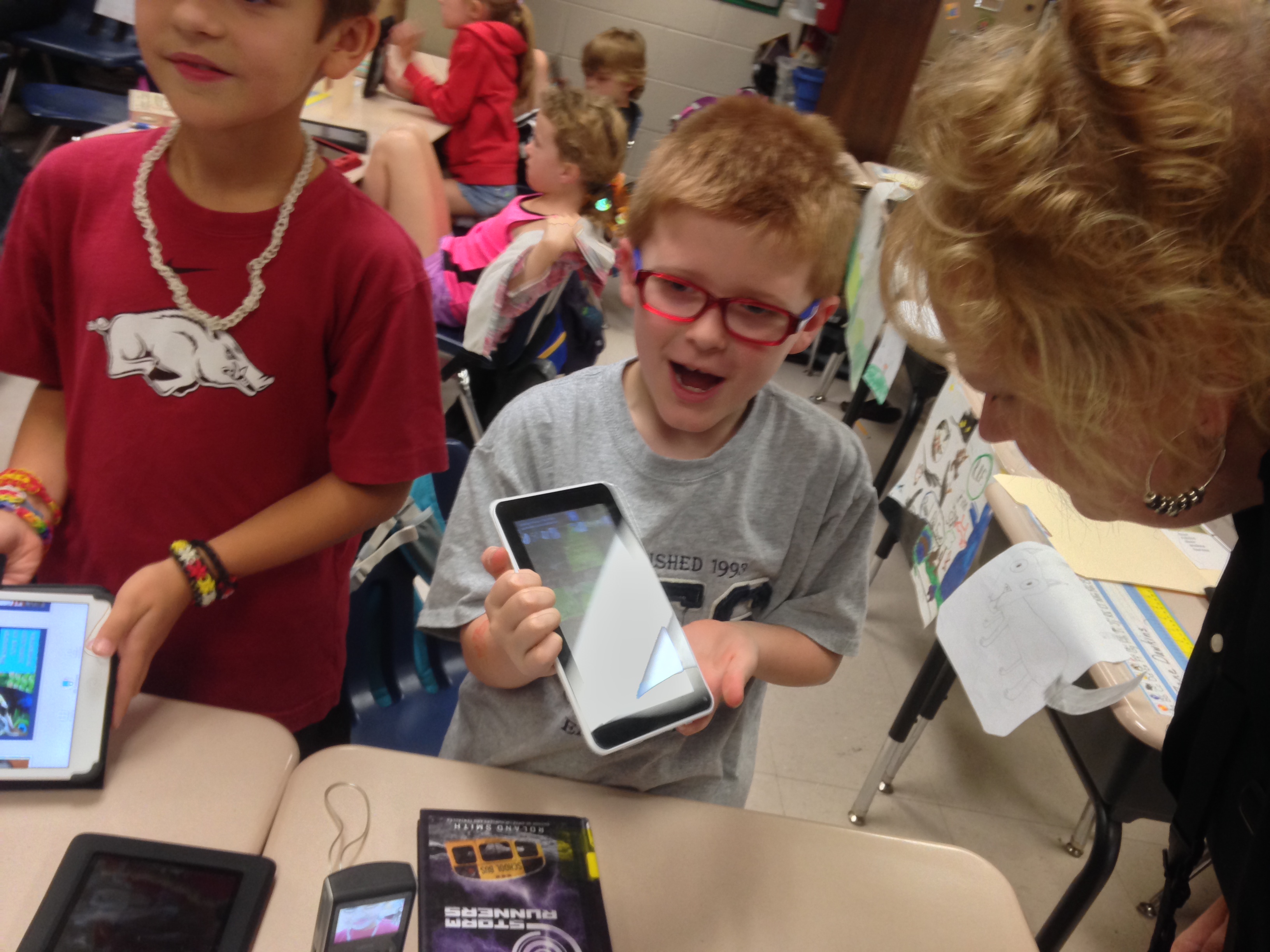 In preparation for the BYOT Tour, instructional support came in various forms. First, we organized a panel presentation of teachers from a neighboring elementary school (Chestatee Elementary School) that had previously hosted a BYOT Tour. At a faculty meeting, those teachers shared personal stories about how they were originally hesitant about implementing BYOT and welcoming so many people into their classrooms but then how rewarding the whole process was to student learning. We shared the data from the preliminary walkthrough and had a conversation about the vision for student learning with BYOT. As a group, the teachers decided to work toward developing strategies for incorporating those skills into their classrooms. They began planning for additional small group instruction to utilize their school-owned technology resources more collaboratively. In addition, they brainstormed new ways for students to be creative through project-based learning organized around higher-level questions and inquiry to stimulate critical thinking. These types of learning activities ultimately necessitated the use of BYOT.
Missy and Michelle assisted the teachers in their school as they planned for student learning with the 4 Cs. They recommended apps and projects that would help the teachers incorporate the content they were teaching with digital age skills, and they modeled that instruction for the teachers within classrooms so that the teachers had additional support with the technology when necessary. They continued to plan additional walkthroughs and invited the ITS and MS of other schools to visit their classrooms and nurtured the teachers with specific feedback to help them with their instruction. It was sometimes difficult for teachers to receive that feedback, at first, but Missy, Michelle, and the school leaders worked with each teacher individually and offered constructive support to help them develop into a professional learning community.
The teachers also began to participate in walkthroughs within the school to see BYOT being implemented by their colleagues.
The school community also worked on transforming the physical space of the building. They cleaned out and updated the collection of books and resources within the media center and selected some new furniture for the space to better facilitate the 4 Cs. They also rearranged the furniture in the classrooms to create learning environments that supported group and individual learning activities. Finally, they painted the building and incorporated murals and splashy new colors to show a new vibrancy and enthusiasm for learning.
 The planned BYOT Tour was a success, the visitors raved about the students and their use of both school-owned and student-owned technology resources. Even if the students did not own all of the devices, it was evident that they owned the learning. Principal Vella had even ordered shirts for the staff with the motto “Cs the Moment” and the 4 Cs listed on the back. The BYOT Tour is just the beginning of the school’s journey on the path to transforming into a digital age student-centered learning environment. However, with the commitment of the dedicated teachers at Chattahoochee Elementary School and support of their school leaders, they will most assuredly accomplish that goal.
Initiating BYOT? Get Advice from a PLN!
Posted by BYOT Network in BYOT Purposes, BYOT Strategies, BYOT Vision on September 1, 2013
 After spending the last week observing classrooms at various stages of implementing Bring Your Own Technology (BYOT), I reflected on how I could encourage the members of those schools to find new ways to learn with their technology tools. I turned to my own Personal Learning Network (PLN) in Twitter in #BYOTchat for suggestions regarding the components necessary for initiating and sustaining a schoolwide BYOT implementation. I’m sure that everyone has some different opinions about the order of significance of the following recommendations, but please share your ideas by commenting at the end of this post. This compilation is ordered in the way I received them from my PLN, and I added some of my own ideas about each of the following areas:
- Administrator Support and Expectations. I began the discussion by suggesting this item. From my experience, when an administrator relates that BYOT is important for students and expects that students should be using their technology tools for learning, then teachers are more motivated to encourage BYOT. I think that school and district leaders need to walk through their buildings and recognize effective uses of technology and offer support when necessary.
- Adequate Infrastructure. This area was noted by @mrvandersluis, and @ZinkEd_u argued that infrastructure should be number one. I agree that having a robust Wi-Fi network is essential to the effective implementation of BYOT. I have also seen students use their own devices without necessarily being connected to the Internet, and in my district, students also can use their personal data plans (if they can get a signal). I do recognize, however, that teachers and students will be frustrated with an unreliable network within their schools.
- Dedicated, Interested Teachers. @sr_tutor shared that teachers have to champion the implementation of BYOT. Teachers have to understand that they don’t need to know how to use all of the technology tools that come into their classrooms. They need to focus on the teaching and know how to ask good questions so that they can facilitate student discovery of new ways to learn with their personal devices. They also need to develop a responsive learning community and negotiate strategies for the use of BYOT. Teachers have to be resilient and understand that they will sometimes make mistakes, but they can model how to be digital age learners.
- Parent Support. @meghorsley made this suggestion, and it is vital that parents understand the new role of BYOT in learning. Many parents see their children using technology for gaming or communicating with friends, and parents often hand their own devices to children to keep them pacified in restaurants or in the back seat of the car, but they usually haven’t seen children learning with technology. There are many ways to help parents understand BYOT. Use a polling app during a PTA meeting so that parents can participate with their own devices. Invite parents to a Technology Night at the school when students can explain to parents how they learn with BYOT. Finally, share out suggestions for apps and tools in newsletters or provide links to successful BYOT lessons and products so that parents can realize new learning opportunities with BYOT
- A BYOT Policy. @EmLeacy noted that there should be an agreed upon plan for use by all parties: administration, teachers, students, and parents alike. I don’t think she was specifically talking about a policy for BYOT, so I broke up this idea into two different strategies (numbers 5 and 6). Everyone needs to understand how the technology tools will be used and how issues will be resolved if the technology is used inappropriately. We never really experienced nightmare scenarios with BYOT in my district, and over time, we developed a new Responsible Use Policy that focuses on nurturing trust among teachers and students. Of course, as professionals, the teachers still monitor the use of technology tools in their classrooms just like they monitor other behaviors.
- A BYOT Purpose/Vision. @EmLeacy followed up with the notion of a sense of purpose, and this idea seems more related to the goals and vision for BYOT within the school. There are several reasons why a school may choose to begin a BYOT initiative. One reason is that so many students may have devices that a school needs to find ways (other that outright banning them) to deal with all of these forms of technology. In addition, digital age skills can be taught and facilitated with students own technology tools. Furthermore, students can be more engaged in learning when they become producers of original content rather than solely consuming content. The vision for BYOT needs to be understood and shared by all of the members of the learning community.
- BYOT Capacity and Equity. @mrvandersluis explained that this capacity addresses whether or not students have their own technology tools to bring to school and what the school will do for those that don’t have devices. BYOT equity can be a challenge to understand and accomplish. I prefer having different devices because those differences help provide more personalized learning experiences and more opportunities to transform learning within the classroom. Is it equitable when a parent chooses not to send technology to school because of fears related to screen time or when one teacher utilizes technology but the teacher in the next classroom doesn’t use it because of his or her fears related to technology use? A good blend of school technology resources and personal technology tools seems like the most equitable solution, and a school district also needs to consider the issue of home Internet access.
- On-Going Personalized Professional Learning. I added this final component to the list, and I think that there is no final resting place for professional learning in BYOT. The tools and applications continue to evolve over time, and a certain mindset is required for teaching and learning in the digital age. With so many different opportunities for engaging student learning with BYOT, a teacher has to receive support just in time and usually that support comes from the students in the classroom. Again, a supportive learning community encourages teachers and students to be risk-takers – willing to try new approaches and able to learn from successes and mistakes.
 Having a great PLN like #BYOTchat in Twitter helps me to make my professional learning personalized to my unique challenges and interests.
I’m grateful to all of the educators who contributed to my understanding of the needs for BYOT implementation. I definitely suggest that you follow each of them on Twitter. If you think that there is an item missing from this list, or if you think of a creative way of ordering these suggestions, please leave a comment.
Also, join #BYOTchat in Twitter each Thursday night at 9 PM EST for an exciting discussion regarding an aspect of BYOT! This chat is moderated by @SteveHayes_RB60, @nathan_stevens, @MyTakeOnIt, and me. We also have many guest moderators who lend their various areas of expertise.
Creating Thinkers with BYOT
Posted by BYOT Network in BYOT Purposes, BYOT Strategies on July 18, 2013
A Note from Tim: Forsyth County Schools in Georgia is beginning its sixth year in implementing Bring Your Own Technology (BYOT). The first year was spent on developing the infrastructure, and the last four years have focused on piloting the initiative, developing personal and professional capacity, and eventually spreading the practice of encouraging students to learn with their personal technology tools throughout the district. In this post, fourth grade teacher, Brooke Hagler, shares her experiences of facilitating BYOT within the framework of the Thinkers Keys.
Guest Post by Brooke Hagler
Fourth Grade Teacher – Coal Mountain Elementary School
When I began the journey of implementing Bring Your Own Technology (BYOT) in my classroom, I wanted to make sure it had a positive impact on student learning, rather than just for presenting information or playing games. Don’t get me wrong these aspects of BYOT do have their time and place in a classroom. I just did not want them to be the only ways my students used their technology. With the potential of technology for engaging students and preparing them for the future, I wanted to make my students truly think beyond what our culture tells them is possible. This capacity creates the future adults who test, question, and invent for the next generations to come.
In order to create deep thinkers in my classroom, I use a resource called the Thinkers Keys developed by Tony Ryan. The keys are twenty strategies that can be used to help students think critically and creatively. As you learn how to implement each key it becomes very clear that they are an easy resource to use in all areas of learning. You can find more about the Thinkers Keys and Tony Ryan at his website.
The Thinkers Keys with BYOT
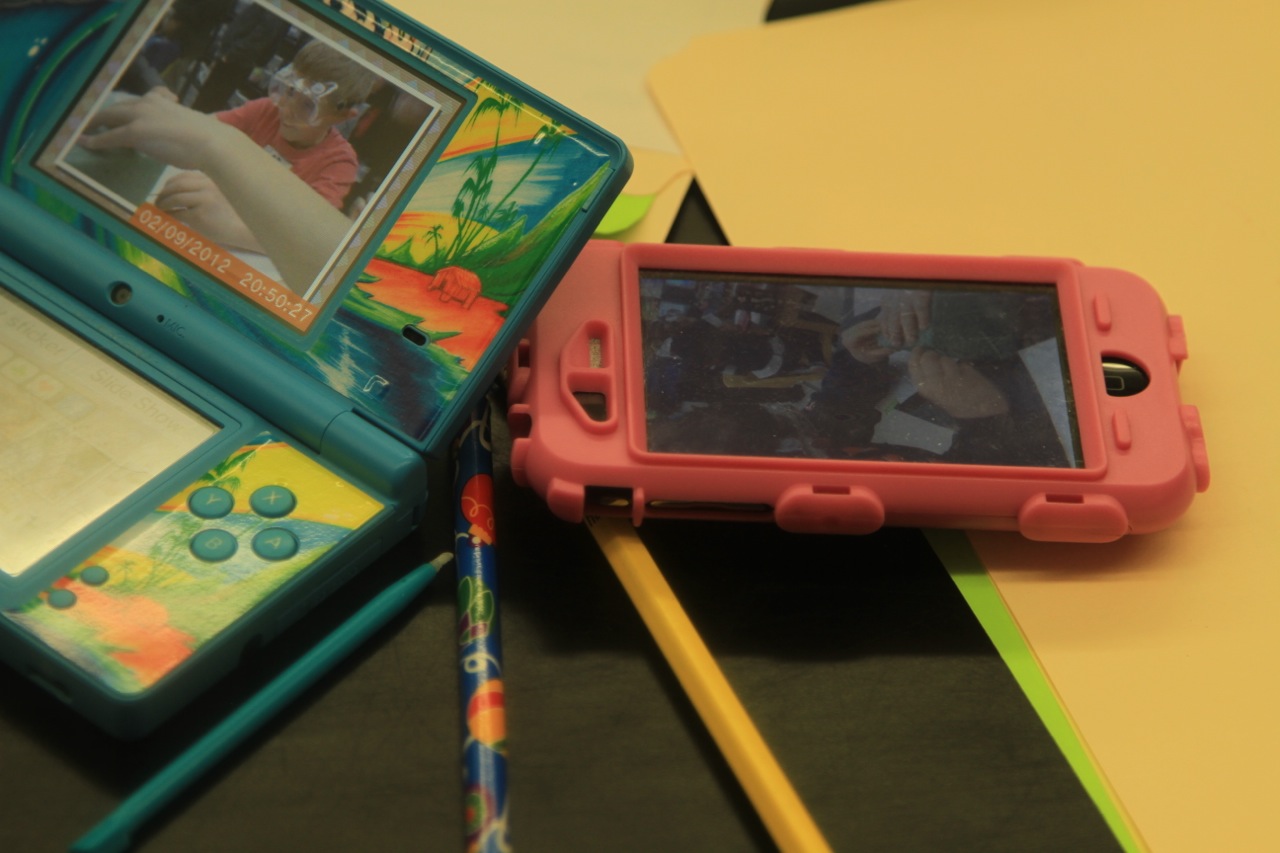 I began to integrate the Thinkers Keys by introducing the students to one key at a time as it fit into the curriculum. I modeled the key with students by using Socrative or join.me. The students participated and collaborated using BYOT, school technology resources, whiteboards, or paper. By using Socrative and join.me, I was able to model a key for the class as a whole group or in a small group and receive instant feedback about who understood the content we were studying at a deeper level. Another reason I used these websites is because the person answering could be anonymous to the other viewers, so the students who would never answer before felt free to take risks and give answers.
Once students became familiar with the key I incorporated it as one of their centers with any content. They could choose how they to turn something in. They often chose to use technology to complete the assignment and either printed out their work or emailed it to me. Not all of the keys involve writing down answers; however, sometimes students had to build models and then used their devices to take pictures to explain what they built. Other keys encouraged students to conduct research, and students would use kid friendly websites on their technology tools to find more information. After conducting research, students created presentations. I did not limit the students’ choices about how they chose to show what they had learned, and they often chose to use ActivInspire, PowerPoint, Prezi, or Wixie. My rule for presentations was as long as students knew how to use the technology and could meet all requirements of the rubric for the assignment, then they were encouraged to create with whatever medium they liked.
Thinking Differently with Thinkers Keys
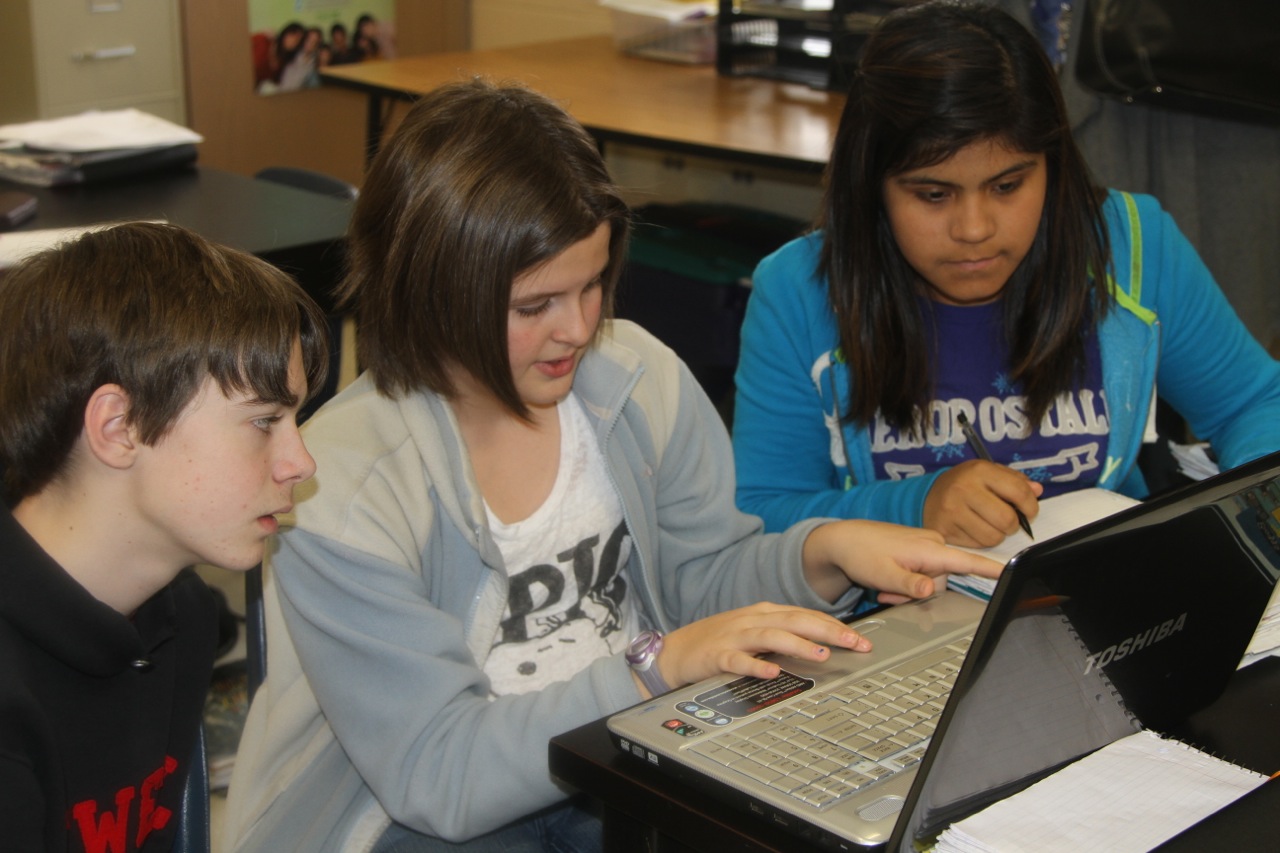 Here are some Thinkers Keys that I used regularly in my classroom. I used the Consequence Key during our class meeting time and with our ecosystem unit. During our class meeting time, we discussed possible scenarios and the students had to respond with their own consequences. For example, I asked them how bullying affects everyone when a student picks on someone on the bus. They continued giving consequences until they saw that not just the bully and bullied student are the only ones affected. Then, I carried this same thinking into our ecosystem unit. After students learned about different ecosystems, they used BYOT and school technology resources to go to Discovery Education for science explorations and virtual experiments. They were asked to explore what consequences population growth and decline have on a desert environment. Once they viewed the explorations, they presented their group’s findings. Then the group completed a virtual lab and predicted what the consequences for a fish population would be by placing a hiking trail, parking lot, or playground around a pond. The students wrote a lab report at the end of their experiment that explained if their findings agreed or disagreed with their prediction. The simple fact that students understood that consequences can have a ripple effect could them academically and also socially.
Another key that I implemented was the Question Key. It caused students to think backwards through a process, which I found out for my fourth grade students was not easy. I used this key in all content areas, but I liked using it the most in math. It let me know quickly if students truly understood a concept or if they just went through the motions of completing the math process. I gave the students an answer like seven thousand, three hundred forty-eight and asked them to write five problems that reached this answer. To make it more challenging, I set guidelines. They had to have at least one addition, subtraction, multiplication, and division problem. Three of the problems had to be written as a word problem. And finally one problem had to have multiple steps to get to that answer. In the beginning, this assignment blew my students away, but with repeated modeling and practice they were able to write and solve word problems more easily by the end of the year. Not only could they solve math problems with more ease, they were using their ability to think backwards in all academic areas. To think backwards through a process is a hard but valuable skill that we, as adults, take for granted, but it can be taught to students and then they will have that skill for life.
 The keys can be taught in isolation, like above. However, they are ultimately designed to get students to work with them in connected sequences. I do not recommend beginning with sequencing the keys until you as a teacher have a full understanding of what each key is designed to do. When students use the keys in sequence, they are designed to help them solve problems, analyze, etc. I have been working with the Thinkers Keys for two years now, and this past year was the first year that I used the keys in a sequence. Here is the first rubric I created and used this year with sequencing the keys. It was a very powerful learning experience for my students and me, and I still have much to learn and experiment with this step myself.
The Thinkers Keys allow you as a teacher to tweak them and make them useful for your classroom. Just stay true to what they ask the students to do so that they keep their power. I could go on forever about how powerful the keys in combination with technology are as learning tools. They don’t just help the students learn the content in the classroom. They help them prepare for life in our competitive society. They prepare them to be our future leaders and thinkers of the digital age.
All Aboard the BYOT Train
Posted by BYOT Network in BYOT Strategies on May 9, 2013
Guest Post by Cassie Shoemaker @CShoeITS3
Instructional Technology Specialist – Chestatee Elementary School
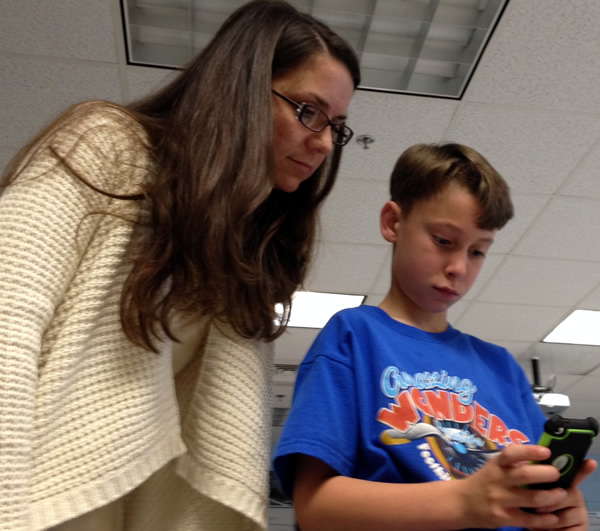 As an Instructional Technology Specialist at a Title 1 elementary school, one of my roles is to coach teachers on how to integrate technology into the curriculum. In our current digital age, this is not optional. Classrooms must reform to prepare students to become successful for careers of the future. We are already 13 years into the 21st Century!
So how do we get all teachers on board? The first step is to build community within the school and within each classroom. This is the foundation to getting any program to work – especially something as new as Bring Your Own Technology (BYOT). Everyone should be comfortable learning as they go, and knowing that mistakes are okay, as long as knowledge is gained from them!
 The next step is to focus on instruction – technology should always come later! Providing professional development on higher order thinking, project and inquiry based learning, differentiated instruction, flexible grouping, driving questions, different levels of technology use, the 4 C’s of digital age learning, etc… is the most important step to ensuring that technology integration is being utilized to enhance instruction and take kids to places they’ve never been before! After educators have solid instructional skills, technology integration will truly be effective.
Providing professional development opportunities for teachers such as using the latest tech tools, doing walk throughs into other classrooms to see BYOT in action, and having people walk through their rooms and provide feedback are essential! Having administration, other teachers, and instructional technology specialists walk through classrooms and give honest feedback and suggestions has been a huge catalyst for change! 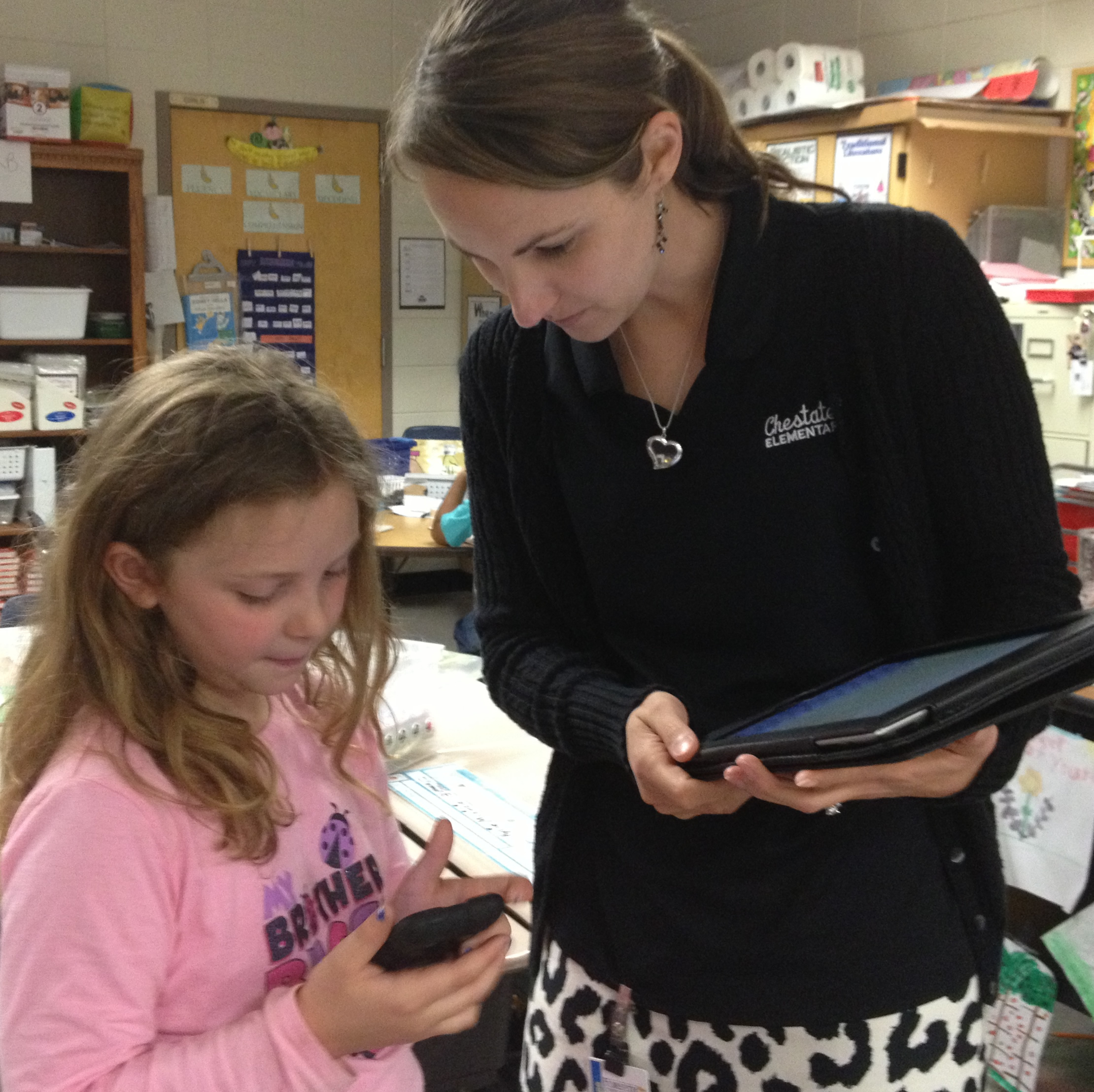 Let teachers know it is okay to learn from the students. Encourage the students to show what their devices can do, while the teacher focuses on the curriculum. Teachers who focus on the devices and feel like they must know how to use it before allowing it into the classroom will always be swimming upstream. Devices and software change constantly. Teachers must accept that and let that fear go. Educators will be amazed to see how much easier t eaching becomes when control shifts and students are allowed to have choice to be the experts of their own devices.
Technology in the classroom is one of the fastest growing movements that have ever occurred in education. When it is utilized appropriately, children are truly becoming prepared for the real world, and isn’t that the purpose of school? The BYOT train is only going to go faster, so it’s time to jump on, or risk being stuck behind while everyone else has reached new places!
BYOT in the Gifted Classroom: A Perfect Fit
Posted by BYOT Network in BYOT Strategies on May 2, 2013
A Note from Tim: Forsyth County Schools in Georgia is in its fifth year of implementing Bring Your Own Technology (BYOT). The first year was spent on developing the infrastructure, and the last four years have focused on piloting the initiative, developing personal and professional capacity, and eventually spreading the practice of encouraging students to learn with their personal technology tools throughout the district. In this post, teacher of the gifted, Abby Keyser, shares her experiences with using BYOT to teach gifted students.
Guest Post by Abby Keyser @abkeyser
Teacher of Elementary Gifted Students – Chestatee Elementary School
We are making a WHAT? With WHOM? These are the questions I was asked by my students after I explained our new project called the River Xchange. I registered my students to participate in creating a wiki with a high tech pen pal class in New Mexico. What was I thinking? I had never made a website, let alone used Wikispaces. Yet, here I was facilitating this project with my fifth graders, praying it wouldn’t turn out to be a disaster. The key word is facilitate – to make easier or help bring about. This word does not entail planning or leading through every step. It simply involves guidance along the way; nudging back towards the path, but not fearing a branch in a different direction that could lead to the same destination.
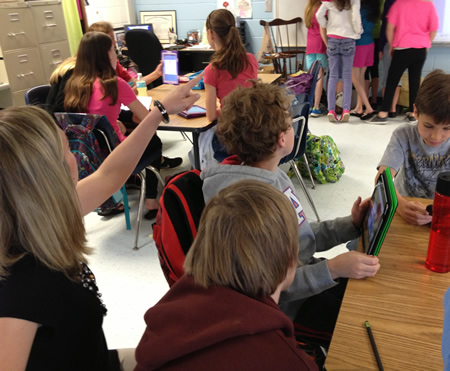 I took a deep breath and gave them the web address to the Wikispaces wiki. I gave them some freedom to try out the site while I monitored. They navigated with ease, figured out how to use all of the tools and even learned editing from an Apple device. This all occurred within about 20 minutes. All while I was imagining the hours I would have spent trying to make sure I knew how each tool worked and how to teach it to the kids. Pretty soon, my entire unit revolved around the Wiki. The students were in charge of their own learning. I would enter a few HOT (Higher Order Thinking) questions each week with related sites to use for research and they were off! I started to see improvements in the voice of their writing. Jaded, disengaged students started jumping on laptops to see how their pen pals had responded to their writing from the previous week. A few girls who were interested in photography created a photo gallery to share pictures of our local watershed with our new pals in New Mexico. Next, they were asking if they could upload crossword puzzles and Zondle quizzes to test their pen pals’ knowledge of our local watershed. My classroom was alive with excitement created by making connections to the world beyond our school walls.
Global Passions Unleashed
 Projects like the River Xchange give gifted students a chance to expand their audience. So many of my students are passionate about current events or issues bigger than what’s being served in the lunchroom. School newspapers are a great idea, but if you really want to engage the hearts and minds of our gifted population, you are going to have to give them a larger audience. Try asking them to create a persuasive argument on their opinion of American soldiers in Afghanistan. Half of them will lean their heads on their desks and whine, while others will drudge through the task. Then try telling them that they could video their argument to post on Edmodo for their classmates and parents to view. A glimmer of interest shines out in a few. Better yet, tell the students they can post their argument on Teacher Tube and email the link to a few choice state and federal politicians. Now you have everyone in the room furiously trying to get their notes down on paper, so they can film . They want to get their point across to someone out there. They want their voice to be heard. Oral presentations to a class of 25 or 30 just aren’t enough anymore. Empower them; give them global access.
Exposure
Teaching Gifted at a Title I school has its pros and cons. On one hand, you have access to many federally funded BYOT devices. On the other hand, you generally don’t see a high gifted population at a Title I school. Is it because the abilities just aren’t there? Or is it due to a lack of exposure to environments and experiences that higher socio-economic populations generally have? I believe the latter. This is where BYOT devices are going to swing the pendulum. Imagine teaching a child how to use a device appropriately to access information from places all over the world. That would give him/her a whole new world to explore, tapping into the abilities already in place and expanding the child’s schema. In the past, a gifted mind might have been stifled and unidentified in this environment. Now we are able to compensate for a lack of exposure and expose their potential through the use of BYOT devices.
What We’ve Been Waiting For
 In education, we hear a lot about student choice. The gifted students in my classroom all but demand it. Not only do they want to choose the format in which they prove their learning, but now they want to give input on what apps, programs, or online resources we use to address a new concept or topic. They are essentially writing my lesson plans for me! By allowing the students to have a choice in how they will receive information and how they can show their mastery, we not only give them ownership of their academic success, but we also propel them into being able to make good choices in their future careers. My first step in planning a new unit is, now, to meet with the kids for an exploration session. We use BYOT devices to research our topic and pinpoint the aspects they are most interested in studying. The students then find apps that may aid in our learning. We always end with a discussion of how they would like to present their knowledge gained and who they would like the audience to be. Without BYOT, this would most likely be limited to boring PowerPoint presentations to the class, or worse, tri-fold posters!
Finally, here is a story of an overexcitable child. Like many gifted minds, Michael just couldn’t sit still and never seemed to be focused on what I was saying in class. He was constantly fidgeting in his bookbag with something, folding origami, solving his Rubik’s cube or throwing karate kicks across the back of my room. No matter how many times I asked him to sit down and pay attention to what I was saying, he was always getting off task. I found myself wondering how I could harness his mind’s bouncy nature. He seemed to always be doing five things at once. That was it! I needed to teach him how to effectively multitask. This is where BYOT has saved my sanity and reigned in my kids whom I could never seem to engage. I started by getting Michael to use Join.Me on my whiteboard during any direct instruction. This enabled him to not only view what was happening on the board through his device, but he could frequently type in his thoughts or questions in the back channel discussion log. This gave his mind something to engage in actively while still focusing on the topic at hand. Now, Michael is always the first to request that I add the use of Socrative to our persuasive debates, as a discussion question board to review what we learned in the last class, or as a backchannel to blog while we watch a video. Multitasking may be something that we do out of necessity as teachers, but our gifted students are born needing to engage in this way. BYOT has connected me with my students in a way that I never thought possible. It really is the perfect fit.
Spotlight on BYOT Teacher – Michele Dugan
Posted by BYOT Network in BYOT Strategies on April 4, 2013
A Note from Tim: Forsyth County Schools in Georgia is in its fifth year of implementing Bring Your Own Technology (BYOT). The first year was spent on developing the infrastructure, and the last four years have focused on piloting the initiative, developing personal and professional capacity, and eventually spreading the practice of encouraging students to learn with their personal technology tools throughout the district. I have been so impressed with the dedication of our teachers to transform their classrooms with BYOT! In this series of posts, I am sharing some of their experiences from different grade levels in their own words.
Guest Post by Michele Dugan @FCHSDugan
English Teacher – Forsyth Central High School
 As a high school teacher, I used to fight a daily battle against what I called the “Device Distracters” in the hands of my students. Like a well-written multiple choice exam option, this distracter was a strong contender for students to select. Its allure could only be mitigated by one force in the students’ realm, and that force was me. I offered, suggested, and sometimes declared that students “put these items away.” After all, it was time to learn! However, as incorporation of BYOT started to spread across schools, I realized that I was the one who was selecting the wrong answer; technology is and has been a correct and viable “choice” for learning all along.
Location, location, location
Any realtor or marketing agent adheres to a basic key of success: location, location, location. Educators took note of this strategy. We place important notices in the front of our schools where parents will notice them. We post announcements within the teacher work rooms for all to view. Location matters. So, where are our students directing their attention? Where do they gather, communicate, and collaborate? The answer is apparent: online, through their devices. High school students, in particular, have turned their attention to social media, texting, and other forums for communication. If I can introduce curriculum into their most frequented locations, levels of engagement, understanding, and production rise. I find myself surprised to discover that students are using online social connections to extend the conversation outside of the school day. What teacher doesn’t want to hear that her students held a heated debate over symbolism in The Awakening through social media? (Yes, this happened!) Students have demonstrated that they have the abilities to communicate; BYOT enhanced my capabilities to facilitate and encourage these conversations in the classroom and beyond. Education does not have to end when the bell rings.
A Class Divided United
 I instruct two different courses and well over one hundred students each day. I teach highly gifted students. I teach special needs students. I teach students who work every day and night after school. I teach students who are Ivy League bound. I teach students whose home lives are far from ideal. But most importantly, I teach children who will grow up to be our neighbors, co-workers, and leaders. It is my role to offer them the tools of college and career readiness, and to encourage their strengths. In this way, BYOT (“B”, for me, can stand for “Bring or Borrow”) is their lifeline to the “real world,” and encourages each student to use his or her strengths.
My opinion on BYOT shifted when I realized how often I use technology as a professional. Sure, I use it for instruction, but what about meetings? I access Infinite Campus to see student grades. During professional development sessions, I can take notes with an application that shares my files with my online cloud. I access my shared Google calendar when planning the next due date. While grading, I use my phone’s calculator (after all, I am an English teacher). Why shouldn’t I take the opportunity to guide students through using the same tools they will use upon graduation? More often than not, they are teaching me!
Interestingly, BYOT has made differentiation much more personal for my students. Within my classroom, I can use Socrative, PollEverwhere, and JoinMe to connect with students through their technology. Last year, I noted that I had greater student participation when I used these applications or sites. Why? I asked my students. I learned that the “safe” space for communication, including anonymous answers, allows students to answer freely, without fear of judgment. I don’t have to tell you that peer pressure is a source of stress for our learners. Therefore, when students participate in individual work, I offer QR codes on each desk with links to extensions and remediation. Students choose the link that best suits them; this eliminates the fear of asking for help that some students encounter when they simply don’t understand. Suddenly, my quiet students, my special needs students, my highly gifted students, and my nervous students had a voice and a lifeline, and they are united in that they are all learning every day, and in their own ways. Use of BYOT facilitated unity in my classroom, and students’ confidence levels have soared.
Twitter: It’s not just for the birds anymore.
I often wish I had more opportunities to communicate effectively with my students, their parents, and the community. I feel – and studies demonstrate – that this communication is imperative to student success.
 Outside of my classroom, I use my school Twitter for homework reminders, learning extensions, academic sources, newsletters to parents, and professional development. My professional library of resources is interminably expanding, and – to be completely honest – my teaching has changed completely through suggestions by fellow educators (strangers!) from around the world.
The potential for academic growth is infinite. In fact, author Robert Theobald wrote, “In the future, we shall measure our lives by our own growth and our ability to help others grow.” As a teacher, it is my job – and passion – to facilitate and participate in this growth. The choice to incorporate BYOT into my classroom permits me to learn and extend curriculum with and for my students, and I know I am encouraging a positive opportunity for student success and growth in the process. Community communication facilitates student success, even in 140 characters or less.
Photo Credits – George Ramirez
Spotlight on BYOT Teacher – Jennifer McCutchen
Posted by BYOT Network in BYOT Strategies on March 28, 2013
A Note from Tim: Forsyth County Schools in Georgia is in its fifth year of implementing Bring Your Own Technology (BYOT). The first year was spent on developing the infrastructure, and the last four years have focused on piloting the initiative, developing personal and professional capacity, and eventually spreading the practice of encouraging students to learn with their personal technology tools throughout the district. I have been so impressed with the dedication of our teachers to transform their classrooms with BYOT! In this series of posts, I am sharing some of their experiences from different grade levels in their own words.
Guest Post by Jennifer McCutchen (@fcssjmccutchen)
Eighth Grade Teacher – Little Mill Middle School
My BYOT Transformational Journey
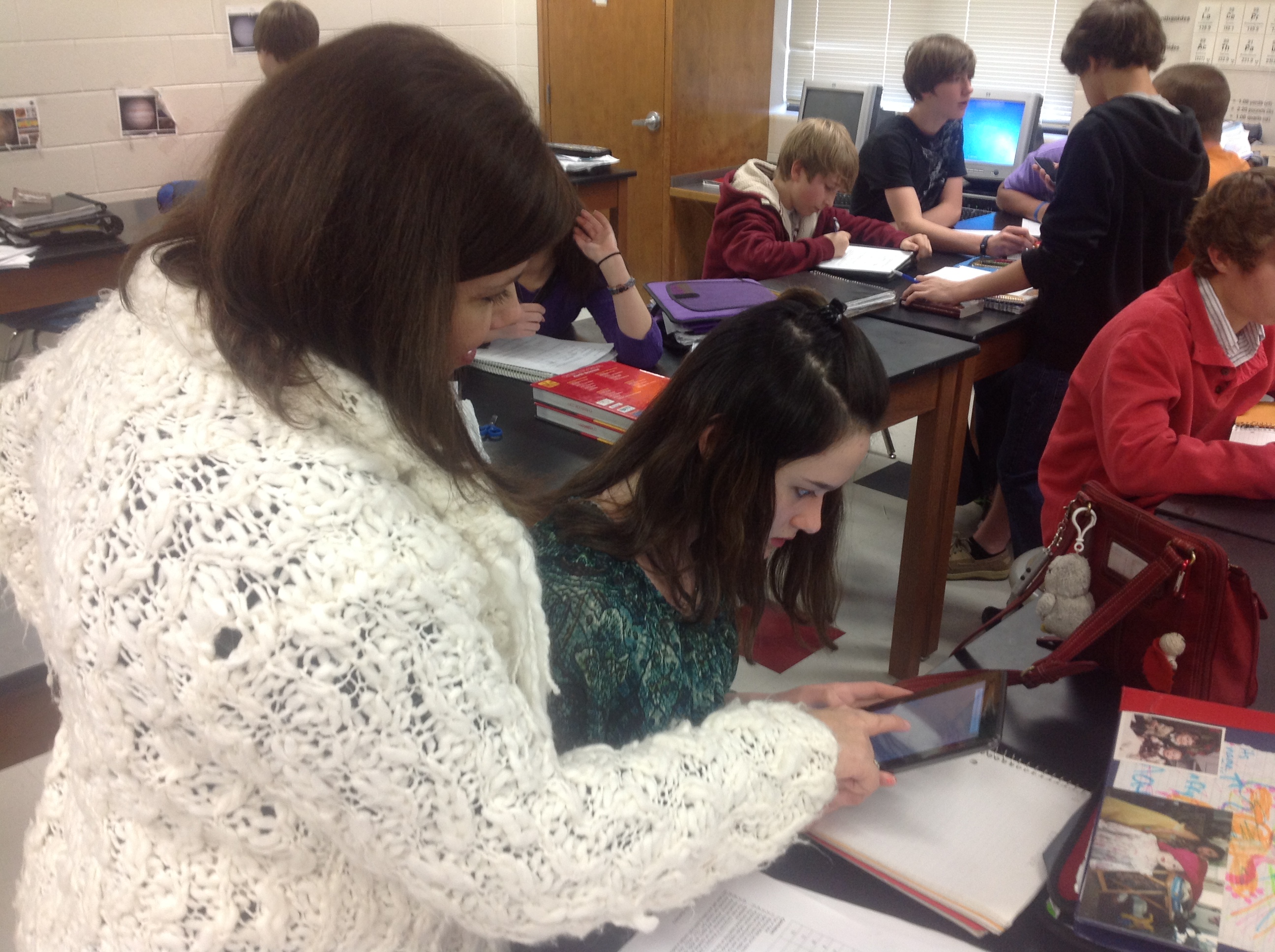 Using technology in the classroom was a paradigm shift for me as an educator. I can tell you it was hard to let go of the idea that I needed to somehow take all of my knowledge and transfer it to my students. After quite a bit of self-reflection and the BYOT initiative in our district, I came to understand the true meaning of becoming a facilitator of learning. I shared with a colleague that, as teachers, our job is a lot like a parent teaching our own children to ride a bike. As parents, we know how to ride a bike, but until our own children try it out on their own, they will never learn. It doesn’t start very pretty, there may be bumps and bruises along the way, but very quickly our children ride the bike…and do it well! The same can be said of my own classroom and using technology.
I began my journey by letting go of the fact that I am not going to be an expert on every device that walks into my room. Where I am not the expert, there is a student who is in every class! They love to be the expert and are eager to help each other. I asked students to find apps that they felt like were helpful to them to accomplish tasks that I would normally ask them to simply write and turn in. Students showed my apps such as “Show me” and “Skitch” where can draw my diagrams from the board, and then use them to make their own about different concepts. I could see a shift in how students communicate results in the lab. Students create lab write ups with rich discussion posts on WikiSpaces. They were now able to capture video to show chemical reactions. They could use voice overs to explain what happened in their own lab. They began sharing and analyzing student work; applying what they were learning to other situations. They asked such enlightening questions of each other, and made comments that I had never thought of! They compared data points on graphs, and analyzed why and how their results were alike and different than others. I could see the “light bulb” go off for students regarding human error and the scientific process.
A student summed up BYOT saying, “It used to be that just you (the teacher) saw our work, now everyone sees it. I want mine to be the best.” Peer pressure can be a great motivator, and combining it with technology makes it even greater!
I have learned to leave fear out of my classroom. I have learned to look at technology as a tool that allows students to learn more, do more and become more than they had been. My classroom has become an inviting and exciting place to learn, not just for my students, but for me, too!
Spotlight on BYOT Teacher – Tracey Abercrombie
Posted by BYOT Network in BYOT Strategies on March 21, 2013
A Note from Tim: Forsyth County Schools in Georgia is in its fifth year of implementing Bring Your Own Technology (BYOT). The first year was spent on developing the infrastructure, and the last four years have focused on piloting the initiative, developing personal and professional capacity, and eventually spreading the practice of encouraging students to learn with their personal technology tools throughout the district. I have been so impressed with the dedication of our teachers to transform their classrooms with BYOT! In this series of posts, I am sharing some of their experiences from different grade levels in their own words.
Guest Post by Tracey Abercrombie @TraceyAbercromb
Fifth Grade Teacher – Coal Mountain Elementary School
One Teacher’s Journey
I always wanted to be THAT teacher, the one that actually caused a child to walk away with more than he came in with. I wanted to do more than just present material and hope for the best. I like to think. I want my students to enjoy it too. In my 18 years, I thought I did this well. Except, from time to time I would notice certain students struggle to pay attention or periodically lose focus. I always worked to keep those kids engaged. A.D.D., Special Education, gifted, A.D.H.D, and painfully shy. Those kids were my challenge-daily. The million dollar question was, HOW? How could I keep these students engaged at a high level? Sometimes we would spend entire lessons on a knowledge level activity, like vocabulary. How could I bring lower students up, while making sure I push my gifted students to new heights?
Times are changing. Now, not only do I still have the same types of learners; that hasn’t changed. But, the distractions have. Kids seem to have more distractions than ever. Social media, smart phones, texting…As teachers, we have two choices. Embrace the distractions or fight them. Our county decided to embrace the only thing that seemed to be holding ALL kids’ attention. If these devices could hold the focus of any type of learner, why would we fight it? Why not learn to use this for good?
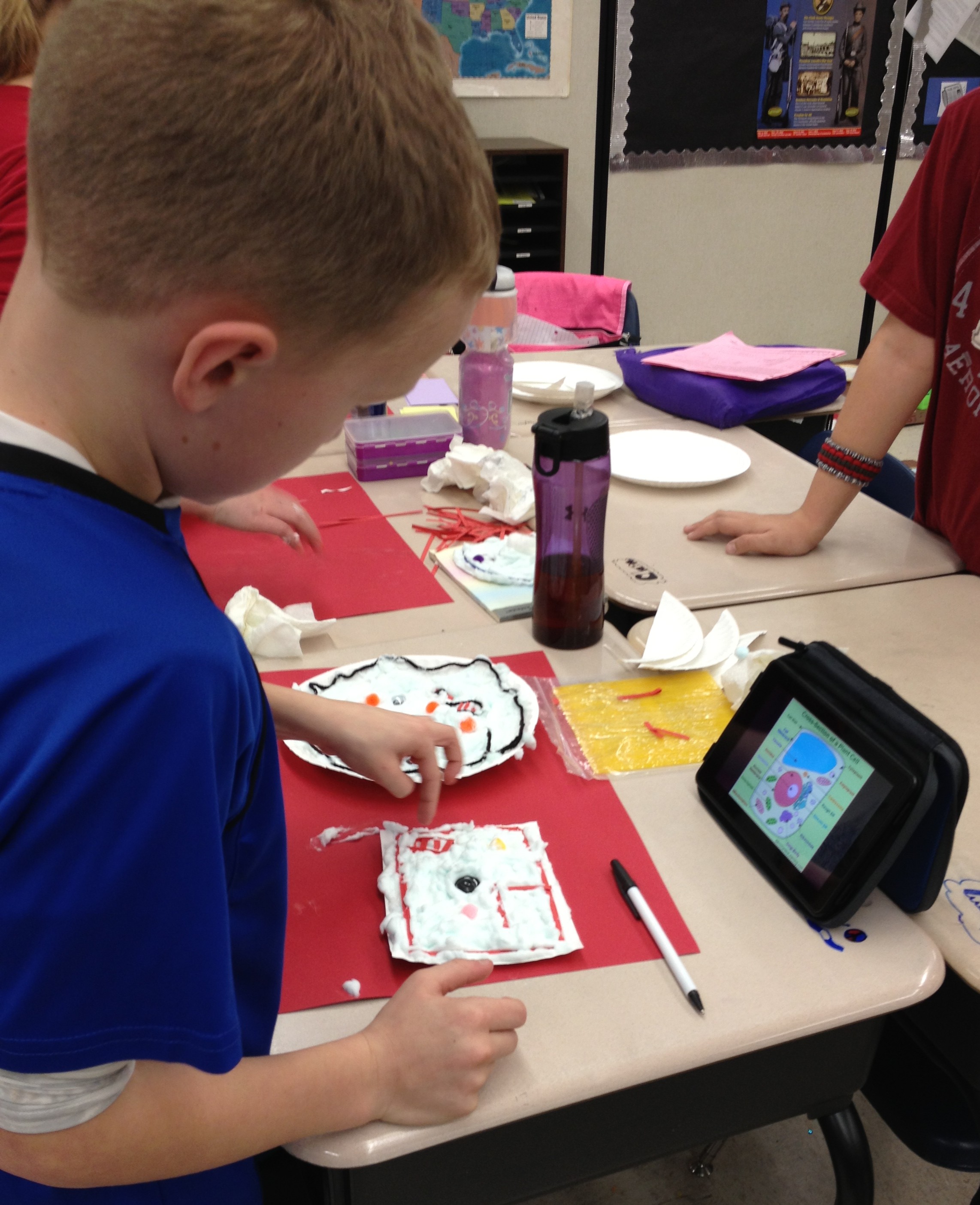 I was petrified. A year ago I didn’t know how to use any of these devices. But, my students did. That’s all that mattered. My students couldn’t wait for the opportunity to use their device in class. I saw something in their eyes that told me I could do this. We tried one website together and were amazed at how it joined my computer with theirs, while showing it on the board. My mind went wild with ways I could begin using just this website to make our content come alive. Then, we tried another website. Before long, the kids were telling me about great apps they could use to produce the same things we were already doing. My classroom had evolved from direct instruction with me leading every angle to a fresh, new student centered place my kids wanted to be. The answer to my never-ending question of “how” to reach every learner was unfolding right before my eyes. I was changing…one website and one app at a time. I felt like a kid again and began to really enjoy my content. I watched every single child engage. The playing field was leveled for every learner. The A.D.D child, the special education, the gifted, and yes, even the painfully shy was freed to speak, even if only through texting. I was quickly learning that my job was no longer to be the giver of information, but to help students use the information at their fingertips to discover, to analyze, to create and to problem solve.
Embracing BYOT is helping me to reach ALL learners, where they are, not just the easy students. It’s a tool. A tool meant to add to what we are already doing, not to replace it. I’ve learned to keep the art projects, and allow students the choice of how they create their final product. Yes, some kids still choose markers and poster board, and that’s okay. 🙂 BYOT provides immediate differentiation. It encourages collaboration, while building community and fostering real growth. I honestly believe that my journey is helping me to become “THAT” teacher…the one I have always wanted to be.
See more from Tracey on NBC News At One School District, the Motto is BYOT – Bring Your Own Technology.
Spotlight on BYOT Teacher – Erin Curry
Posted by BYOT Network in BYOT Strategies on March 13, 2013
A Note from Tim: Forsyth County Schools in Georgia is in its fifth year of implementing Bring Your Own Technology (BYOT). The first year was spent on developing the infrastructure, and the last four years have focused on piloting the initiative, developing personal and professional capacity, and eventually spreading the practice of encouraging students to learn with their personal technology tools throughout the district. I have been so impressed with the dedication of our teachers to transform their classrooms with BYOT! Over the next few weeks, I will be sharing some of their experiences from different grade levels in their own words.
Guest Post by Erin Curry @ecurry07
Third Grade Teacher – Chestatee Elementary School
After listening to the information regarding BYOT, my initial thought was that my students were probably not responsible enough to be entrusted with the devices. I also questioned my own ability to utilize them effectively in a classroom setting. I was not at all opposed to using technology in the classroom; in fact, my research paper for my master’s degree focused on the potential positive impact of employing technology in an inclusive classroom. However, the thought of my students bringing in outside devices greatly concerned me. I was worried about the possibility of the devices getting stolen or ruined. Were my students ready for this responsibility? I also worried about my students losing focus on me and becoming distracted by their devices. Lastly, I wondered if I was prepared and equipped to effectively use the devices in my classroom.
Despite my concerns, I decided to dive in and I asked my students’ parents to join me on this unfamiliar journey. I worked with the parents to ease the children into their new responsibility. When parents felt that their child was ready, they could send a device to school a few days a week with their child to use. It took a while for many of the parents to get on board with this, but once they learned what we were doing with the devices, they slowly became more comfortable with this new approach. By January 2013, 75% of my class was bringing in some type of device to enhance their learning.
When it came to helping my students become familiar with this new technology, I started slowly. I found an app that we could use on my IPAD–the Socrative app–and we practiced using it for about two weeks. Socrative allowed me to do a question/response type assessment with my students. Once I felt my students were comfortable with this app, I began integrating more apps into our lessons. They soon learned how to use the devices effectively at center time (reading and math app games), during writing (recording and listening back during editing and for voice dictation for my struggling students), for research, and for small student presentations.
This journey has undoubtedly led to more engaged learning opportunities in my classroom, but more importantly, it has propelled my students to become more responsible learners. Unlike I originally thought, my students’ focus has not strayed, but rather improved. They are more excited about our lessons and the role that they are able to play in their own learning process. I am thankful for this opportunity and I honestly cannot imagine my classroom without BYOT.
Strategies for Taking Flight with BYOT
Posted by BYOT Network in BYOT Strategies on March 6, 2013
(Cross-posted at Bold Visions and BYOT Network and cowritten by Jill Hobson, Director of Instructional Technology – Forsyth County Schools)
The Partnership for 21st Century Skills identified 4 critical areas of learning for students that include creativity, critical thinking, communication and collaboration. In Forsyth County Schools, we’ve been working hard with parents, teachers and students to embrace learning with student-owned technologies; something we call Bring Your Own Technology (BYOT). What we know for sure is that BYOT is really more like Bring Your Own Learning because we’ve discovered that it is NOT about the technology – it IS about the learning.
The video, Above and Beyond, by Peter H. Reynolds and produced for the Partnership for 21st Century Skills, is a wonderful illustration of what is possible when students are given the freedom to personalize the learning experience for themselves.
As you watch the video, you might consider the following questions:
- What happens when designers of learning recognize that students are always volunteers in learning?
- How can designers of learning create a “kit” and still allow students the freedom to produce individualized results?
- In a world where we feel pressured to cover everything within a given time frame, how do we schedule innovation and deeper learning?
- How do we honor each child’s strengths and still nurture collaboration?
- How would the meaning of the story change if Maya and Charlie were to lose the race?

“There are two lasting bequests we can give our children. One is roots. The other is wings.” ~ Hoddin
Photo Credit—KJH Photography
We have spent a great deal of time watching BYOT unfold its wings in the classrooms around our district. And we’ve seen so many great strategies that support the 4 C’s of creativity, critical thinking, communication and collaboration. These strategies are ageless and cross all content areas. We teach them in our professional learning sessions and coach teachers to consider these as they begin to incorporate BYOT themselves:
- Backchanneling while watching a video: In this way the teacher is able to foster collaboration and communication by having students answer questions and post observations as the video proceeds.
- Take a picture or create an image which demonstrates understanding of a concept: This is a powerful way to encourage creativity as well as critical thinking. A variation on this strategy is having students annotate on the image using an app on their device.
- Arrive at consensus and submit one answer per pair: It’s not necessary for every student to have a device. In fact it’s preferable that students are forced to collaborate on their thinking and agree on the answer that will be submitted via a student response system like Socrative. This strategy enhances critical thinking as well as collaboration.
- Sharing tools for learning: There is a magical thing that occurs when BYOT is first introduced in a class. If a teacher encourages students to share their devices with each other while talking about the ways in which the apps and device can be used to support learning, the great ideas flow and student excitement about learning blossoms. And meanwhile students are thinking critically, collaborating, communicating and getting creative.
- Demonstrating how to do something: We’ve seen some fantastic examples of critical thinking where students are using screen sharing apps to demonstrate how to solve math problems. We’ve even seen some examples where students have to incorporate a mistake into the problem and show why that mistake is incorrect and how to fix it – requiring some creativity to communicate as well.
- Turning a standard into a driving question: When teachers gain some comfort with implementing BYOT and have begun to give up some of the control in the classroom, this strategy works very well. The teacher will share a particular standard with students and together they will write a question that is compelling, asks “so what” and results in a product that useful and beneficial beyond the classroom. This strategy definitely addresses all of the 4 C’s in the process!
- Finding a new way to show what you know: Another great strategy to use once students have become comfortable in the BYOT classroom is to ask them to demonstrate their learning in an innovative way. Students cannot repeat any of the previously used strategies as a way to represent learning. Students are forced to think critically about ways that they can demonstrate their mastery and to do so creatively.
- Building a community bank of ways to show what you know: The teacher has to utilize the ingenuity and critical thinking of the students in the classroom for instructional and technical support. By suggesting ways to learn with their technology tools, students begin to own their learning. Teachers can posts these ideas throughout the classroom or online in a wiki, so students can use them as creative resources and communicate with each other for additional expertise.
Implementing the above strategies can strengthen the learning community of the classroom. The real transformation begins to occur as teachers realize that they can and should learn alongside their students to explore new ways to utilize personal technology. Not only do students strengthen their digital age skills, but they also feel more connected to each other, their teachers, and their learning. As shown in Above and Beyond, our students will one day truly take flight, and hopefully their experiences today will successfully pilot them in their different directions.


 BYOT Network